
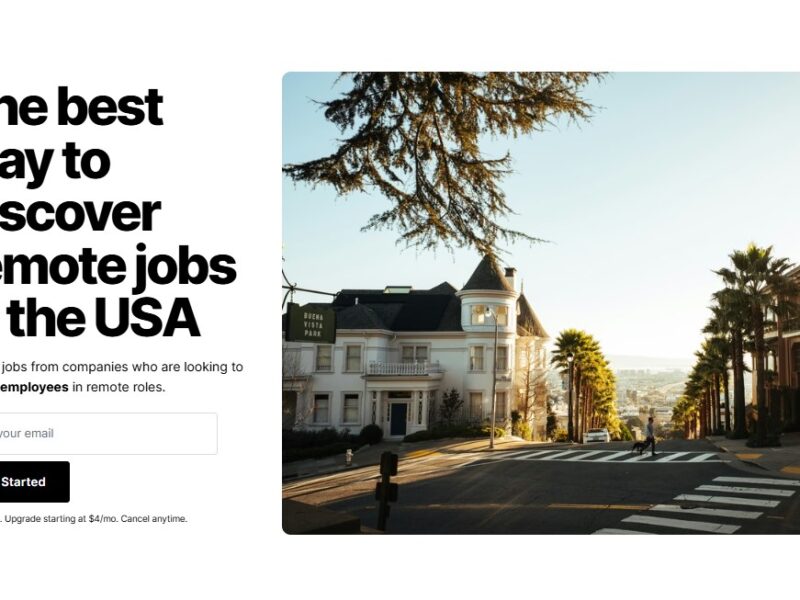
Workster
What is Workster?
Workster is a cloud-based workforce management platform that helps businesses automate and optimize their recruitment, onboarding, and talent management processes. It offers an integrated solution to streamline HR operations, from posting jobs and managing candidates to maintaining employee records and improving internal workflows.
By leveraging advanced technology, Workster provides businesses with a more efficient and scalable approach to workforce management, ensuring organizations can attract, retain, and manage top talent with ease.
Features
-
Applicant Tracking System (ATS): Workster’s ATS allows companies to post job openings, track applicants, and manage candidate pipelines all in one place. It integrates seamlessly with job boards, social media platforms, and internal databases to attract qualified talent.
-
Employee Onboarding: The platform simplifies the onboarding process, allowing HR teams to create customized onboarding flows for new hires. This feature ensures that new employees are smoothly integrated into the company.
-
Recruitment Automation: Workster uses AI-driven algorithms to automatically filter and rank candidates based on job requirements, ensuring recruiters focus on the most qualified individuals.
-
Employee Scheduling & Time Tracking: Workster also offers time tracking and scheduling features to help businesses manage shift work, attendance, and payroll.
-
Performance Management: The platform helps businesses track employee performance through feedback, reviews, and goal-setting tools.
-
Customizable Dashboards: Workster’s customizable dashboards allow users to view and manage key performance indicators (KPIs), making it easy to track metrics related to hiring, onboarding, and workforce productivity.
-
Collaboration Tools: Workster fosters collaboration among HR teams, hiring managers, and employees, offering tools for team communication, document sharing, and task management.
Pros & Cons
Pros:
-
Streamlined Hiring Process: With features like automatic candidate ranking and seamless job board integrations, Workster reduces the time it takes to find and hire top talent.
-
User-Friendly Interface: The platform’s intuitive design makes it easy for HR teams to quickly navigate through various modules, saving valuable time.
-
Automation: Workster automates repetitive tasks, such as candidate screening and interview scheduling, which increases productivity and reduces human error.
-
Centralized Data: All HR-related data, including employee records, performance reviews, and recruitment analytics, is centralized in one platform, making it easier to manage and access.
-
Scalability: Workster is highly scalable, making it suitable for companies of all sizes, from startups to large enterprises.
Cons:
-
Learning Curve: While the interface is generally user-friendly, new users may take some time to fully understand the platform’s range of features and functionalities.
-
Cost: Workster is a premium tool, which means that smaller businesses or startups may find it on the pricier side compared to other workforce management solutions.
-
Limited Customization in Certain Areas: Some users have reported that while Workster offers a high degree of customization, certain features (like performance management) can be somewhat rigid in their configuration options.
-
Limited Integrations: While Workster integrates with some of the major platforms, it may not support certain niche HR tools or software that some businesses rely on.
-
Customer Support: Some users have reported slower response times from customer support during peak times.
Use Cases of Workster:
-
Recruitment and Talent Acquisition: Workster is ideal for companies looking to streamline their hiring processes. Whether it’s through job posting automation, candidate ranking, or integrated assessments, the platform ensures that companies find the best-fit candidates quickly.
-
Employee Onboarding: Workster’s onboarding features are particularly helpful for businesses that hire frequently or have a large number of employees. It ensures a smooth transition for new hires, saving time and reducing paperwork.
-
Time and Attendance Tracking: Workster is perfect for businesses that need to track employee hours, especially in industries with shift-based work like retail, hospitality, and healthcare.
-
Performance Reviews and Employee Development: Workster’s performance management tools are designed to support regular employee evaluations, ensuring that companies can track employee growth and offer necessary support or feedback.
-
Workforce Analytics: Workster provides powerful data analytics tools, allowing HR managers to track key metrics, improve operational efficiency, and make data-driven decisions.
How Workster Compares to Other Tools?
When compared to other workforce management tools, Workster stands out for its holistic approach. Here’s how it stacks up against some popular alternatives:
-
Workday: Both Workster and Workday provide comprehensive workforce management solutions, but Workday is often preferred by larger enterprises due to its extensive functionality and higher price point. Workster, on the other hand, is more accessible for mid-market businesses and startups while offering robust features at a lower cost.
-
BambooHR: While BambooHR focuses on HR fundamentals like employee records and performance management, Workster offers additional features such as recruitment automation and time tracking. BambooHR is better for small businesses, while Workster is ideal for organizations looking for a full-suite workforce management solution.
-
ADP Workforce Now: ADP is another major player in the workforce management space. While ADP provides payroll and compliance tools, Workster focuses more on recruitment and talent acquisition, making it a better choice for organizations that need strong hiring support.
Workster is a versatile and powerful workforce management tool that can streamline your hiring, onboarding, and employee management processes. Its automation features, intuitive interface, and comprehensive functionalities make it a solid choice for businesses looking to improve HR efficiency. However, it may not be the best fit for very small businesses due to its pricing and complexity.
If you’re looking for a solution to optimize your recruitment process, improve onboarding efficiency, or track employee performance, Workster is definitely worth considering.
FAQs
-
What is the pricing structure of Workster?
Workster offers a subscription-based pricing model. The exact cost depends on the size of your organization and the features you need. You can contact their sales team for a personalized quote. -
Can Workster integrate with other HR software?
Yes, Workster integrates with several popular HR software tools, including job boards, social media platforms, and payroll systems. However, it may not support every niche HR tool. -
Is Workster suitable for small businesses?
While Workster is scalable and can work for businesses of all sizes, it is better suited for mid-market to large companies due to its pricing and feature set. -
Does Workster provide customer support?
Yes, Workster offers customer support through multiple channels, including email and live chat. However, response times may vary, especially during peak times. -
How does Workster help with recruitment?
Workster’s recruitment tools include job posting automation, candidate ranking, and applicant tracking. It helps businesses reduce time-to-hire and ensures they find the best-fit candidates faster.