
TimeOS
What is TimeOS?
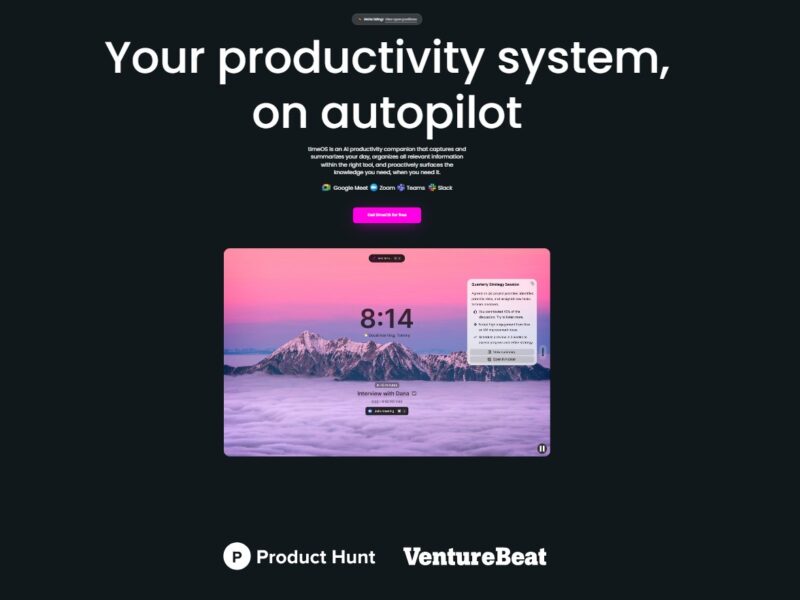
TimeOS is a smart, AI-driven time management platform that uses advanced algorithms and machine learning to help individuals and businesses manage their time more efficiently. The platform integrates seamlessly with calendars, task management systems, and communication tools to provide real-time insights, automated scheduling, and task prioritization. TimeOS is designed to optimize how users plan their days, reduce time wasted on repetitive tasks, and improve overall productivity.
By leveraging AI, TimeOS goes beyond traditional time management tools. It not only helps users manage appointments and meetings but also suggests optimal time slots for tasks, predicts scheduling conflicts, and provides personalized recommendations to ensure that users stay on track.
Features
TimeOS offers a wide range of features that cater to both personal and business time management needs. Some of the key features include:
-
AI-Powered Scheduling: TimeOS uses AI to automatically schedule meetings, appointments, and tasks based on your preferences, calendar availability, and optimal time windows.
-
Task Prioritization: The platform intelligently prioritizes tasks, ensuring that high-priority activities are tackled first while also helping you delegate or delay lower-priority tasks.
-
Smart Calendar Integration: TimeOS integrates seamlessly with popular calendar platforms like Google Calendar and Microsoft Outlook, synchronizing events and appointments in real-time to avoid scheduling conflicts.
-
Time Blocking: TimeOS offers time-blocking features, allowing users to allocate specific time slots for focused work, meetings, and breaks, reducing distractions and improving time management.
-
Automated Reminders and Alerts: The platform sends automated reminders for meetings, deadlines, and upcoming tasks, helping users stay on top of their responsibilities.
-
Analytics and Insights: TimeOS provides detailed analytics about how your time is being spent, offering insights into productivity patterns, areas for improvement, and time-draining activities.
-
Collaboration Tools: For teams, TimeOS includes features for shared calendars, group task management, and team scheduling, making it easy to coordinate schedules across multiple people and departments.
-
AI Recommendations: TimeOS offers personalized recommendations for task management, such as when to take breaks, how to allocate time for specific tasks, and how to optimize your workday.
Pros & Cons
Pros:
-
AI-Driven Efficiency: TimeOS leverages artificial intelligence to streamline scheduling and task management, helping users save time and reduce administrative workload.
-
Seamless Integration: The platform integrates with widely-used calendar and productivity tools, making it easy to sync existing workflows.
-
Personalized Recommendations: TimeOS learns from user behavior to offer tailored suggestions for improving productivity and time management.
-
Automated Task Management: Automated reminders and intelligent scheduling reduce the need for manual input, freeing up users to focus on more important tasks.
-
User-Friendly Interface: TimeOS offers an intuitive, easy-to-navigate interface that simplifies time management for both individuals and teams.
Cons:
-
Dependence on AI: While AI can greatly improve scheduling and productivity, it may not always understand the nuances of complex human behavior or unpredictable work conditions, leading to occasional mismanagement of tasks.
-
Learning Curve: Some users may find it takes time to fully understand and take advantage of all the features TimeOS offers, especially if they are not familiar with AI-driven tools.
-
Pricing: TimeOS can be on the pricier side for small businesses or individual users, particularly for those who need access to premium features such as team collaboration tools or advanced analytics.
-
Limited Offline Functionality: As a cloud-based platform, TimeOS requires an internet connection to access most features, which can be a limitation in areas with unreliable connectivity.
Use Cases for TimeOS:
TimeOS is suitable for a variety of use cases, both for individual users and businesses. Here are some examples of how TimeOS can be applied:
-
Personal Time Management: Individuals can use TimeOS to optimize their personal schedules, manage daily tasks, and ensure they are allocating time for work, exercise, relaxation, and other important activities.
-
Team Collaboration: For businesses, TimeOS allows teams to coordinate schedules, set shared goals, and ensure deadlines are met by optimizing the team’s collective time.
-
Remote Work Optimization: With the rise of remote work, TimeOS helps distributed teams sync schedules, plan virtual meetings, and stay productive without the constraints of traditional office hours.
-
Project Management: TimeOS can be used to manage project timelines, allocate time for team meetings, and track project milestones, ensuring timely delivery of business objectives.
-
Health & Wellness Scheduling: TimeOS encourages users to balance work with wellness by recommending time blocks for exercise, relaxation, and sleep, promoting a healthy work-life balance.
TimeOS Compared to Other Tools
When compared to other time management tools like Trello, Asana, Todoist, and RescueTime, TimeOS stands out in several key areas:
-
AI-Powered Automation: Unlike tools like Trello and Asana, which focus primarily on task management, TimeOS incorporates AI to automate scheduling, prioritize tasks, and provide personalized time management insights.
-
Integrated Analytics: While RescueTime provides insights into time usage, TimeOS combines time tracking with proactive recommendations and scheduling, making it a more complete solution for time management.
-
Team Collaboration: TimeOS offers robust collaboration features, allowing teams to manage shared calendars and tasks efficiently. This is an advantage over simpler task management tools like Todoist, which may not offer as many team-oriented features.
-
Ease of Use: TimeOS offers an easy-to-navigate interface that combines the best elements of traditional calendar tools with the advanced capabilities of AI-driven time management. It provides a more seamless experience compared to some of the more complex or fragmented time management systems.
TimeOS is a powerful AI-driven time management platform that offers individuals and businesses the tools they need to optimize productivity, streamline workflows, and manage time effectively. With its AI-powered scheduling, task prioritization, automated reminders, and insightful analytics, TimeOS helps users make better use of their time and focus on what truly matters. While it may have a learning curve for some and could be more expensive for small businesses, the platform’s advanced features and seamless integration make it a compelling choice for those looking to improve their time management processes.
FAQs
1. How does TimeOS help with scheduling?
TimeOS uses AI to automatically suggest optimal time slots for meetings, tasks, and appointments based on your availability, preferences, and historical data, ensuring you make the best use of your time.
2. Is TimeOS suitable for team collaboration?
Yes, TimeOS offers collaborative features that allow teams to share calendars, set joint tasks, and coordinate schedules, making it easy to work together efficiently.
3. Can I integrate TimeOS with my existing calendar?
Yes, TimeOS integrates seamlessly with popular calendar platforms like Google Calendar and Microsoft Outlook, ensuring that all your appointments and tasks are synchronized in real-time.
4. Does TimeOS provide any time-tracking features?
Yes, TimeOS tracks how your time is spent and provides insights into your productivity patterns. This helps you identify time-wasting activities and optimize your schedule.
5. What type of businesses can benefit from TimeOS?
TimeOS is ideal for businesses of all sizes, from small startups to large enterprises. It’s particularly useful for businesses with remote teams, project managers, and anyone looking to optimize workflows and improve overall time management.