
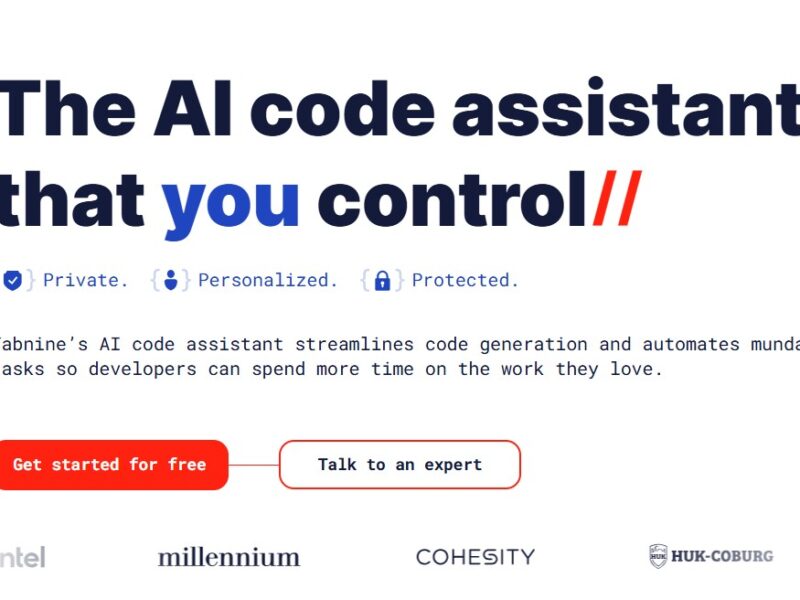
Tabnine
What is Tabnine?
Tabnine is an AI-powered code completion tool designed to assist developers by providing intelligent autocompletion suggestions. It uses machine learning models trained on millions of lines of code to predict the next lines or blocks of code, thereby speeding up the development process. Tabnine works with a variety of programming languages and integrates seamlessly with most popular code editors and integrated development environments (IDEs), including Visual Studio Code, IntelliJ IDEA, and Sublime Text.
The platform’s primary goal is to help developers write code faster and with fewer errors by offering predictive coding suggestions that are context-aware and language-specific.
Features
Tabnine boasts several key features that make it a standout tool for developers:
1. AI-Powered Code Suggestions
Tabnine’s most notable feature is its AI-driven autocompletion. By analyzing the context of the code you’re writing, it can offer relevant code suggestions, reducing the need to search for documentation or reference material while coding.
2. Supports Multiple Languages
Tabnine supports a wide range of programming languages, including but not limited to JavaScript, Python, Java, Go, Ruby, TypeScript, PHP, and C++. This broad support makes it a versatile tool for developers working in diverse tech stacks.
3. Seamless IDE Integration
Tabnine integrates with a variety of popular IDEs and code editors like Visual Studio Code, JetBrains IDEs (IntelliJ IDEA, PyCharm), Sublime Text, and more. This flexibility allows developers to continue using their preferred development environment without disruption.
4. Context-Aware Autocompletion
Unlike traditional autocomplete tools, Tabnine uses deep learning models to understand the context of your code. This enables it to provide more accurate and relevant code completions, even for complex coding tasks.
5. Team and Enterprise Solutions
Tabnine offers team-based features, including custom model training, shared code completions, and the ability to train the AI on a team’s private codebase. This makes Tabnine a powerful tool for companies and collaborative development environments.
6. Privacy and Security
Tabnine prioritizes data privacy and security, ensuring that code is processed securely. The platform offers a local option that runs directly on your machine, preventing any code from being sent to the cloud. This is especially important for organizations working with sensitive or proprietary code.
7. Performance Optimization
Tabnine optimizes its performance to reduce lag in your IDE or editor. By utilizing lightweight, efficient algorithms, it ensures that the autocompletion suggestions do not interfere with the overall performance of your development environment.
Pros and Cons
Pros:
-
Increased Productivity: Tabnine accelerates coding by providing intelligent code suggestions, saving developers time spent on typing and searching for syntax.
-
Error Reduction: By suggesting the correct syntax and code patterns, Tabnine helps reduce the number of coding errors and improves overall code quality.
-
Language Agnostic: With support for many programming languages, Tabnine can be used across a variety of development projects and tech stacks.
-
IDE Compatibility: Tabnine integrates seamlessly with popular code editors and IDEs, ensuring a smooth developer experience.
-
Customizable for Teams: Teams can customize the AI model to understand and work with their private codebase, making it especially beneficial in collaborative environments.
Cons:
-
Learning Curve: While Tabnine is generally user-friendly, new users may need some time to adjust to the AI-driven code completions, especially if they are used to more traditional autocomplete tools.
-
Subscription Costs: The full suite of Tabnine’s features, especially for teams and enterprises, requires a paid subscription. While there’s a free version, businesses may find the cost of premium plans prohibitive, depending on their needs.
-
Dependence on Cloud: The AI model used for code suggestions is typically cloud-based, which may not be ideal for all users. Although Tabnine offers a local option, cloud integration is more common and may pose privacy concerns for some.
-
Occasional Inaccuracy: While Tabnine’s AI is powerful, it’s not always perfect. In some cases, the suggestions it offers may not be as accurate as expected, particularly in niche coding scenarios.
Use Cases for Tabnine:
Tabnine is a versatile tool suited to a wide range of developers and use cases:
1. Solo Developers
Independent developers can use Tabnine to speed up their coding process. The AI-driven suggestions help them avoid repetitive tasks and reduce errors, allowing them to focus on more complex and creative aspects of development.
2. Team Development
For teams working collaboratively on large projects, Tabnine provides a shared, context-aware code completion system that improves consistency across the codebase. Teams can also train Tabnine’s AI on their specific coding patterns and practices.
3. Freelancers and Contractors
Freelance developers can use Tabnine to increase their productivity when working with clients on tight deadlines. The tool’s efficiency boosts the speed of delivering high-quality code while minimizing errors.
4. Open-Source Contributors
Tabnine can be especially useful for developers working on open-source projects, where they need to navigate through large codebases quickly. The AI model helps them understand existing code patterns and write code faster.
5. Students and Beginners
Tabnine can be an excellent learning tool for students and beginner developers. Its suggestions help new coders learn correct syntax and common patterns, making it a useful tool for coding practice and improvement.
Tabnine Compared to Other Tools
Tabnine vs. GitHub Copilot
Both Tabnine and GitHub Copilot are AI-powered code completion tools that use machine learning to predict the next lines of code. However, while Copilot is specifically trained on a large dataset of publicly available code from GitHub, Tabnine offers more flexible deployment options, including local models for privacy-conscious users. Tabnine also supports a wider range of IDEs and programming languages compared to Copilot, which is mainly optimized for Visual Studio Code.
Tabnine vs. Kite
Kite is another popular AI-powered code completion tool. While both tools share similarities in providing AI-based code suggestions, Tabnine offers more flexibility in terms of deployment options, supporting multiple languages, and custom training for teams. Kite is known for its deep integration with Python, while Tabnine offers more robust multi-language support, making it a better option for developers working in a polyglot environment.
Tabnine vs. IntelliCode (by Microsoft)
IntelliCode is Microsoft’s AI-powered code completion tool, integrated into Visual Studio and Visual Studio Code. While both IntelliCode and Tabnine provide context-aware code suggestions, Tabnine has broader support for various editors and IDEs. Tabnine’s ability to learn from your private codebase and provide suggestions based on it also sets it apart from IntelliCode’s more generic AI model.
Tabnine is an innovative and powerful tool for developers looking to enhance their coding productivity. Its AI-driven code completion offers context-aware suggestions that can significantly reduce typing time, improve code quality, and minimize errors. While it may not be a replacement for all traditional development tools, Tabnine offers valuable features that can boost efficiency for solo developers, teams, freelancers, and students alike.
With its extensive language support, IDE compatibility, and customizable features, Tabnine is well-suited to a wide range of use cases. Though it comes with some limitations, such as the need for a paid subscription for full features and occasional inaccuracies in suggestions, its benefits far outweigh the drawbacks for many developers.
FAQs
1. Is Tabnine free to use?
Yes, Tabnine offers a free version with basic code completion features. However, advanced features, such as team collaboration, enterprise support, and custom model training, are available through paid subscriptions.
2. Can Tabnine work offline?
Tabnine offers both cloud-based and local deployment options. If you prioritize privacy or have limited internet access, you can use Tabnine in offline mode by running the model locally on your machine.
3. How does Tabnine improve code suggestions?
Tabnine uses machine learning and deep neural networks to understand the context of the code you’re writing. It analyzes your code and the surrounding codebase to provide highly relevant and accurate completion suggestions.
4. Is Tabnine suitable for beginners?
Yes, Tabnine can be a useful tool for beginners. It helps new developers by providing real-time suggestions, teaching them correct syntax and common code patterns, and improving their coding efficiency.
5. What IDEs does Tabnine support?
Tabnine integrates with a wide range of IDEs and text editors, including Visual Studio Code, IntelliJ IDEA, PyCharm, Sublime Text, and Atom, making it a flexible choice for developers across various environments.