
SnapWidget
What is SnapWidget?
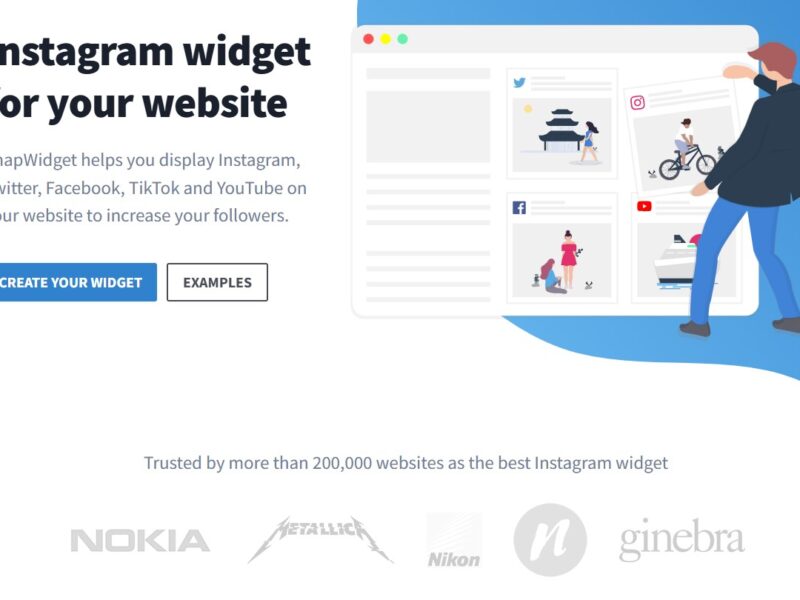
SnapWidget is an intuitive and easy-to-use platform that allows website owners to embed social media feeds directly onto their websites. Primarily focused on Instagram, SnapWidget enables users to showcase their social media posts in a dynamic and visually appealing way. By integrating Instagram, Twitter, Facebook, and other social media feeds, SnapWidget helps businesses, bloggers, and brands increase engagement and showcase their social presence directly on their website.
Whether you want to display Instagram photos, Twitter feeds, or Facebook posts, SnapWidget provides a hassle-free solution for seamlessly embedding social media content onto your website without the need for complex coding.
Features
-
Instagram Feed Embedding
SnapWidget is best known for its ability to display Instagram feeds on your website. It allows you to show Instagram photos, videos, and stories in various customizable grid layouts, helping to enhance visual appeal and increase visitor interaction. -
Multiple Social Media Integrations
In addition to Instagram, SnapWidget supports multiple social media platforms, including Twitter, Facebook, and YouTube. Users can display posts, videos, and even entire galleries from their social media profiles directly on their websites. -
Customizable Widgets
SnapWidget offers a wide range of customization options, allowing users to tailor the size, style, and layout of their widgets. You can adjust the grid layout, change colors, and configure how posts are displayed, all without writing a single line of code. -
Mobile-Responsive
All SnapWidget embeds are designed to be fully responsive, ensuring that your social media feeds look great on any device. Whether your visitors are browsing from a desktop, tablet, or mobile phone, the widgets will adjust automatically to provide a smooth experience. -
Easy Integration
SnapWidget simplifies the process of embedding social media content into websites. With a simple embed code or shortcode, users can easily add their widgets to WordPress, Shopify, Squarespace, or any custom-built website. -
No Coding Required
SnapWidget is designed to be user-friendly, with a drag-and-drop interface and no technical knowledge required. The platform generates an embed code that can be copied and pasted into your website, saving you time and effort. -
Free and Paid Plans
SnapWidget offers both free and premium subscription plans. The free plan includes basic features like Instagram feed embedding, while the paid plans provide additional customization options, increased feed limits, and advanced features like multiple feed integration and analytics. -
Content Moderation
The platform provides an option to moderate the content displayed on your website by enabling filters or selecting specific posts to feature. This feature is useful for businesses and brands that want to control the type of content shown on their site.
Pros & Cons
Pros:
-
Easy to Use
SnapWidget’s user-friendly interface makes it simple for anyone to integrate social media feeds into their website without needing technical expertise or coding skills. -
Enhances User Engagement
By displaying live social media feeds on your website, SnapWidget boosts user engagement, encourages more social interactions, and creates a seamless experience for your website visitors. -
Customizable Layouts
The wide variety of customization options lets you display your social content exactly the way you want. Whether it’s a grid layout, a slideshow, or a carousel, SnapWidget offers flexibility to match your website’s design. -
Cross-Platform Compatibility
SnapWidget supports embedding on multiple website platforms, including WordPress, Shopify, Wix, and custom HTML websites. It’s a versatile tool that works with various site builders and platforms. -
Free Plan Available
SnapWidget’s free plan is perfect for small businesses, bloggers, or anyone looking to add basic social media feeds to their website without any cost. It’s a great starting point for users who want to try out the service before committing to a paid plan.
Cons:
-
Limited Customization on Free Plan
While SnapWidget’s free plan offers basic functionality, it limits customization options and advanced features. For example, you can’t display as many posts or use some of the more advanced layout options unless you upgrade to a paid plan. -
Limited Features on Free Version
The free version has some restrictions, such as limited social media platforms (Instagram primarily) and limited feed options. For businesses and larger websites, the free plan might not be sufficient to meet all their needs. -
Dependence on External Services
Since SnapWidget relies on third-party social media platforms, the performance and availability of your social media feeds are dependent on the API availability and uptime of Instagram, Twitter, and other services. -
Occasional Display Issues
Some users report occasional display issues or delays in loading social media feeds, especially when a large number of posts are being displayed or when there is a high volume of website traffic.
Use Cases of SnapWidget:
-
Brand Promotion and Marketing
Businesses can use SnapWidget to showcase user-generated content, influencer collaborations, or their own posts, helping to promote brand awareness, increase social proof, and encourage engagement directly on their websites. -
E-Commerce Websites
E-commerce stores can use SnapWidget to display Instagram photos or user reviews in a visually engaging manner, adding authenticity and social proof that can drive sales and build customer trust. -
Bloggers and Content Creators
Bloggers and content creators can use SnapWidget to showcase their Instagram photos, engage their audience, and build a stronger social presence by integrating their social media content into their websites. -
Event Promotion
Event organizers can embed live feeds of Instagram photos and videos from attendees at conferences, festivals, or other events, adding real-time social media engagement and enhancing the event experience for website visitors. -
Portfolio Websites
Designers, photographers, and other creative professionals can use SnapWidget to display their Instagram or other social media content, adding dynamic and interactive elements to their online portfolios.
SnapWidget Compared to Other Tools
When compared to other social media feed tools like Juicer, EmbedSocial, and Instagram Feed Pro, SnapWidget stands out for its simplicity, ease of use, and affordability. Here’s how it compares:
-
SnapWidget vs Juicer
Juicer is another popular social media feed tool, but SnapWidget offers a simpler, more affordable option for users primarily looking to display Instagram feeds. Juicer offers more customization options but comes with a steeper learning curve and higher pricing, especially for premium features. -
SnapWidget vs EmbedSocial
EmbedSocial offers more advanced features such as detailed analytics and customizable widgets, but SnapWidget is a better option for users looking for a quick and easy solution to integrate social media feeds without too much complexity. It’s a more accessible and cost-effective option for small businesses. -
SnapWidget vs Instagram Feed Pro
Instagram Feed Pro is a robust plugin that focuses on Instagram feed integration, offering detailed customization options and support for multiple Instagram accounts. However, SnapWidget is more versatile, supporting not only Instagram but also Twitter, Facebook, and YouTube feeds, making it ideal for businesses and users who want to display a variety of social media platforms.
SnapWidget is an excellent tool for businesses, bloggers, and brands looking to enhance their websites with engaging and dynamic social media feeds. With its easy-to-use interface, customization options, and multi-platform support, SnapWidget offers a hassle-free solution to integrate social content into websites and increase user engagement.
While the free plan offers limited functionality, the premium versions unlock more advanced features and customization options, making it a great option for businesses and users who want to create a more interactive and visually appealing website. Whether you’re looking to add an Instagram feed, display Twitter posts, or showcase Facebook content, SnapWidget is a reliable and affordable tool to elevate your website’s social media presence.
FAQs
-
How do I add SnapWidget to my website?
Adding SnapWidget is simple. After creating your widget on the SnapWidget platform, you’ll receive an embed code that you can copy and paste into your website’s HTML or use a shortcode if you’re on a WordPress site. -
Is SnapWidget free?
Yes, SnapWidget offers a free plan with basic features. However, for advanced customization options and higher feed limits, you’ll need to upgrade to a paid plan. -
Can I display multiple social media feeds on my website?
Yes, SnapWidget allows you to embed multiple social media feeds from Instagram, Twitter, Facebook, and YouTube, making it easy to integrate diverse social content into your website. -
Does SnapWidget work on mobile devices?
Yes, SnapWidget is fully mobile-responsive. The social media feeds automatically adjust to display properly on smartphones and tablets, ensuring a seamless experience across all devices. -
What customization options are available with SnapWidget?
SnapWidget offers several customization options, including grid layouts, slideshow options, color schemes, and more. You can tailor the appearance of your widgets to match your website’s design.