
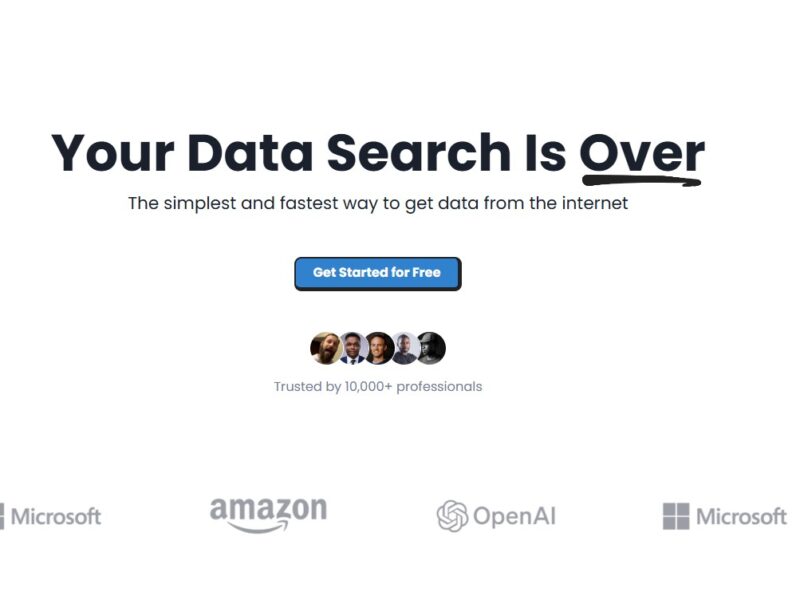
Scrapetable
What is Scrapetable?
Scrapetable is a user-friendly data scraping tool that allows users to extract and organize data from any publicly accessible website. The platform leverages a visual interface to simplify web scraping, enabling users to collect structured data such as tables, lists, or other web content with minimal effort. Scrapetable is designed for businesses, marketers, and developers who need to access data from the web efficiently, without dealing with the complexities of traditional web scraping code.
Unlike traditional scraping methods that require custom scripts or specialized programming knowledge, Scrapetable provides an easy-to-use interface that anyone can operate, making it an ideal tool for both technical and non-technical users.
Features
-
Visual Web Scraping: Scrapetable offers a visual scraping interface where users can click on the data they want to extract directly from the webpage. The tool automatically detects the structure and organizes the data accordingly.
-
Data Export Options: Once data is extracted, users can easily export it in various formats such as CSV, Excel, or JSON for further analysis or integration with other systems.
-
Multi-page Scraping: Scrapetable supports multi-page scraping, allowing users to collect data from multiple pages of a website without having to manually navigate each page.
-
Data Cleaning and Formatting: The platform provides tools to clean and format the extracted data, ensuring that the final dataset is organized and ready for use.
-
Scheduling and Automation: Users can set up automated scraping tasks on a scheduled basis, ensuring they receive up-to-date data without needing to manually trigger the extraction process.
-
Built-in Proxy Support: Scrapetable includes proxy support to prevent IP blocking and ensure reliable scraping from websites with anti-scraping mechanisms.
-
No Code Required: Scrapetable is designed for ease of use, with no coding required. Users can start scraping data with just a few clicks, making it accessible to non-developers.
-
Customizable Workflows: Advanced users can customize scraping workflows using built-in features or integrate the platform with other tools via APIs for more complex projects.
Pros & Cons
Pros:
-
User-Friendly Interface: Scrapetable’s visual interface is simple and intuitive, making it accessible to both beginners and advanced users. It eliminates the need for programming knowledge.
-
Quick Data Extraction: With just a few clicks, users can quickly extract relevant data from websites, saving time compared to manual data entry.
-
Flexible Export Options: The tool offers multiple formats for exporting data, allowing for easy integration with spreadsheets, databases, and other systems.
-
Automated Scraping: Users can set up scraping schedules to run at specific intervals, ensuring they always have the latest data without having to manually initiate the process.
-
Advanced Data Cleaning: Scrapetable includes tools to clean and format the extracted data, helping users get rid of unnecessary information and structure the data as needed.
Cons:
-
Limited Free Plan: Scrapetable offers a free trial, but to access its full range of features, users must subscribe to a paid plan. The free plan comes with restrictions on the number of scraping tasks and data exports.
-
Not for Highly Complex Scraping: While Scrapetable is great for extracting data from simple websites, it may struggle with highly complex or dynamic sites that require advanced scraping techniques like handling JavaScript-heavy pages.
-
Learning Curve for Advanced Features: While the basic interface is easy to use, advanced features such as scheduling and workflow customization may take some time to learn and configure.
-
Requires Internet Access: As an online tool, Scrapetable requires a stable internet connection to operate effectively, which may limit accessibility in areas with poor internet connectivity.
Use Cases for Scrapetable:
-
Market Research: Scrapetable can be used to collect data from competitor websites, product listings, customer reviews, and other online sources to gain insights into market trends and consumer behavior.
-
E-commerce: E-commerce businesses can use Scrapetable to scrape product information, pricing data, and customer reviews from various online stores to inform their pricing strategies or monitor competitor products.
-
Real Estate Data Collection: Scrapetable can be used to gather property listings, pricing trends, and market insights from real estate websites, helping agents and investors make informed decisions.
-
Lead Generation: Marketing teams can use Scrapetable to extract potential customer leads from online directories, social media platforms, or business listings, streamlining the lead generation process.
-
Academic Research: Researchers can scrape academic databases or websites for research papers, journals, and statistical data to aid in their studies.
-
News Aggregation: Media companies or bloggers can automate the process of scraping news articles, headlines, and blog content from various sources to aggregate news on their own websites.
Scrapetable Compared to Other Tools
Scrapetable vs. Scrapy
-
Scrapy is a popular Python-based framework for web scraping, designed for developers and those with programming experience. It offers advanced features like handling JavaScript and managing large-scale scraping tasks. However, Scrapetable is a no-code solution with a more user-friendly interface, making it ideal for non-technical users who need a quick and simple solution for web scraping.
Scrapetable vs. Octoparse
-
Octoparse is another no-code scraping tool that offers features similar to Scrapetable, such as point-and-click data extraction and multi-page scraping. However, Scrapetable tends to be more focused on simplicity and ease of use, while Octoparse offers more advanced customization options and features that may be more appealing to technical users or those who need extensive scraping capabilities.
Scrapetable vs. ParseHub
-
ParseHub is a web scraping tool that also allows users to extract data using a visual interface. However, Scrapetable offers more streamlined features for easy automation and data cleaning, while ParseHub is better suited for users who need more advanced scraping, including support for AJAX and JavaScript-heavy websites.
Scrapetable is an excellent tool for businesses, marketers, and researchers who need to extract data from websites without complex coding. Its user-friendly interface, automation features, and flexible export options make it an ideal choice for both beginners and advanced users. While it may not be the best solution for highly complex scraping tasks, its simplicity and efficiency make it a go-to choice for standard data extraction needs.
For those looking to automate data collection, streamline business research, or integrate web data into their applications, Scrapetable offers an intuitive, cost-effective solution.
FAQs
-
Is Scrapetable easy to use?
Yes, Scrapetable is designed with a user-friendly, visual interface that allows both beginners and experienced users to extract data with just a few clicks. -
Can I scrape data from multiple pages at once?
Yes, Scrapetable supports multi-page scraping, allowing you to extract data from several pages of a website automatically. -
How do I export data from Scrapetable?
After scraping, you can export your data in formats like CSV, Excel, or JSON for easy analysis or integration with other systems. -
Does Scrapetable support proxy rotation?
Yes, Scrapetable includes built-in proxy support to help prevent IP blocking when scraping websites that employ anti-scraping measures. -
Do I need coding knowledge to use Scrapetable?
No, Scrapetable is a no-code solution, meaning you don’t need any programming experience to use it. The platform’s visual interface simplifies the scraping process.