
Replit
What is Replit?
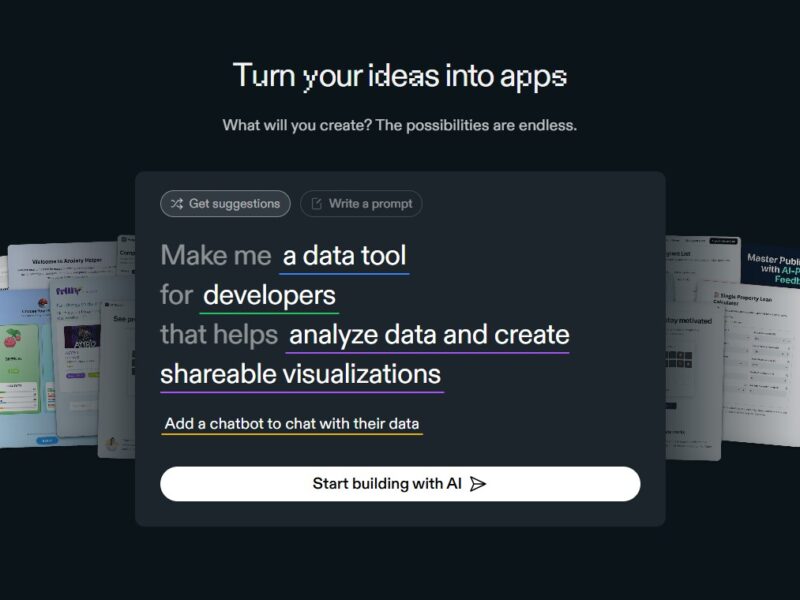
Replit is an online platform that allows users to write, run, and share code directly from a web browser. It supports multiple programming languages, providing an integrated development environment (IDE) that can be accessed from anywhere without the need for local setups or installations. Replit enables developers to create, test, and collaborate on projects, making it ideal for both beginners and seasoned professionals.
Features
-
Multi-Language Support
Replit supports over 50 programming languages, including Python, JavaScript, Java, C++, Ruby, and more. This makes it a versatile tool for developers working on different types of projects. -
Collaborative Coding
Replit offers real-time collaboration, allowing multiple users to work on the same project simultaneously. This feature makes it especially useful for team-based development and remote work. -
Cloud-Based IDE
Since Replit is cloud-based, you don’t need to worry about hardware specifications. It works seamlessly across devices, enabling developers to access their projects from anywhere with an internet connection. -
Instant Deployment
With Replit, you can instantly deploy and share your projects. This feature is helpful for testing prototypes or sharing work with collaborators without any complicated setup. -
Integrated Database
Replit also offers integrated databases, allowing users to store and access data in a seamless manner while working on web applications or other data-driven projects. -
Version Control
Replit has built-in GitHub integration, making it easy to manage your project’s version control and sync with repositories.
Pros & Cons
Pros:
-
Ease of Use: Replit’s user interface is beginner-friendly, making it easy for new coders to get started quickly.
-
Instant Setup: No installation is required—just open a browser and start coding.
-
Collaboration: The ability to work on the same project with other developers in real time enhances teamwork and speeds up development.
-
Cloud Integration: Cloud-based storage means you can access your work anywhere, on any device.
-
Free Tier: Replit offers a free version with enough features to get most coding tasks done, making it accessible to a wide range of users.
Cons:
-
Limited Resources on Free Plan: The free tier offers limited memory and CPU resources, which might be restrictive for larger projects.
-
Performance Issues: Some users report lag or slower performance for resource-heavy tasks.
-
Privacy Concerns: While Replit offers some security features, being an online platform means that sensitive data or proprietary code may be at risk if not handled carefully.
-
Customization Limits: The platform doesn’t allow for full customization of environments compared to desktop-based IDEs, which might be limiting for advanced developers.
Use Cases of Replit:
-
Learning and Teaching Coding: Replit is a great resource for beginners learning programming or educators teaching coding remotely. The real-time feedback and code sharing features are highly beneficial in educational settings.
-
Collaborative Development: Developers working in teams can benefit from Replit’s live collaboration feature, where multiple people can edit code simultaneously, making teamwork smoother.
-
Prototyping and Testing: Replit’s instant deployment and multi-language support make it a great tool for rapidly prototyping and testing small applications.
-
Hackathons and Coding Competitions: Since Replit provides an instantly accessible development environment, it is a popular tool for participants in hackathons or coding competitions that require fast, efficient development.
-
Small to Medium Web Apps: Replit’s cloud hosting and integrated database features make it a good choice for building and hosting web applications without needing complex server configurations.
Replit Compared to Other Tools
-
Replit vs. GitHub Codespaces
GitHub Codespaces is a cloud-based IDE that integrates directly with GitHub repositories. While both platforms allow for cloud-based coding, GitHub Codespaces provides a more robust development environment, supporting complex configurations and enterprise-level needs. Replit, on the other hand, is more beginner-friendly and ideal for small to medium-scale projects. -
Replit vs. Glitch
Glitch is another cloud-based platform for coding and deploying apps. Glitch provides real-time collaboration and hosting capabilities similar to Replit, but Replit supports a wider range of programming languages and offers more extensive resources for developers. Glitch may be more suited to creative projects or quick prototyping, while Replit is ideal for both learning and professional development. -
Replit vs. Visual Studio Code (VS Code)
Visual Studio Code is one of the most popular IDEs among developers. Unlike Replit, VS Code is a desktop-based tool that requires installation and setup. Replit’s cloud-based IDE offers convenience and accessibility, whereas VS Code provides a more customizable experience with the ability to install a range of extensions. Replit’s simplicity makes it easier for beginners, while VS Code is often preferred by professionals for its depth and flexibility. -
Replit vs. Jupyter Notebooks
Jupyter Notebooks is a popular tool in data science and machine learning for its ability to mix code, visualizations, and text in an interactive environment. While Replit supports Python and other languages, it does not offer the same interactive features as Jupyter Notebooks, making it less ideal for deep data analysis and visualization.
Replit is an excellent cloud-based platform for developers of all levels, providing a simple and efficient way to write, run, and share code. Its collaborative features, instant deployment, and support for multiple languages make it a versatile tool for various use cases, from educational purposes to prototyping and small-scale web development. While it has some limitations in terms of performance and customization, Replit is a great option for anyone looking to code without the hassle of installation or complex setup.
FAQs
-
Is Replit free to use?
Yes, Replit offers a free tier with basic features, including multi-language support and real-time collaboration. However, the free version has limited resources and features compared to the paid plans. -
Can I use Replit offline?
No, Replit is a cloud-based platform, which means you need an internet connection to access and use it. -
What languages does Replit support?
Replit supports over 50 programming languages, including Python, JavaScript, Java, C++, Ruby, and many others. -
Can I deploy my projects on Replit?
Yes, Replit provides hosting and deployment features, allowing you to share and deploy your projects instantly. -
How secure is Replit?
Replit takes security seriously, but like any cloud platform, there are some risks. It is important to avoid storing sensitive information in public repositories and take necessary precautions to protect your code and data.