
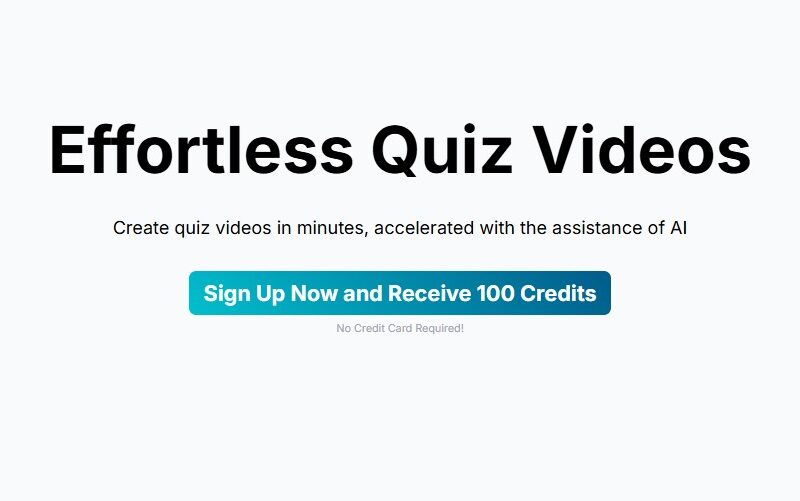
QuizTok
What is QuizTok?
QuizTok is an innovative online platform designed to help users create, share, and engage with interactive quizzes. The platform is built to be accessible for teachers, content creators, businesses, and social media influencers who want to engage their audience through fun and informative quizzes. Whether you’re looking to test knowledge, conduct assessments, or create interactive content, QuizTok offers an easy-to-use interface to help you design quizzes that resonate with your audience.
Features
-
Customizable Quiz Templates
QuizTok provides a variety of quiz templates that can be easily customized to fit different themes, topics, and objectives. Users can create multiple-choice, true/false, and fill-in-the-blank questions to suit their needs. -
Real-Time Analytics
One of the standout features of QuizTok is its real-time analytics. Users can track how participants are performing on quizzes, including metrics such as completion rates, average scores, and question performance. -
Multimedia Support
QuizTok allows you to enhance your quizzes with multimedia content, including images, videos, and audio clips. This makes the quizzes more engaging and interactive for users. -
Leaderboard and Social Sharing
Users can create leaderboards to showcase the highest scores, fostering a sense of competition. Additionally, the platform supports social media sharing, making it easy for users to share their quiz results with friends and followers. -
Quiz Integration
QuizTok integrates seamlessly with various platforms such as learning management systems (LMS), social media, and websites. This enables users to embed quizzes on different platforms and reach a wider audience. -
Mobile-Friendly
QuizTok is optimized for mobile devices, ensuring that users can take quizzes and interact with content on the go, providing flexibility for both creators and participants.
Pros & Cons
Pros:
-
User-Friendly Interface
QuizTok is designed with simplicity in mind, making it easy for anyone to create and share quizzes. The drag-and-drop functionality and pre-made templates streamline the process. -
Interactive and Engaging
The ability to add multimedia elements to your quizzes makes it more engaging for users, ensuring higher participation rates and improved user experience. -
Real-Time Feedback
The platform’s analytics allow you to view real-time responses, making it easier to gauge audience engagement and improve quiz content. -
Wide Audience Reach
With options to share quizzes on social media and integrate with other platforms, QuizTok helps users expand their reach and engage a larger audience. -
Free Basic Plan
QuizTok offers a free basic plan, making it accessible for individuals and small businesses looking to create quizzes without upfront costs.
Cons:
-
Limited Advanced Features on Free Plan
While the free version is functional, users who want access to more advanced features, like detailed analytics and premium customization options, may need to upgrade to a paid plan. -
Custom Branding Restrictions
The free version does not offer custom branding, which may be a limitation for businesses or educators who want to fully customize the look and feel of their quizzes to align with their brand. -
No Direct Certification Options
For educators or businesses that wish to offer certificates for quiz completion, QuizTok currently does not have built-in certification features, requiring users to manually create and distribute certificates. -
Occasional Lag with Multimedia
Some users have reported minor delays when adding large multimedia files (like high-quality videos), which can affect the overall experience when creating quizzes.
Use Cases for QuizTok
-
Educational Purposes
Teachers and educators can use QuizTok to create interactive quizzes for students. It’s an effective tool for formative assessments, quizzes, and learning activities. The multimedia support helps in making learning more dynamic and engaging. -
Content Creation & Engagement
Influencers and content creators can use QuizTok to engage their audience by creating fun and interactive quizzes that resonate with their followers. These quizzes can be shared on social media platforms to boost interaction and increase engagement. -
Corporate Training
Companies can use QuizTok to create quizzes for employee training or knowledge testing. It’s a great way to keep employees engaged while assessing their understanding of key topics. -
Market Research
Brands and businesses can use QuizTok to conduct surveys or quizzes that gather insights from their audience. By analyzing quiz results, they can understand customer preferences, behaviors, and opinions. -
Event & Party Games
QuizTok can be used for fun at social events or parties. Hosts can create entertaining quizzes with trivia questions that guests can participate in, making the event more interactive and enjoyable.
Compared to Other Tools
QuizTok vs. Typeform
-
QuizTok: Best for creating interactive quizzes with multimedia support. It’s geared towards both education and entertainment, with features like leaderboards and social sharing.
-
Typeform: Known for its clean, user-friendly interface and unique design, Typeform is more focused on surveys and forms but also supports quizzes. It offers more customization options but lacks some of the multimedia features that QuizTok provides.
QuizTok vs. Kahoot
-
QuizTok: Aimed at a broader audience, QuizTok is great for educators, businesses, and content creators who want to share interactive quizzes across different platforms.
-
Kahoot: More focused on classroom and team settings, Kahoot provides an engaging quiz experience that is ideal for live, real-time interactions. However, QuizTok offers more options for multimedia integration and sharing quizzes on social media.
QuizTok vs. Google Forms
-
QuizTok: Offers more features for multimedia integration and social sharing, making it ideal for interactive, content-driven quizzes.
-
Google Forms: Google Forms is a simpler, no-frills option for creating quizzes and surveys, but it doesn’t offer the level of interactivity or media integration that QuizTok provides.
QuizTok is an excellent tool for anyone looking to create interactive, engaging quizzes. With its customizable templates, multimedia support, real-time analytics, and social sharing capabilities, QuizTok is perfect for educators, content creators, businesses, and social media influencers. Although the free plan offers basic features, upgrading to a paid version provides additional customization options, making it a versatile choice for a wide range of use cases.
While QuizTok may not be as feature-rich as some other platforms like Typeform or Kahoot, its simplicity and multimedia capabilities make it an excellent choice for users who want to create engaging and shareable quizzes.
FAQs
1. How do I create a quiz on QuizTok?
Creating a quiz on QuizTok is simple. Select a template, customize your questions, add multimedia elements like images or videos, and then publish it. You can share the quiz directly via social media or embed it on your website.
2. Can I track the performance of my quiz participants?
Yes, QuizTok provides real-time analytics that tracks quiz performance, including completion rates, average scores, and how each participant answered individual questions.
3. Is QuizTok free to use?
QuizTok offers a free plan with basic features, including quiz creation and sharing. To access advanced features like premium templates and detailed analytics, you can upgrade to one of their paid plans.
4. Can I customize the design of my quiz?
While the free plan offers limited customization options, the paid plans allow for more advanced branding and design customization, giving you more control over the look and feel of your quiz.
5. Can I share my quiz on social media?
Yes, QuizTok makes it easy to share your quiz on social media platforms like Facebook, Twitter, and Instagram, allowing you to reach a wider audience and encourage engagement.