
Otio
What Is Otio?
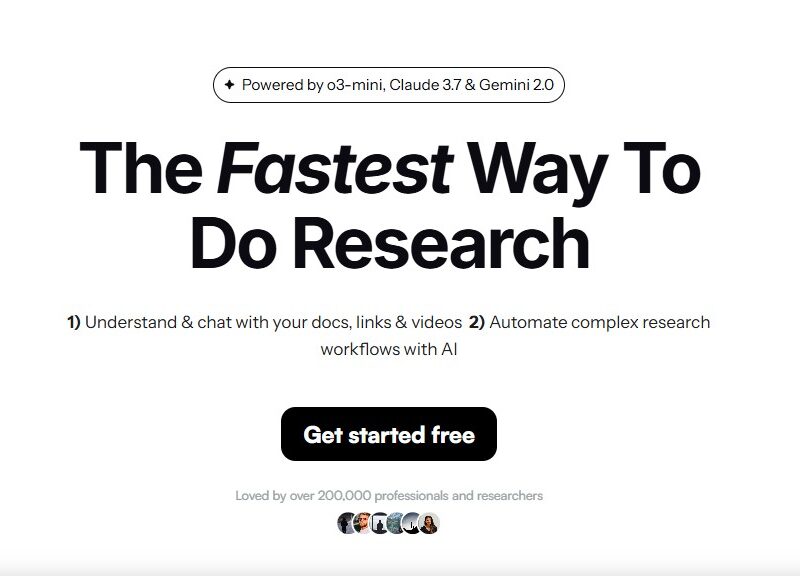
Otio is an AI-powered research and writing platform designed to help researchers, students, analysts, content creators, and professionals manage large volumes of information more effectively. It serves as an intelligent workspace where users can import documents, videos, web links, and other content, and then automatically generate structured summaries, interact with the materials via chat, automate workflows, and create polished written outputs. Otio integrates multiple advanced AI models and tools to streamline the process of analyzing, summarizing, and writing from complex source material.
Features
Automatic Summarization
Otio can automatically generate detailed, structured summaries from various source types, including PDFs, Word documents, articles, YouTube videos, and more. This feature dramatically reduces time spent reading and extracting key points from long or dense content.
Document Chat Interface
Users can interact with imported content through a natural language chat interface, making it possible to ask follow-up questions and extract precise insights without reading entire texts manually.
AI Text Editor
Otio provides an AI-powered text editor that helps draft, paraphrase, refine, and edit written content based on user-provided sources, ensuring output remains grounded in actual data.
Workflow Automation
The platform includes customizable workflow automation tools that allow users to automate repetitive research tasks such as summarizing multiple files, drafting reports, or comparing content.
Document Comparison
Otio can compare multiple documents side by side, highlighting similarities and differences, which is particularly useful for research, policy review, and analytical work.
Multi-Format Support
Otio works with a wide range of content types from PDFs to videos and blogs, and it supports multilingual interactions across more than 50 languages.
Automatic Tagging and Organization
Imported files are automatically tagged and organized into folders for easy navigation and retrieval, keeping research material tidy and accessible.
Chrome Extension Integration
Otio offers a browser extension that lets users quickly save and organize web links, videos, and articles directly from their browser for later analysis.
Pros & Cons
Pros:
-
Time-Saving Summaries: Provides fast, detailed summaries of long documents and media.
-
Interactive Research: Chat-based interactions with content allow users to dig deeper without manual reading.
-
All-In-One Workspace: Combines research, summarization, writing, and automation in a single platform.
-
Organization and Tagging: Automatic tagging and folder organization enhance workflow efficiency.
-
Multilingual and Multi-Format Support: Supports numerous languages and content formats, increasing versatility.
Cons:
-
Learning Curve: Advanced features may require users to invest time to fully master them.
-
Limited Third-Party Integrations: Integrations with external tools like citation managers or academic platforms may be limited.
-
Subscription Costs: Premium capabilities often require a paid plan, and free tiers may have usage limits.
-
Occasional AI Inaccuracies: As with all AI tools, occasional hallucinations or inaccuracies can occur, necessitating human review.
Use Cases:
-
Academic Research
Students and researchers can summarize academic papers, extract key insights, and accelerate literature reviews with minimal manual effort. -
Content Creation
Writers, bloggers, and journalists can analyze sources and generate drafts, outlines, or refined content grounded in their research materials. -
Business and Market Analysis
Analysts can synthesize market reports, competitor content, or regulatory texts to produce actionable insights and summaries. -
Media and Video Summaries
Users can quickly get key takeaways from long videos or podcasts, saving hours of viewing time. -
Report Drafting and Writing Automation
Otio can help professionals automatically generate structured reports and written deliverables based on aggregated research.
Compared to Other Tools
Unlike generic AI chatbots or standalone summarization tools, Otio combines multiple functionalities including automatic summaries, interactive document chat, workflow automation, and an AI text editor in one platform. This provides a more seamless research workflow compared to tools that only offer one of these capabilities. Additionally, its ability to handle diverse content formats such as PDFs, videos, and web pages sets it apart from many simpler summarization or writing assistants. However, more specialized academic tools like reference managers or citation software may still be needed for scholarly publishing workflows, which Otio does not fully replace.
Otio is a comprehensive AI-powered research and writing platform designed to centralize and streamline information processing for students, researchers, analysts, and professionals. With features like automatic summarization, interactive document chat, workflow automation, and multilingual support, Otio significantly enhances productivity and reduces the time required to navigate complex content. While it may require some learning to use advanced features and might need supplemental tools for certain academic workflows, its all-in-one design makes it a powerful workspace for managing research and writing tasks efficiently.
FAQs
1. What types of content can Otio process?
Otio can analyze PDFs, Word documents, web pages, YouTube videos, podcasts, and more, generating structured summaries and insights.
2. Can I interact with my documents using Otio?
Yes, Otio offers a document chat interface that allows users to ask questions and dig deeper into their sources.
3. Does Otio offer workflow automation?
Yes, users can automate repetitive research tasks and workflows using Otio’s built-in automation tools.
4. Is Otio suitable for students and academics?
Otio is well-suited for students, academics, and researchers who need to summarize, compare, and interact with large volumes of content.
5. Are there limitations to Otio’s free plan?
Free plans may have usage limits on daily credits, file sizes, or feature access, with premium plans unlocking expanded capabilities.