
Logo
What is Logo?
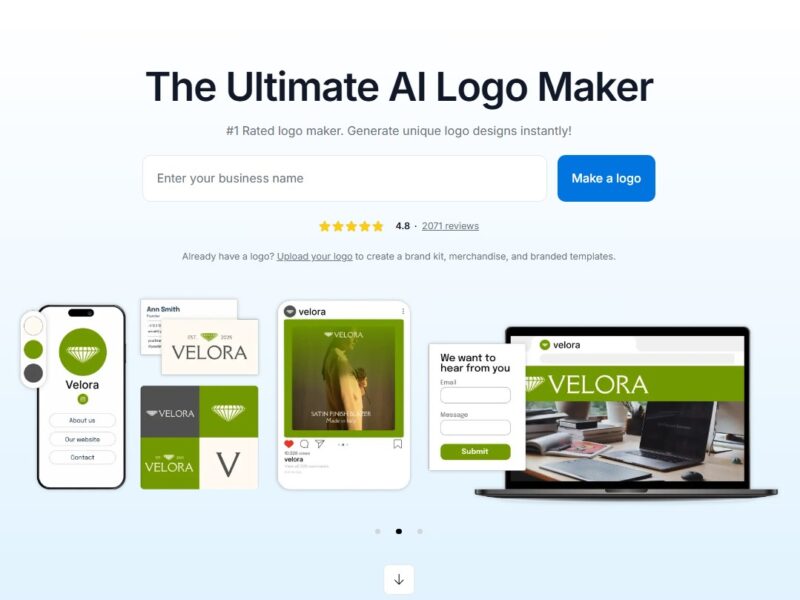
Logo is an innovative online logo design platform that leverages artificial intelligence to help users create high-quality, professional logos without the need for design expertise. Whether you’re a startup, small business owner, or freelancer, Logo simplifies the logo creation process by offering an easy-to-use interface and a wide range of design templates. By inputting basic information about your business, such as its name, industry, and style preferences, Logo generates customizable logo designs that align with your brand identity.
With a focus on accessibility and simplicity, Logo provides an excellent solution for entrepreneurs, marketers, and anyone looking to create a brand image quickly and affordably. It removes the complexity often associated with traditional logo design, offering users an intuitive, AI-powered platform for professional results.
Features
-
AI-Powered Logo Creation: Logo’s AI technology generates unique, professional logo designs based on the business name and industry, streamlining the design process and reducing the time it takes to create a custom logo.
-
Customizable Templates: Logo offers a library of customizable templates to help users get started. These templates can be tailored with different fonts, colors, icons, and layouts, allowing users to create a logo that fits their brand’s personality.
-
Branding Kit: Logo provides a complete branding kit with your logo design, including a color palette, font suggestions, and image assets, making it easy to maintain consistency across your branding materials.
-
High-Resolution Downloads: Users can download their logos in various high-resolution formats, including PNG, JPEG, and vector files (SVG), ensuring that the logo can be used for both digital and print materials without quality loss.
-
Logo Variations: Logo allows users to generate different variations of their logo, making it easy to explore different designs and find the best fit for their brand identity.
-
Instant Previews: As users customize their logo, they can preview the changes in real-time, helping them make decisions on fonts, colors, and layout without having to reload or refresh the page.
-
User-Friendly Interface: Logo’s platform is designed to be intuitive and easy to use, even for those without any graphic design experience. The drag-and-drop interface makes it simple to modify elements and finalize the logo design.
-
Affordable Pricing Plans: Logo offers a range of pricing options, from a free version with basic features to premium plans that unlock higher-resolution downloads and additional customization options.
-
Cross-Platform Accessibility: As a cloud-based tool, Logo is accessible from any device with an internet connection, enabling users to design logos on the go without installing any software.
Pros & Cons
Pros:
-
AI-Powered Automation: Logo’s AI-driven design process allows users to create professional logos in just a few minutes, saving time compared to traditional logo design methods.
-
Customization Options: The platform offers plenty of customization options, including fonts, colors, icons, and layout adjustments, allowing users to tailor their logos to fit their brand identity.
-
User-Friendly: The drag-and-drop interface makes the platform accessible to beginners and non-designers, removing the need for advanced graphic design skills.
-
High-Quality Logo Files: Users receive high-resolution logo files in multiple formats, ensuring that their logos are ready for both web and print use.
-
Affordable: Logo is an affordable option for small businesses and startups, especially when compared to hiring a professional designer or agency.
-
Quick and Efficient: The platform allows users to create logos in a matter of minutes, making it a fast solution for those who need a logo urgently.
Cons:
-
Limited Advanced Features: While Logo is great for creating basic to moderately complex logos, users looking for highly detailed, custom logo designs may find the platform somewhat limiting compared to professional design software like Adobe Illustrator.
-
Generic Designs: Some users may find that the AI-generated logos can feel somewhat generic, especially if their business or brand requires a more unique or intricate design.
-
Free Version Limitations: The free version of Logo comes with restrictions, including limited access to high-resolution files and fewer design customization options. Premium features require a paid plan.
-
No Collaboration Features: Unlike some other design tools, Logo lacks collaboration features, which could be useful for teams or businesses that need to work together on logo creation.
-
No Full Brand Design Services: Logo is focused primarily on logo creation, but users who need additional design assets, like business cards or marketing materials, may need to look elsewhere.
Use Cases for Logo:
-
Startups and Small Businesses: Entrepreneurs and small business owners can quickly create a professional logo for their brand without needing to hire a designer, helping them get started on a budget.
-
Freelancers and Personal Branding: Freelancers and solopreneurs can use Logo to create a unique and memorable logo that represents their personal brand, whether they are designers, writers, or consultants.
-
E-Commerce Stores: Online store owners can create logos that reflect their brand and product offerings, helping to create a strong visual identity for their e-commerce business.
-
Marketing Campaigns: Marketers can use Logo to quickly design logos for product launches, special promotions, or limited-time campaigns, helping to maintain brand consistency in advertising materials.
-
Nonprofits and Charities: Nonprofit organizations can use Logo to create professional logos that represent their cause and mission, making it easier to establish a recognizable brand identity.
-
Event Organizers: Event planners can design logos for conferences, festivals, and other special events, ensuring that the event branding stands out and is easily identifiable.
-
Social Media Influencers: Social media influencers and content creators can use Logo to design a personal logo that aligns with their online presence and helps them stand out in a competitive market.
How Logo Compares to Other Tools?
Logo vs. Canva
Canva is another popular tool for creating logos and other visual content. While both Logo and Canva offer easy-to-use interfaces and customizable templates, Canva provides more flexibility in terms of design, offering a wider variety of templates, elements, and tools for creating not only logos but also presentations, social media posts, and more. However, Logo focuses exclusively on logo design, offering AI-driven logo creation that’s more streamlined and automated compared to Canva’s template-based approach. Canva is better for users who need a versatile tool for a variety of design tasks, while Logo is ideal for those seeking a quick, AI-powered solution for logo creation.
Logo vs. Looka
Looka (formerly known as Logojoy) is a direct competitor to Logo, providing AI-generated logo designs with a similar process. Like Logo, Looka uses AI to generate logo options based on user input. However, Looka offers more detailed customization options and includes additional features like branding kits, business cards, and other marketing materials. On the other hand, Logo is more affordable and offers a simpler, more straightforward approach to logo creation. Users who want more comprehensive branding options might prefer Looka, while those seeking a faster, simpler solution may find Logo to be a better choice.
Logo vs. Adobe Illustrator
Adobe Illustrator is the industry standard for professional logo design, offering advanced features and tools for creating highly customized logos and graphic designs. While Illustrator provides full creative control and the ability to design complex, original logos, it requires significant design expertise and time. Logo, by contrast, is ideal for users who need a simple and quick logo creation tool without requiring any design experience. Illustrator is perfect for professionals and designers who want to create fully unique logos, whereas Logo is best for businesses or individuals who need a fast, AI-driven solution.
Logo is a powerful yet easy-to-use tool for anyone looking to create a professional logo without the need for graphic design experience. With its AI-driven technology, customizable templates, and user-friendly interface, Logo provides an accessible and affordable solution for startups, small businesses, freelancers, and entrepreneurs. While it may not offer the full range of advanced customization options found in professional design software, its efficiency and ease of use make it a top choice for those who need a logo quickly and affordably.
Whether you’re just starting out or looking to refresh your brand identity, Logo streamlines the logo creation process, making it easier than ever to design a logo that represents your business or personal brand. With a variety of design styles, high-quality exports, and affordable pricing plans, Logo is an excellent tool for creating memorable and professional logos in just a few minutes.
FAQs
-
How does Logo generate my logo design?
Logo uses AI technology to analyze your business name, industry, and preferences, automatically generating logo designs that suit your brand. -
Can I customize my logo after it’s created?
Yes, Logo offers extensive customization options, allowing you to adjust fonts, colors, icons, and layout to match your brand’s style. -
Is Logo suitable for beginners?
Absolutely! Logo is designed to be easy to use, even for those with no graphic design experience. Its simple interface and one-click design process make it accessible to everyone. -
Can I download my logo in high resolution?
Yes, Logo provides high-resolution downloads in multiple formats, including PNG, JPEG, and SVG, making it suitable for both digital and print use. -
Is there a free version of Logo?
Yes, Logo offers a free version with basic logo creation features. To access higher-resolution downloads and additional customization options, users can opt for one of the paid plans.