
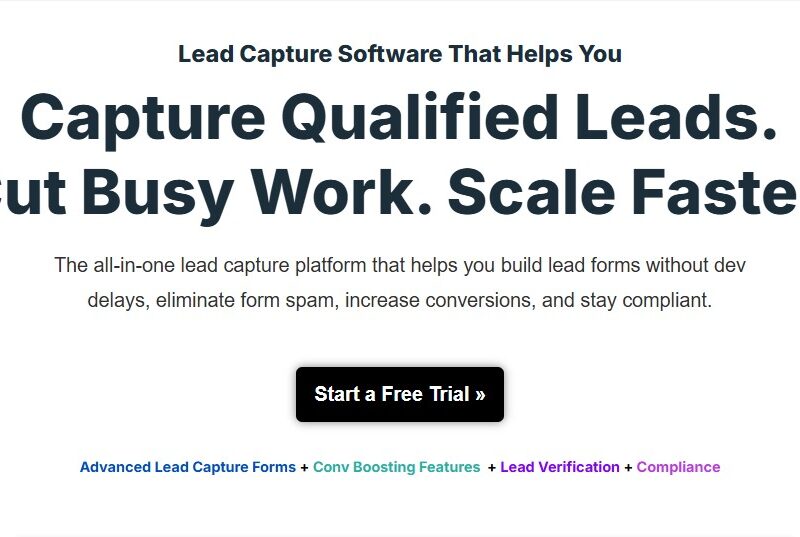
LeadCapture
What is LeadCapture?
LeadCapture is a lead generation and customer management platform that focuses on simplifying the process of acquiring and nurturing leads. The platform integrates various marketing tools, making it easier for businesses to automate lead capture, follow up on prospects, and track the effectiveness of their marketing campaigns. It is designed for businesses of all sizes, from small startups to large enterprises, looking to maximize their lead conversion rates and customer engagement.
With features that cater to both marketing and sales teams, LeadCapture enables seamless collaboration and provides insights that help businesses improve their overall sales performance.
Features
LeadCapture boasts a wide range of features that help businesses convert leads into paying customers efficiently. Below are some of the most notable features:
-
Customizable Lead Forms: LeadCapture offers fully customizable forms that businesses can embed on websites, landing pages, and blogs to capture lead information effortlessly. These forms can be tailored to match the branding and goals of your business.
-
Automated Lead Nurturing: The platform includes automation tools that enable businesses to set up lead nurturing workflows. This allows automatic follow-up emails and personalized outreach based on user behavior, ensuring that leads are consistently engaged.
-
CRM Integration: LeadCapture integrates with popular CRM platforms such as Salesforce and HubSpot, allowing businesses to synchronize lead data and provide more personalized communication.
-
Lead Scoring: LeadCapture uses advanced algorithms to automatically score leads based on predefined criteria such as engagement level, interests, and demographics. This helps businesses prioritize high-value leads and focus on converting the most promising prospects.
-
Analytics and Reporting: The platform provides detailed insights into lead generation campaigns. Businesses can track key metrics like conversion rates, source performance, and engagement, enabling them to make data-driven decisions and optimize their marketing efforts.
-
Multichannel Lead Capture: LeadCapture allows businesses to capture leads from multiple channels, including social media, paid ads, websites, and email campaigns, all from one central dashboard.
-
A/B Testing: The A/B testing functionality allows businesses to experiment with different forms, landing pages, and email campaigns to determine what works best for their audience.
-
Real-time Notifications: LeadCapture sends real-time notifications to sales and marketing teams when a lead is captured or when specific actions are taken by a lead, enabling quick follow-up.
Pros & Cons
Pros:
-
Efficient Lead Management: LeadCapture offers an organized, centralized system for managing leads, making it easy for sales teams to track and nurture prospects.
-
High Customizability: The platform’s customizable forms and workflows allow businesses to tailor their lead capture process to suit their specific needs.
-
Automation for Time-Saving: LeadCapture’s automation features, such as email follow-ups and lead nurturing workflows, help businesses save valuable time and reduce the chances of manual errors.
-
Detailed Analytics: The comprehensive reporting tools provide actionable insights that businesses can use to refine their marketing and sales strategies.
-
Integration with Popular CRM Systems: LeadCapture seamlessly integrates with CRM tools, ensuring that all lead information is easily accessible and ready for follow-up.
Cons:
-
Learning Curve: While LeadCapture is packed with features, the platform’s advanced tools may require a bit of a learning curve, especially for users who are new to lead generation platforms.
-
Pricing: LeadCapture’s pricing might be on the higher side for smaller businesses or startups, especially if they don’t require all of the platform’s advanced features.
-
Limited Support Channels: Some users have reported that the support options could be more responsive, with limited availability for immediate help.
-
Overwhelming for Small Teams: The range of features and capabilities might be overwhelming for smaller teams who may not need the full scope of the platform’s capabilities.
Use Cases for LeadCapture:
LeadCapture is an extremely versatile tool that can be adapted for various business needs. Here are some of the most common use cases:
-
Real Estate: Real estate agents can use LeadCapture to capture and manage leads from website visitors interested in property listings. Automated follow-ups can keep leads engaged, ultimately increasing conversion rates.
-
E-commerce: E-commerce businesses can use LeadCapture to collect lead information through landing pages and forms and engage visitors with personalized email campaigns to drive conversions and sales.
-
SaaS Companies: Software-as-a-Service (SaaS) providers can use the platform to gather information about potential customers, track their actions on their website, and segment leads for targeted outreach and onboarding.
-
Event Organizers: Event companies can use LeadCapture to generate and track leads for upcoming events, seminars, or conferences. They can then automate follow-up emails to drive ticket sales.
-
Marketing Agencies: Marketing agencies can use LeadCapture to help their clients capture high-quality leads and provide detailed reporting to demonstrate the effectiveness of marketing campaigns.
LeadCapture vs Other Tools: A Comparison
When comparing LeadCapture to other popular lead generation tools like OptinMonster, HubSpot, and Unbounce, here are some key differences:
-
User-Friendliness: Tools like HubSpot may be more intuitive for beginners, with easy-to-use interfaces. LeadCapture, while feature-rich, may take longer for new users to master.
-
Customization: LeadCapture’s forms and workflows are highly customizable, whereas some competitors like OptinMonster have more pre-built templates, which might be limiting for users with complex needs.
-
Pricing: OptinMonster and Unbounce offer more affordable entry-level pricing, making them better suited for small businesses. LeadCapture’s pricing is more suited for medium to large-sized businesses or enterprises.
-
Advanced Analytics: LeadCapture provides detailed analytics, but HubSpot has a more advanced reporting suite that integrates seamlessly with its broader CRM features.
-
Automation: LeadCapture offers advanced lead scoring and automation, whereas competitors like Unbounce focus more on landing page creation and less on post-capture lead nurturing.
LeadCapture is a highly effective platform for businesses looking to optimize their lead generation and conversion efforts. With features like customizable lead forms, automated lead nurturing, and detailed analytics, it provides businesses with a comprehensive solution to capture, manage, and convert leads. While it may have a steeper learning curve and a higher price point compared to other tools, its robust capabilities make it a valuable asset for businesses aiming to improve their lead management processes and grow their customer base.
FAQs
-
How much does LeadCapture cost?
LeadCapture offers several pricing plans based on the features and number of users. Pricing varies, and businesses are encouraged to contact LeadCapture for a customized quote based on their needs. -
Can LeadCapture integrate with my CRM?
Yes, LeadCapture integrates with popular CRM systems like Salesforce, HubSpot, and more, allowing businesses to sync lead data across platforms. -
Is LeadCapture suitable for small businesses?
While LeadCapture offers powerful features, its pricing may be more suitable for medium to large-sized businesses. Small businesses may find it beneficial if they are looking for advanced lead generation tools. -
Does LeadCapture offer A/B testing?
Yes, LeadCapture includes A/B testing functionality for testing different forms, landing pages, and email campaigns to see what works best for your audience. -
How does LeadCapture help with lead scoring?
LeadCapture uses algorithms to automatically score leads based on engagement, demographics, and behavior, helping businesses prioritize their follow-up efforts on high-quality leads.