
Keap
What is Keap?
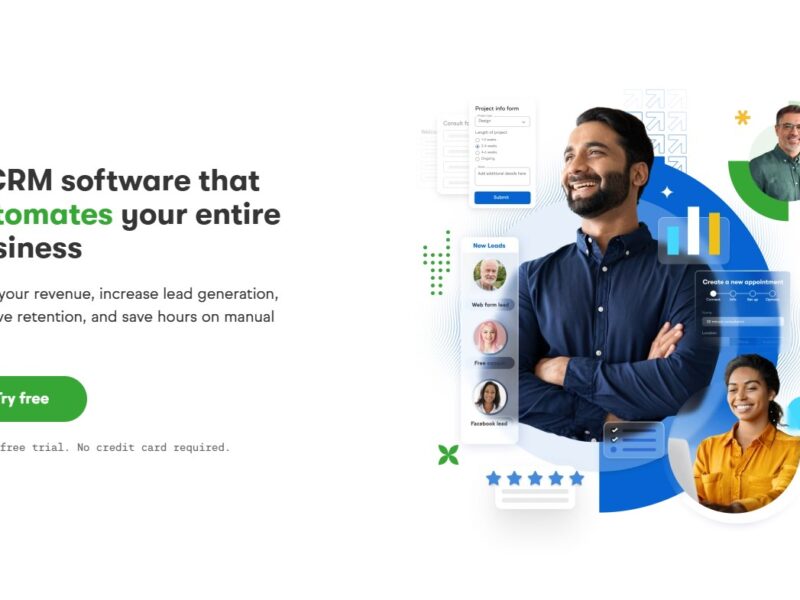
Keap (formerly Infusionsoft) is a cloud-based CRM and marketing automation platform that aims to help small businesses grow by automating repetitive tasks, organizing customer data, and managing sales pipelines. By consolidating customer relationship management (CRM), email marketing, payments, and e-commerce features, Keap makes it easier for small business owners to focus on what matters most—growing their business.
Features
Keap offers a wide array of features designed to streamline customer relationships and marketing efforts. Here are some of the standout features:
-
CRM System
Keap’s CRM functionality helps businesses keep track of their leads and customers, organize contact information, and manage sales pipelines. With a user-friendly interface, it allows businesses to monitor interactions, follow up, and maintain a comprehensive view of customer history. -
Marketing Automation
Automating marketing workflows is one of Keap’s primary strengths. You can set up automated email campaigns, follow-up sequences, and triggered messages based on customer actions, making marketing more efficient and effective. -
Sales Automation
Keap enables businesses to automate repetitive sales tasks, such as sending quotes, invoices, and follow-up emails. It also features robust reporting to help you track conversion rates and sales pipeline performance. -
E-commerce Integration
The platform integrates with various payment gateways and provides tools for selling products online. Keap also offers invoicing and subscription billing options, which are especially helpful for businesses offering recurring services or products. -
Appointment Scheduling
Keap’s scheduling tool allows businesses to offer online booking for consultations, meetings, or appointments. This feature can be integrated with your calendar and automatically syncs with your marketing automation processes. -
Customizable Dashboards and Reporting
The reporting system in Keap allows users to create custom dashboards and generate reports to evaluate marketing, sales, and customer data. This helps users track performance and make data-driven decisions.
Pros & Cons
Pros
-
Comprehensive All-in-One Solution
Keap integrates CRM, email marketing, automation, and e-commerce in a single platform, reducing the need for multiple third-party tools. -
User-Friendly Interface
The software is designed with small businesses in mind and is relatively easy to navigate, even for those without technical expertise. -
Marketing Automation
Keap’s automation features help businesses save time on repetitive tasks and improve the personalization of customer communication. -
Scalability
As your business grows, Keap grows with you. Its flexible pricing plans and capabilities allow it to scale with your business needs. -
Customer Support
Keap is known for its responsive customer service and offers a variety of learning resources, including training videos, tutorials, and a knowledge base.
Cons
-
Pricing
Keap’s pricing can be higher compared to some other CRM tools, which may be a barrier for businesses with tighter budgets. Although it offers valuable features, some users may find it too expensive for their needs. -
Learning Curve
While Keap is user-friendly, its extensive features may take some time to master. Users may need a few weeks to fully explore and utilize all of the software’s capabilities. -
Limited Customization
While Keap allows for some customization, users who need more advanced customization or complex workflows may find the platform a bit limiting. -
Integration Challenges
While Keap integrates with many third-party apps, there can be occasional challenges with syncing certain integrations or configuring them properly.
Keap Use Cases:
Keap is ideal for small businesses across various industries that need to automate marketing, streamline sales, and manage customer relationships. Here are some common use cases:
-
Service-based businesses (e.g., consultants, coaches, therapists)
Keap helps service-based businesses manage client relationships, automate follow-ups, schedule appointments, and send invoices. -
E-commerce businesses
Keap integrates with shopping carts and payment processors, making it suitable for businesses that sell products online. It helps businesses automate order confirmations, manage customer databases, and create tailored marketing campaigns. -
Event management companies
Event planners can use Keap to manage attendee data, automate registration follow-ups, and send personalized event invitations. -
B2B companies
Keap’s sales pipeline tools and CRM capabilities are great for businesses in the B2B space, enabling them to track leads, automate outreach, and close deals more efficiently.
Keap Compared to Other Tools
When compared to other CRM and marketing automation tools like HubSpot, Salesforce, or Mailchimp, Keap stands out with its focus on small businesses and its all-in-one approach. Here’s how it compares:
-
Keap vs. HubSpot: HubSpot offers a free CRM option, which is appealing for startups. However, Keap’s robust marketing automation and sales features make it a more comprehensive choice for small businesses needing both CRM and e-commerce tools in one platform.
-
Keap vs. Salesforce: Salesforce is known for being more complex and often better suited to large enterprises. Keap, on the other hand, is easier to use for small businesses and offers more affordable pricing plans, though it lacks some of the advanced features of Salesforce.
-
Keap vs. Mailchimp: While Mailchimp is widely recognized for email marketing, Keap provides a more extensive suite of tools, including CRM, sales automation, and e-commerce integration, making it more suitable for businesses that require a full-service solution.
Keap is a versatile and powerful CRM and marketing automation tool designed to help small businesses manage customer relationships, streamline marketing efforts, and drive sales. With its range of features, including automation, e-commerce, and appointment scheduling, Keap offers significant value to businesses looking to save time and improve efficiency.
While its pricing might not be suitable for every business, those that are looking for an all-in-one solution to simplify their processes will find Keap to be an excellent investment.
FAQs
-
Is Keap suitable for large enterprises?
Keap is primarily designed for small businesses and startups. For larger enterprises, more advanced platforms like Salesforce might be more suitable due to their scalability and features. -
Can Keap integrate with other software?
Yes, Keap offers integrations with various third-party applications like QuickBooks, PayPal, Stripe, and many others to enhance its functionality. -
What is the cost of using Keap?
Keap offers tiered pricing plans based on the features and number of users. Pricing starts at $79/month, with higher tiers offering more advanced functionalities. -
Does Keap provide customer support?
Yes, Keap offers 24/7 customer support, along with a comprehensive knowledge base, training videos, and live chat options to assist users. -
Is Keap mobile-friendly?
Yes, Keap has a mobile app that allows users to manage contacts, view sales pipelines, send emails, and more on-the-go.