
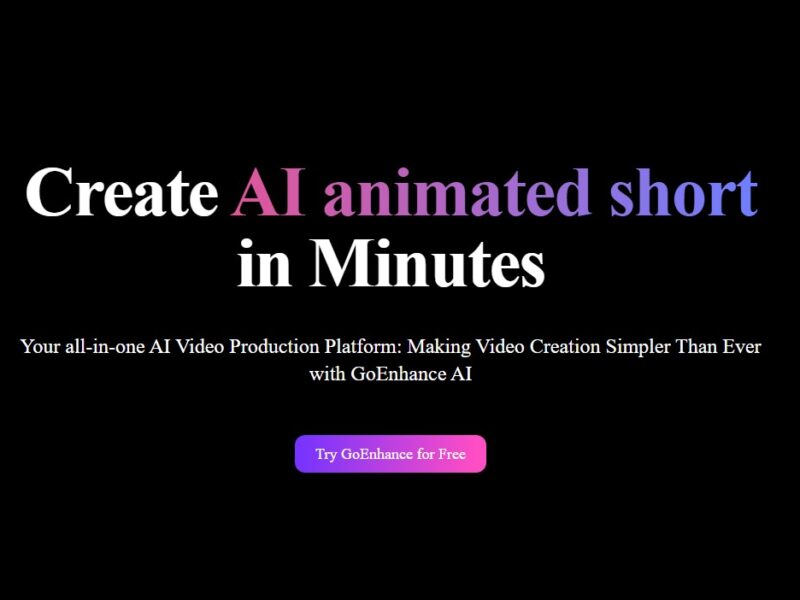
GoEnhance
What Is GoEnhance?
GoEnhance is an AI-powered multimedia creation and enhancement platform that enables users to transform videos and images using advanced artificial intelligence technologies. The platform offers tools to generate new content from text or images, enhance and upscale existing media, apply creative styles (including animation), and perform advanced editing tasks such as face swapping and lip syncing. It serves creators, marketers, educators, and social media users by simplifying complex creative workflows and making high-quality visual media production more accessible.
Features
AI Video Creation and Transformation
-
Video-to-Video Style Transfer – Transform uploaded video clips into animated or stylized versions (e.g., anime, claymation, pixel art) while preserving motion continuity.
-
Text-to-Video and Image-to-Video Generation – Create video content from textual descriptions or static images.
-
AI Video Generator – Produce professional videos in HD or 4K resolution.
Image and Photo Tools
-
Image Enhancement and Upscaling – Increase resolution and restore detail for photos, including low-quality or old images.
-
Text-to-Image Generation – Generate creative visuals via prompt input.
-
Creative Effects – Apply artistic styles and effects to images and videos.
Advanced Editing Capabilities
-
Face Swap (Image & Video) – Replace faces in videos and images with high-precision AI detection.
-
Character Animation – Animate static photos of characters for use in various projects.
-
Lip Sync – Sync video audio with character motion for dynamic storytelling.
Workflow and Interface
-
Browser-Based Platform – No software installation; accessible from any modern browser.
-
Real-Time Preview and Batch Processing – Preview edits interactively and process multiple files concurrently to save time.
-
Token-Based System with Freemium Access – Free tier available with premium subscriptions for expanded features and output quality.
Pros & Cons
Pros:
-
Comprehensive Toolset – Combines video creation, transformation, and image enhancement in a single platform.
-
User-Friendly – Intuitive interface designed for both beginners and experienced creators.
-
High-Resolution Outputs – Supports HD and 4K generations that are suitable for professional use.
-
No Software Installation – Fully browser-based for accessibility across devices.
-
Free Tier – Allows users to test core features without immediate cost.
Cons:
-
Credit/Token System Can Be Costly – Heavy usage may require purchasing credits and higher subscription plans.
-
Watermarked Outputs on Free Plan – Limited free plan outputs may include watermarks or lower quality results.
-
Occasional Artifacts and Stylization – Some AI results may appear over-processed or contain artifacts, especially on complex inputs.
-
Browser Only – Processing speed and file size limits are influenced by browser constraints.
-
Premium Features Behind Paywall – Advanced tools and commercial usage rights often require paid plans.
Use Cases:
-
Content Creation for Social Media
Create engaging, stylized reels, TikToks, and Shorts quickly using animation styles, effects, and enhancements. -
Marketing and Advertising
Produce polished promotional videos and visuals for campaigns without professional editing software. -
Image Restoration and Enhancement
Restore old photos or improve low-resolution visuals for print, web, and presentation use. -
Educational Content Production
Animate characters and create tutorial videos with synchronized audio for classroom or online learning. -
Creative Projects and Prototyping
Experiment with unique animation styles or mockups for film and entertainment projects.
Compared to Other Tools
GoEnhance vs Traditional Video Editors
Traditional editors like Adobe Premiere or Final Cut require technical skill and manual processes. GoEnhance simplifies creative workflows with AI automation for stylized video creation and enhancements without steep learning curves.
GoEnhance vs AI-Focused Alternatives
Tools like Runway or Pika Labs specialize in specific video AI functions. GoEnhance provides a broader multimedia suite, integrating both video and image editing alongside AI generation in one platform. It is typically easier for all-in-one use but may lack depth in specialized tasks compared to single-purpose alternatives.
GoEnhance vs Dedicated Upscalers
Professional upscalers (e.g., Topaz Video Enhance) focus on fidelity and professional output quality. GoEnhance emphasizes versatility and creative transformations, making it stronger for creative content than technical upscaling alone.
GoEnhance is a versatile and accessible AI platform that empowers users to create, transform, and enhance visual media without advanced technical skills. Its broad set of tools—from AI-generated videos and animations to powerful image enhancement—makes it suitable for creators, marketers, and educators alike. While the credit-based pricing model and occasional processing limitations are considerations, the platform offers an effective way to produce high-quality visual content, especially for social and digital media contexts.
FAQs
-
What types of content can GoEnhance work with?
GoEnhance supports video and image inputs and can generate content from text descriptions. -
Is GoEnhance free to use?
Yes, there is a free tier, but advanced outputs and features typically require a paid subscription and tokens. -
Can GoEnhance produce professional-quality videos?
The platform can generate HD and 4K videos suitable for many professional uses, though the best results often come with higher subscription plans. -
Does GoEnhance require downloading software?
No, it is fully browser-based and accessible from any device with internet access. -
Can I use GoEnhance outputs for commercial purposes?
Commercial usage rights vary by plan; paid plans typically grant broader rights than the free tier.