
ExcelMaster
What is ExcelMaster?
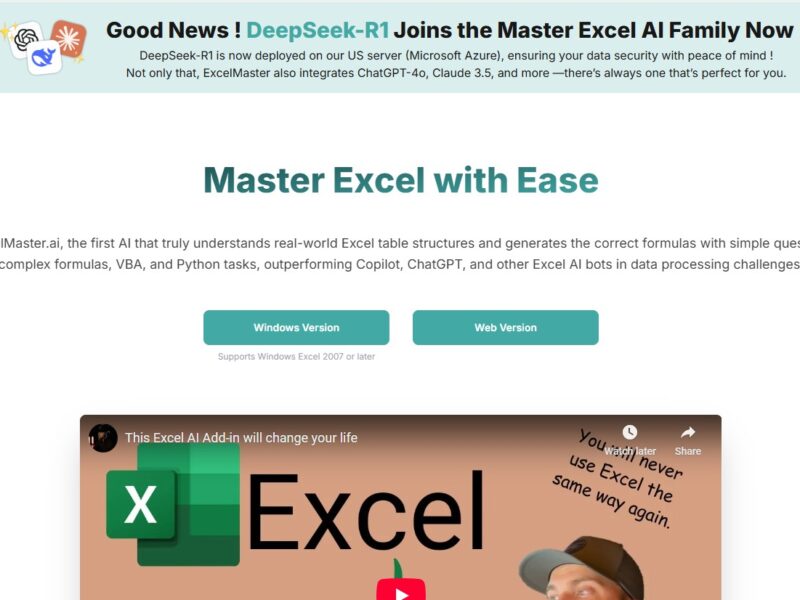
ExcelMaster is an AI-powered add-in for Microsoft Excel that integrates directly into your existing Excel environment. It’s designed to simplify data manipulation, automate tasks, and provide smarter insights through AI-enhanced functionalities. The tool enhances Excel’s native capabilities by offering advanced data analysis tools, auto-generated reports, and intelligent assistance with formulas, pivot tables, and data visualizations.
With ExcelMaster, users can unlock Excel’s full potential—whether for personal use, business intelligence, or enterprise-level applications—without needing advanced Excel skills or programming expertise.
Features
ExcelMaster is packed with features that help streamline Excel tasks and increase productivity. Here are some key features of the tool:
1. AI-Powered Data Analysis
ExcelMaster uses artificial intelligence to analyze large datasets efficiently. The AI engine can automatically detect trends, outliers, and patterns in data, providing users with actionable insights for business decisions.
2. Automated Report Generation
The tool allows users to automate the creation of reports and dashboards, pulling in data from various sources. You can generate custom reports with just a few clicks, saving time on manual data entry and report formatting.
3. Smart Data Visualization
ExcelMaster offers advanced data visualization options, enabling users to create insightful charts and graphs that make data more accessible and actionable. The tool automatically suggests the most appropriate visualization type based on the data.
4. Formula Assistance and Automation
One of the standout features of ExcelMaster is its formula assistance. It can automatically generate complex formulas, reducing the manual work involved in calculations. The tool also helps users understand and troubleshoot errors in existing formulas.
5. Seamless Integration
ExcelMaster integrates directly into Excel, which means no complex setup is required. It works within the familiar Excel interface, enhancing the user experience without disrupting workflows.
6. Data Cleaning & Transformation
ExcelMaster helps users clean and format raw data by identifying and fixing issues like duplicate entries, inconsistent data formats, and missing values. It streamlines the data transformation process, making it easier to prepare data for analysis.
Pros and Cons
Pros
-
Enhanced Productivity
ExcelMaster automates time-consuming tasks, such as data analysis, formula creation, and report generation, helping users save time and focus on more critical business activities. -
Ease of Use
Despite its advanced features, ExcelMaster integrates seamlessly with Excel, maintaining the familiar interface. Users can quickly adapt to its tools, even if they don’t have advanced Excel expertise. -
AI-Driven Insights
The AI-powered capabilities allow users to gain deeper insights from their data, automatically detecting trends and suggesting solutions that might be overlooked with manual analysis. -
Error Reduction
By automating formulas and calculations, ExcelMaster reduces human error, ensuring more accurate results in financial models, reports, and data analyses. -
Robust Data Cleaning Features
The tool’s data cleaning and transformation functionalities save users significant time and effort in preparing datasets for analysis.
Cons
-
Pricing
While ExcelMaster offers significant value, its subscription model may be considered expensive for individuals or small businesses with tight budgets, especially when compared to traditional Excel add-ins. -
Learning Curve
Despite its user-friendly interface, some advanced features, like AI-based insights and automated reporting, may require a bit of time for users to fully master. -
Dependency on Microsoft Excel
Since it’s an add-in for Excel, users need to have Microsoft Excel installed to use the tool. This limits its accessibility for users who don’t have Excel as part of their standard software suite. -
Limited Offline Functionality
As an online tool, some of ExcelMaster’s features may require an internet connection, especially those that rely on cloud-based AI processing, potentially limiting functionality in offline environments.
Use Cases of ExcelMaster:
1. Financial Analysis and Forecasting
Financial analysts can use ExcelMaster to automate financial models, perform predictive analysis, and generate real-time reports. The AI-driven insights help in identifying market trends and making more accurate predictions.
2. Data Cleaning for Big Data
For data scientists and analysts dealing with large datasets, ExcelMaster’s data cleaning features save hours of work by automatically identifying and correcting data inconsistencies, duplications, and errors.
3. Business Intelligence and Reporting
Business intelligence professionals can use ExcelMaster to generate automated dashboards and reports that provide insights into key metrics. It’s particularly useful for real-time business decision-making.
4. Sales and Marketing Analytics
Marketing and sales teams can utilize ExcelMaster for analyzing customer data, tracking KPIs, and visualizing campaign performance. It automates the reporting process, allowing teams to focus on strategy and insights.
5. Inventory Management
ExcelMaster can streamline inventory tracking by providing data analysis tools to monitor stock levels, predict shortages, and automate reordering processes. It also helps visualize inventory trends and patterns.
ExcelMaster vs Other Tools
When compared to other Excel tools like Power BI, Tableau, or Google Sheets, ExcelMaster offers a distinct advantage:
-
Power BI: Power BI is a more comprehensive business intelligence tool, but it requires users to learn a new interface and is not as integrated with Excel. ExcelMaster, on the other hand, directly enhances Excel’s native capabilities, making it ideal for users already accustomed to the Microsoft Office ecosystem.
-
Tableau: Tableau is a powerful data visualization tool, but it comes with a steeper learning curve and is more suited for large-scale analytics projects. ExcelMaster is better suited for individual users or small teams looking for an easy way to automate Excel workflows and improve reporting.
-
Google Sheets: While Google Sheets offers basic automation and data analysis features, it doesn’t match the advanced AI capabilities of ExcelMaster, especially for handling complex datasets or automating repetitive tasks within Excel.
ExcelMaster is an incredibly powerful tool for anyone who works extensively with Microsoft Excel. Whether you’re in finance, data science, marketing, or business intelligence, ExcelMaster can help automate routine tasks, reduce errors, and provide deeper insights into your data. Its AI-driven features and seamless integration with Excel make it an excellent choice for individuals or teams looking to enhance their productivity.
While the pricing may be a concern for some, the time saved and the added insights provided by ExcelMaster may make it a worthwhile investment for businesses looking to optimize their workflows. If you are looking to unlock the full potential of Excel with minimal effort, ExcelMaster could be the ideal solution.
FAQs
1. What is ExcelMaster used for?
ExcelMaster is used to automate tasks, clean data, analyze large datasets, generate reports, and offer AI-driven insights within Microsoft Excel.
2. Is ExcelMaster compatible with Excel on Mac?
Yes, ExcelMaster is compatible with Excel for both Windows and Mac users. However, the features may vary slightly depending on the platform.
3. Do I need advanced Excel skills to use ExcelMaster?
No, ExcelMaster is designed for users of all skill levels. Its AI-powered features automate complex tasks, making it easy for beginners to use.
4. Can ExcelMaster integrate with other tools?
ExcelMaster integrates directly into Excel, but its automation and data analysis features can interact with other software like Google Analytics, Salesforce, and more via third-party integrations.
5. Is ExcelMaster a subscription-based service?
Yes, ExcelMaster operates on a subscription model. Pricing varies based on the number of users and the features required.