
What is Clay?
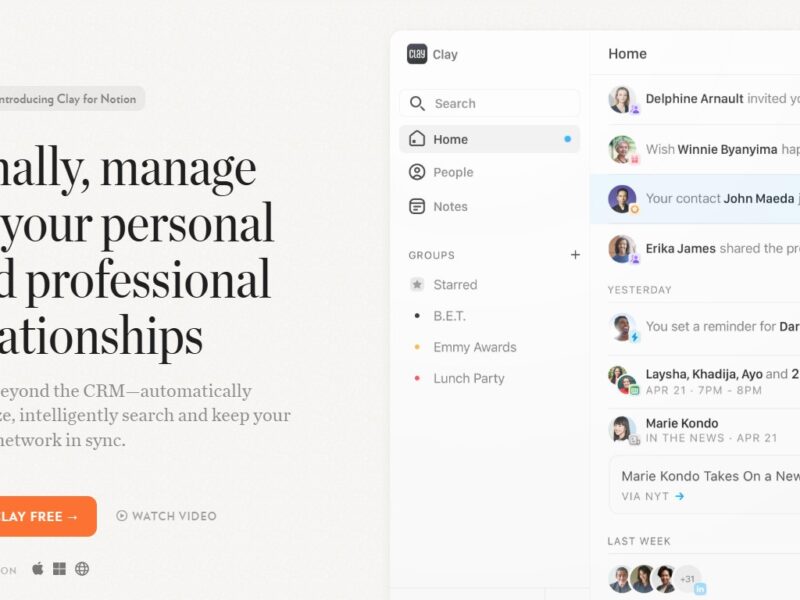
Clay is a cutting-edge platform designed to help individuals and teams manage, organize, and access their personal and professional data with ease. This tool integrates seamlessly into users’ existing workflows, offering intuitive organization of information, better decision-making, and enhanced productivity. Clay leverages AI to provide users with context-driven insights and rich data visualization, creating a personalized experience for every user. As an all-in-one solution, Clay can pull together data from various sources, enabling individuals to build smarter systems for managing their work and personal projects.
Features
-
Data Integration
Clay allows users to integrate data from multiple platforms and services like Google Sheets, Notion, Airtable, and other APIs. This centralized hub of information eliminates the need for switching between applications, making data more accessible and useful. -
Personalized Dashboards
Users can build custom dashboards to suit their specific needs. Whether you need a project tracker, task management system, or a personal knowledge base, Clay offers customizable layouts and templates. -
Contextual Insights
With the power of AI, Clay can surface relevant data, offering insights based on user behavior and historical data. This helps users make more informed decisions in real-time. -
Collaboration Features
Clay facilitates team collaboration by offering shared workspaces where team members can view, comment, and interact with the same data. It encourages transparency and collective decision-making. -
Automation
By automating repetitive tasks such as data entry, updates, and notifications, Clay allows users to focus on high-value work without the distraction of manual processes. -
Security & Privacy
Clay provides high-end security features, including data encryption and granular permission settings, to ensure that users’ information remains private and protected. -
Cross-Device Synchronization
Whether you’re using Clay on your laptop, phone, or tablet, the platform syncs data in real-time across devices, ensuring a smooth user experience anytime, anywhere.
Pros & Cons
Pros:
-
Centralized Data Hub: Integrates multiple data sources into one platform, saving time and increasing efficiency.
-
Customizability: Offers a wide range of customization options for dashboards, workflows, and views, making it adaptable to various use cases.
-
AI-Driven Insights: The AI functionality makes it easier to extract actionable insights from large volumes of data.
-
Collaboration-Friendly: Enables seamless collaboration among team members, improving transparency and workflow efficiency.
-
User-Friendly Interface: Designed for both tech-savvy users and those less familiar with complex software, making it accessible for a broad audience.
Cons:
-
Learning Curve: New users may experience a slight learning curve while setting up integrations and building custom dashboards.
-
Limited Integrations: While it integrates with several popular tools, it may not support every niche tool a user might need.
-
Cost: The pricing can be higher compared to some simpler tools, especially for small teams or individual users on a budget.
-
Dependency on Internet: As a cloud-based tool, users need a stable internet connection to fully utilize its features.
Use Cases of Clay:
-
Personal Knowledge Management:
For individuals looking to organize research, notes, or personal projects, Clay provides a flexible structure to categorize and retrieve information efficiently. -
Project Management for Teams:
Clay’s ability to manage tasks, track deadlines, and collaborate within teams makes it an excellent tool for managing both short-term and long-term projects. -
Data Analysis and Visualization:
Professionals in fields like marketing, sales, or finance can use Clay to collect and visualize data, helping them derive insights and make data-driven decisions. -
Client Relationship Management (CRM):
Clay can be used by businesses to track and manage customer interactions, providing context-rich insights to improve client relationships. -
Content Planning for Creators:
Bloggers, marketers, and content creators can leverage Clay to plan, organize, and track content production from ideation to publication.
Compared to Other Tools
When compared to other popular tools in the productivity and data management space, Clay stands out in a few key areas:
-
Notion vs. Clay:
Notion is a highly customizable tool for note-taking, task management, and knowledge storage. While Notion excels in flexibility and adaptability, Clay is more advanced in terms of AI-driven insights and automated workflows. Additionally, Clay offers more powerful data visualization features compared to Notion’s simpler interface. -
Airtable vs. Clay:
Airtable offers robust database functionality with the ability to customize tables and views. However, Clay takes it a step further by offering better integration with other tools, AI-driven analytics, and more advanced collaboration features. Clay’s dashboards are also more visual and contextually intuitive compared to Airtable’s spreadsheet-like approach. -
Trello vs. Clay:
Trello is primarily a task management tool based on a Kanban board system. Clay, on the other hand, provides much more than task management—it integrates data from various sources, automates workflows, and gives users powerful analytics. For those seeking a more comprehensive platform, Clay offers more value than Trello. -
Monday.com vs. Clay:
Monday.com is an excellent tool for managing workflows and team tasks, especially in large organizations. However, Clay shines with its personalization features, such as customizable dashboards and AI-powered insights, which can be more beneficial for individual users or small teams looking for a more tailored solution.
Clay is a powerful, AI-driven platform designed to help individuals and teams organize, visualize, and leverage their data more effectively. With its wide array of integrations, customizability, and focus on actionable insights, it stands out as an all-in-one solution for managing personal and professional workflows. While it may have a steeper learning curve for new users and can be a bit pricey for small teams, its productivity-enhancing features make it a worthwhile investment for those who need a more intelligent, automated approach to managing data.
For individuals and organizations looking to simplify their workflow management and gain valuable insights from their data, Clay offers a compelling, user-friendly solution that integrates seamlessly with existing systems.
FAQs
-
What types of data can I integrate with Clay?
Clay supports integration with a wide range of data sources, including Google Sheets, Airtable, Notion, Google Drive, and various APIs. It allows you to centralize and access data from multiple platforms in one place. -
Is Clay suitable for both individual and team use?
Yes, Clay is designed for both individuals and teams. It offers personalized dashboards for individual users while providing robust collaboration features for teams to share and manage data collectively. -
Can I automate tasks in Clay?
Absolutely! Clay supports automation of routine tasks such as data updates, notifications, and more, helping users streamline workflows and save time. -
Is Clay secure?
Yes, Clay places a strong emphasis on security. It offers data encryption and granular permission settings, allowing users to maintain control over who can access their information. -
How does Clay compare to other productivity tools like Notion or Airtable?
While tools like Notion and Airtable are excellent for task management and data organization, Clay stands out with its AI-powered insights, more advanced data visualization options, and deeper integration across various platforms, making it a powerful tool for both individuals and teams who want to enhance their workflow with data-driven intelligence.