
Bluedot
What Is Bluedot?
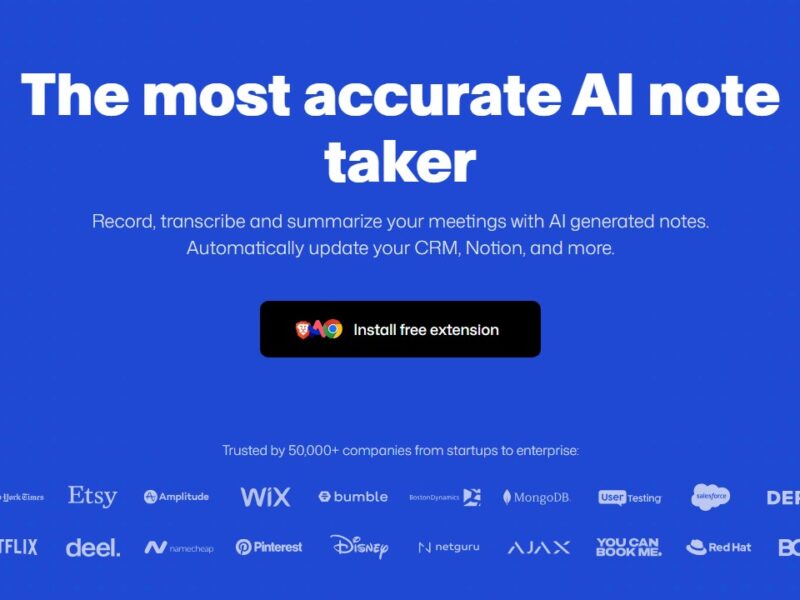
Bluedot is an AI-powered meeting assistant and automated note-taking platform that captures, transcribes, and summarizes conversations across online and in-person meetings without requiring intrusive bots or calendar access. It works in the background via a Chrome extension or desktop/mobile apps to record video, audio, and generate structured meeting notes, key action items, and follow-up drafts. Bluedot also integrates with popular productivity and CRM tools to streamline workflows and reduce administrative overhead for teams of all sizes.
Features
Bluedot offers a comprehensive set of features designed to improve how professionals capture and utilize meeting data:
AI-Powered Transcription and Summaries
Automatically transcribe conversations and generate summaries, highlighting key decisions, action items, and speaker roles.
Bot-Free Recording
Captures meetings without introducing bots into video calls, preserving natural interactions and avoiding calendar permissions.
Cross-Platform Compatibility
Works with Google Meet, Microsoft Teams, Zoom, Webex, phone calls, and even in-person meetings via mobile apps.
Multilingual Support
Supports transcription and summaries in over 100 languages, expanding usability for global teams.
Customizable Notes and Templates
Users can tailor AI-generated notes to preferred structure, prompts, and levels of detail.
CRM & Tool Integrations
Automatically syncs transcripts and summaries with CRMs and productivity platforms like HubSpot, Salesforce, Notion, Slack, and more.
Follow-Up Draft Generation
The AI can create draft follow-up emails based on meeting content, saving time on post-meeting communication.
Pros & Cons
Pros:
-
Non-Intrusive Experience: Avoids awkward meeting bots and respects participant privacy, capturing audio and video discreetly.
-
High Accuracy: Generates accurate transcripts that recognize technical terms and speaker roles across multiple languages.
-
Platform Flexibility: Works across major conferencing tools and environments, including in-person audio recording.
-
Productivity Boost: Automates note taking, CRM updates, and follow-ups, saving time for customer-facing teams.
-
Integration Ecosystem: Seamless syncing with CRMs, Notion, Slack, and more enhances workflow efficiency.
Cons:
-
Free Plan Limitations: The free tier includes a lifetime trial limited to five meeting recordings.
-
Pricing Transparency: Detailed pricing and enterprise plan specifics may require direct inquiry.
-
Reliance on Third-Party Platforms: Changes in conferencing tools’ APIs or interfaces could affect functionality.
-
Transcription Errors: Occasional misinterpretation may occur with heavy accents or overlapping speech, requiring manual edits.
Use Cases:
Sales and Customer Calls
Record and analyze sales meetings to extract insights, key commitments, and follow-up drafts to speed up pipelines.
Team Collaboration & Knowledge Sharing
Share accurate meeting summaries and transcripts with team members to improve alignment and continuity across projects.
Recruiting and Interviews
Capture interview conversations in full and generate structured notes for candidate evaluation and decision making.
Remote and Hybrid Work Environments
Automate meeting documentation for remote teams, ensuring that key discussions and decisions are recorded and searchable.
Personal Productivity
Professionals can record and search their own meetings and calls, helping manage tasks without manual note taking.
Compared to Other Tools
Bluedot differs from many AI meeting notetakers in several ways:
-
Bot-Free Approach: Unlike tools that require bots to join meetings or calendar access, Bluedot captures audio directly via browser extensions or apps, preserving privacy and reducing setup friction.
-
Multilingual Support: It supports over 100 languages, a wider range than some competitors that focus primarily on English transcription.
-
Integration Depth: Its automatic CRM syncing and email draft generation extend beyond basic transcription, helping bridge communication gaps post-meeting.
-
Broad Platform Compatibility: Works across multiple conferencing systems and in-person recordings, not limited to specific platforms.
-
Custom Template & Notes: Customizable templates allow teams to tailor how notes are structured, compared to generic output by some AI tools.
Bluedot is a powerful AI meeting assistant built to streamline how professionals record, summarize, and follow up on conversations. By eliminating manual note-taking and integrating seamlessly with popular productivity platforms, it helps increase clarity, boost productivity, and ensure critical information is captured accurately. While it has limitations in its free tier and transcription may occasionally require edits, Bluedot’s non-intrusive design and broad language support make it a compelling choice for teams and individuals seeking a smarter meeting documentation solution.
FAQs
1. Does Bluedot require bots to join my meetings?
No. Bluedot uses a Chrome extension and dedicated apps to capture meetings without bots, ensuring natural interactions.
2. Can I use Bluedot with Zoom and Microsoft Teams?
Yes. Bluedot works with Zoom, Google Meet, Microsoft Teams, Webex, phone calls, and even in-person audio recordings.
3. How many languages does Bluedot support?
Bluedot supports transcription and summaries in over 100 languages, including major global languages.
4. Is there a free version of Bluedot?
Yes. The free plan provides a lifetime trial with up to five recordings; full features require a paid plan.
5. Can Bluedot sync with CRM and productivity tools?
Yes. Bluedot integrates with CRMs, Notion, Slack, and other tools to automate note updates and follow-up workflows.