
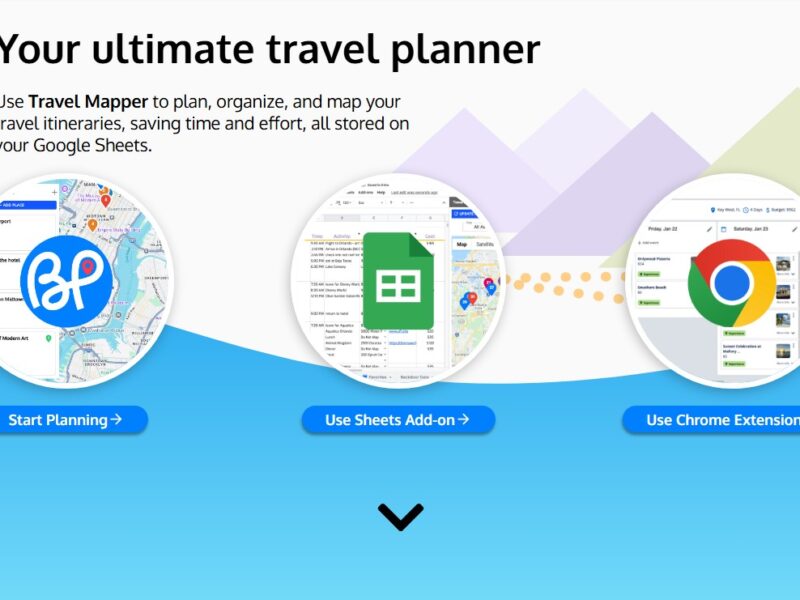
Blue Planit
What is BluePlanit?
BluePlanit is an innovative software solution designed to help businesses, teams, and individuals streamline project planning, task management, and collaboration. With a focus on user-friendly design and functionality, BluePlanit offers a comprehensive suite of tools that empower users to plan, execute, and monitor projects more efficiently. By integrating essential project management features such as task tracking, team collaboration, and real-time updates, BluePlanit enables users to stay organized, meet deadlines, and enhance overall productivity.
Whether you’re managing a small team, working on personal projects, or overseeing large-scale initiatives, BluePlanit offers the flexibility and features needed to ensure success.
Features
BluePlanit is packed with a variety of features designed to help businesses and teams enhance their project management and collaboration efforts. Below are some of the standout features:
1. Project Planning and Task Management
BluePlanit allows users to create detailed project plans with defined milestones, deadlines, and task assignments. The platform offers tools for managing tasks, setting priorities, and assigning responsibilities, ensuring that teams remain aligned and projects stay on track.
2. Real-Time Collaboration
Collaboration is a core component of BluePlanit. The platform allows team members to collaborate in real-time by sharing project updates, providing feedback, and tracking progress. This feature helps ensure smooth communication, especially in remote or distributed teams.
3. Time Tracking and Progress Monitoring
BluePlanit includes time tracking functionality, enabling users to monitor the time spent on each task or project. This feature provides insights into team efficiency and helps project managers keep track of deadlines and budgets.
4. Gantt Chart Integration
For users who prefer visualizing project timelines, BluePlanit offers Gantt chart integration. This tool provides a visual representation of project schedules, milestones, and dependencies, helping teams stay organized and meet deadlines more effectively.
5. Customizable Workflows
BluePlanit offers customizable workflows that can be tailored to fit the specific needs of any team or project. Whether you’re working on a marketing campaign, product development, or client projects, you can design workflows that align with your processes and improve efficiency.
6. Team Collaboration Tools
With features like task assignment, file sharing, and internal messaging, BluePlanit ensures that team members are always on the same page. These collaboration tools help reduce miscommunication and streamline team efforts, improving productivity and outcomes.
7. Document Sharing and File Management
BluePlanit allows users to upload, share, and manage project files in one central location. This ensures that everyone involved in the project has access to the necessary resources, documents, and materials.
8. Analytics and Reporting
BluePlanit offers advanced analytics and reporting tools to track project progress and performance. Users can generate reports on various aspects of their projects, such as task completion, time tracking, and budget adherence, helping to identify areas for improvement and optimize project workflows.
Pros & Cons
Pros:
-
User-Friendly Interface: BluePlanit offers an intuitive and easy-to-use interface that ensures a smooth onboarding process for new users.
-
Comprehensive Project Management Features: The platform includes a wide array of tools, from task management to time tracking and Gantt charts, making it an all-in-one solution for project planning and execution.
-
Real-Time Collaboration: Teams can collaborate seamlessly, share updates, and provide feedback in real time, helping to keep projects on track.
-
Customizable Workflows: BluePlanit’s ability to customize workflows is beneficial for teams with unique processes and requirements.
-
Analytics and Reporting: The platform provides insightful reports and analytics, helping project managers track progress and identify areas of improvement.
Cons:
-
Learning Curve for Advanced Features: While BluePlanit is user-friendly overall, some of its advanced features, such as custom workflows and reporting tools, may take time to learn and fully utilize.
-
Limited Integrations: Compared to other project management tools, BluePlanit may have fewer third-party integrations, limiting the ability to sync with other software solutions.
-
Pricing for Small Teams: BluePlanit’s pricing model may not be as affordable for smaller teams or startups, especially those who do not need the full suite of features.
-
Mobile App Limitations: While the platform is web-based, its mobile app is not as feature-rich, limiting access to some key tools and functionalities on the go.
Use Cases for BluePlanit:
BluePlanit’s versatility makes it ideal for a wide range of industries and use cases. Below are some common scenarios where the platform excels:
-
Marketing Campaigns: Marketing teams can use BluePlanit to plan, execute, and track campaigns, collaborate on content creation, and manage deadlines to ensure timely delivery of marketing materials.
-
Product Development: BluePlanit’s Gantt charts and task management features are ideal for product development teams that need to stay on top of deadlines, dependencies, and resource allocation.
-
Client Projects and Services: Agencies or service-based businesses can use BluePlanit to manage client projects, track billable hours, and monitor progress, ensuring clients are satisfied with timely delivery and communication.
-
Remote Teams: For remote or distributed teams, BluePlanit provides a centralized hub for collaboration, allowing team members to work together in real time despite being in different locations.
-
Personal Projects: Individuals working on personal projects or freelance tasks can use BluePlanit to organize their tasks, manage time efficiently, and track progress without the need for complex project management tools.
BluePlanit Compared to Other Tools
Compared to Trello:
-
Visual Tools: Trello is known for its visual board-based task management system, while BluePlanit offers a more structured approach with Gantt charts and time tracking features. Trello is great for teams looking for simplicity and flexibility, but BluePlanit’s features are more suited for teams that require more advanced project management capabilities.
-
Team Collaboration: Both platforms offer team collaboration features, but BluePlanit’s real-time messaging and file-sharing options are more robust, making it better suited for teams needing a centralized communication hub.
Compared to Asana:
-
Ease of Use: Asana is widely regarded as user-friendly, much like BluePlanit, but it offers a broader range of integrations with other apps. BluePlanit, however, may offer a more streamlined solution with a focus on project planning and execution rather than a vast array of integrations.
-
Gantt Chart Features: While Asana does offer Gantt charts through its timeline feature, BluePlanit’s Gantt chart functionality may be more straightforward and focused on visualizing project schedules and dependencies.
-
Pricing: Asana’s pricing can be higher for smaller teams, whereas BluePlanit provides a cost-effective solution for teams looking for essential project management tools without the complexity of larger platforms.
Compared to Monday.com:
-
Customization: Monday.com offers highly customizable workflows, but it can be more complex and expensive for smaller teams. BluePlanit provides a simpler, more affordable solution with a focus on task management and collaboration.
-
Pricing: BluePlanit’s pricing structure may be more attractive to smaller teams or businesses on a budget, while Monday.com can become costly as you scale up or add more users.
BluePlanit is an effective and user-friendly project management solution that caters to teams of all sizes. With its suite of features, including task management, real-time collaboration, time tracking, and customizable workflows, it is a valuable tool for businesses looking to streamline their project planning and execution. While the platform may have some limitations in terms of integrations and mobile functionality, its comprehensive set of tools makes it a strong choice for teams that require efficient project management and collaboration.
For businesses or teams that need an all-in-one solution for organizing, tracking, and collaborating on projects, BluePlanit offers a scalable and cost-effective solution.
FAQs
1. What is BluePlanit used for?
BluePlanit is a project management software that helps businesses and teams plan, track, and manage projects, tasks, and collaboration in one place. It offers tools for task management, real-time collaboration, time tracking, and more.
2. Does BluePlanit offer Gantt charts?
Yes, BluePlanit offers Gantt chart integration, which helps visualize project timelines, milestones, and task dependencies, making it easier to manage schedules and deadlines.
3. Can I collaborate with my team in real time on BluePlanit?
Yes, BluePlanit includes real-time collaboration features such as messaging, file sharing, and task assignment, allowing teams to work together efficiently, even remotely.
4. Is BluePlanit suitable for small businesses?
Yes, BluePlanit is an excellent tool for small businesses that need a simple, cost-effective way to manage projects and collaborate with teams. It offers flexible pricing to accommodate different team sizes.
5. Is there a mobile app for BluePlanit?
BluePlanit does offer a mobile app, but it may not be as feature-rich as the web version. Some functionalities, such as advanced project planning tools, may be more accessible via the desktop interface.