
Artsmart
What is ArtSmart?
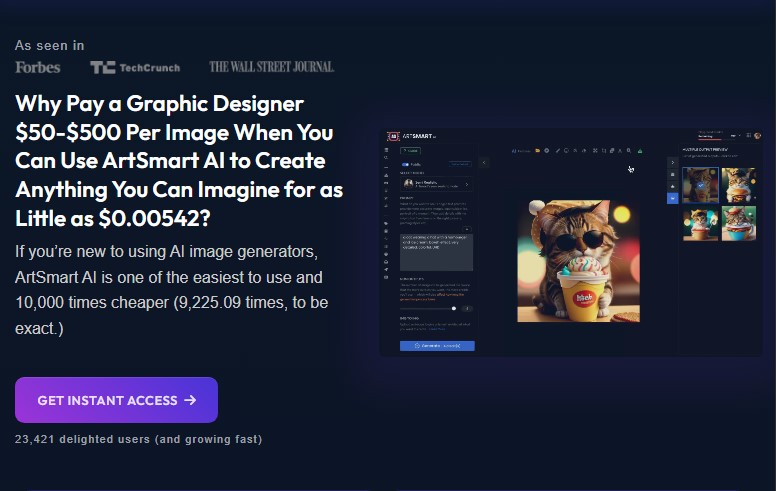
ArtSmart is a powerful online platform that uses artificial intelligence to transform your regular photos into stunning works of art. Whether you’re a casual user, a photographer, or a content creator, ArtSmart offers an easy-to-use tool to apply artistic effects to your images with minimal effort. The platform simplifies the artistic process, making it accessible to everyone, regardless of their skill level.
Features
-
AI-Powered Art Creation: Transforms ordinary photos into various artistic styles, such as paintings, sketches, and illustrations, in just a few clicks.
-
Multiple Art Styles: Users can choose from a wide variety of artistic filters, including classic paintings, abstract art, and more.
-
Customization Options: Fine-tune the artwork by adjusting brush stroke size, intensity, and other visual parameters for a personalized result.
-
High-Resolution Output: The platform delivers high-quality, resolution-rich images, making them suitable for prints, posters, and professional use.
-
User-Friendly Interface: ArtSmart’s simple and intuitive interface ensures even beginners can navigate the platform with ease.
Pros & Cons
Pros:
-
Creative Freedom: ArtSmart allows users to explore various artistic styles, offering endless possibilities for creativity.
-
Quick Results: The AI technology processes images efficiently, providing near-instant results.
-
Customizability: Users have control over how their image looks, with a range of settings to adjust the final artwork.
-
High-Quality Outputs: The platform generates crisp, professional-quality art that can be used for both digital and print media.
Cons:
-
Limited to Artistic Styles: While the platform excels in creating art from photos, it lacks the ability to perform traditional photo editing tasks like cropping or color correction.
-
Over-Processing Risk: Sometimes, the AI transformation can result in over-processed or “artificial” images, especially if settings aren’t adjusted carefully.
Use Cases for ArtSmart:
-
Social Media Content Creation: Turn your photos into eye-catching artwork to make your social media posts stand out.
-
Custom Gifts: Create personalized art gifts for friends, family, or special occasions, such as custom portraits or illustrations.
-
Marketing Materials: Enhance your promotional campaigns by creating unique, artistic visuals for flyers, brochures, and online ads.
-
Album Covers & Posters: Ideal for musicians and artists who need visually striking album covers or event posters.
-
Personal Projects: Whether you’re designing a personal website, blog, or just exploring your creative side, ArtSmart offers endless artistic possibilities.
Compared to Other Tools
When compared to traditional image editing software like Photoshop, ArtSmart stands out due to its focus on artistic transformations rather than technical photo manipulation. While Photoshop requires a learning curve and offers extensive features for professionals, ArtSmart simplifies the process, enabling anyone to produce high-quality art in just a few clicks.
Unlike other artistic filters available in photo editing apps, ArtSmart leverages advanced AI to automatically apply art styles to photos, saving time and effort. This makes it an excellent choice for non-designers or anyone seeking quick and creative results without mastering complex software.
ArtSmart is an excellent tool for anyone looking to transform their images into artwork effortlessly. It caters to a wide range of users, from casual hobbyists to content creators and marketers, offering a simple, intuitive way to create stunning visuals. With its vast library of art styles and easy-to-use interface, it provides an effective solution for turning ordinary photos into extraordinary pieces of art. However, users who require traditional photo editing features may need to supplement ArtSmart with other tools.
FAQs
1. Is ArtSmart free to use?
ArtSmart offers both free and premium plans. The free version comes with limitations, such as fewer style options and lower output resolution. For full access to all features, a subscription is required.
2. Can I customize the artwork?
Yes, ArtSmart allows you to fine-tune various parameters like brush stroke size and intensity to get the desired look for your image.
3. What image formats does ArtSmart support?
ArtSmart supports a wide range of image formats, including JPG, PNG, and GIF. However, it’s best to use high-quality photos for the best results.
4. How long does it take to create artwork with ArtSmart?
The process is generally quick, with most images being transformed into artwork in just a few minutes, depending on the complexity and style selected.
5. Can I print the artwork created in ArtSmart?
Yes! ArtSmart delivers high-resolution images, making them suitable for printing on various media, from posters to canvas prints.