
APITemplate
What is API Template?
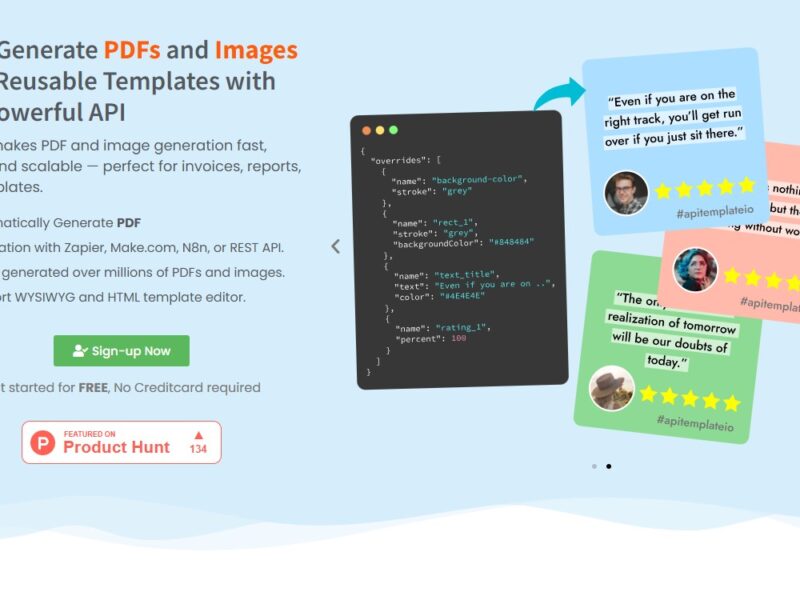
API Template is a powerful platform designed to simplify the process of building, managing, and documenting APIs (Application Programming Interfaces). It provides a collection of customizable templates, tools, and resources to help developers quickly create robust APIs that can integrate seamlessly with various applications and systems. API Template helps users to structure and generate API endpoints with ease, streamlining the development process for both seasoned developers and beginners.
The platform offers an intuitive, user-friendly interface that reduces the time and effort needed for API development. With a focus on best practices, it enables teams to create standardized, reusable templates for APIs that adhere to industry standards, making it easier for developers to focus on the logic and functionality of their applications rather than repetitive tasks.
Features
-
Pre-Built Templates: API Template offers a library of customizable, pre-built API templates for common use cases. Whether you need a simple CRUD (Create, Read, Update, Delete) API or more complex RESTful endpoints, these templates speed up the development process significantly.
-
API Documentation: One of the standout features of API Template is its ability to automatically generate API documentation based on the templates you use. Clear, detailed documentation is critical for effective communication between developers, making it easier to understand how to interact with the API.
-
Customizable Endpoints: API Template provides flexibility by allowing users to modify API endpoints to meet their specific requirements. Developers can easily adjust parameters, authentication methods, and error handling to fit their needs.
-
Security Features: The platform includes built-in security features such as authentication, authorization, and rate limiting, which help protect APIs from unauthorized access and ensure that they are robust and secure.
-
Version Control: API Template supports version control, making it easier for development teams to manage changes over time. This feature allows you to maintain and update APIs without disrupting existing functionality.
-
Testing and Debugging Tools: API Template includes testing and debugging tools that enable developers to test their APIs before deployment. This ensures that any issues are identified early in the development process, reducing the risk of bugs in production.
-
Integration Capabilities: API Template integrates seamlessly with popular development frameworks and cloud services, making it easier to deploy APIs in different environments and integrate with third-party tools and applications.
Pros & Cons
Pros:
-
Speed of Development: The pre-built templates and customizable options enable developers to create APIs much faster than starting from scratch, allowing for quicker project timelines.
-
Clear Documentation: The automatic API documentation generation is a significant advantage, saving time and ensuring that API users can easily understand how to interact with the API.
-
Security by Design: Built-in security features help developers implement secure APIs without needing to manually configure security protocols.
-
Version Control: The versioning feature makes it easier to manage and update APIs over time, keeping different versions organized and accessible.
-
User-Friendly Interface: API Template’s interface is designed to be intuitive and easy to use, even for developers who are not API experts, reducing the learning curve for new users.
Cons:
-
Limited Advanced Features: For more complex or highly specialized APIs, developers may find the platform lacks the advanced features needed for custom, enterprise-level applications.
-
Dependency on Templates: While the templates are useful for standard projects, they might not be flexible enough for highly customized use cases that require very specific functionality.
-
Pricing: API Template operates on a subscription-based pricing model, which may not be affordable for small startups or solo developers with limited budgets.
-
Learning Curve for Advanced Customization: While the platform is user-friendly, advanced customization options may require some technical knowledge, particularly for users who are not familiar with API design best practices.
Use Cases for API Template
-
Startups and Small Businesses: API Template is ideal for startups that need to quickly launch APIs without a significant investment in development resources. Pre-built templates allow these businesses to get their APIs up and running in a fraction of the time.
-
Enterprise-Level Applications: Larger organizations with complex systems can use API Template to standardize and manage their API development processes across multiple teams. The version control and security features are especially useful in such environments.
-
Freelancers and Contractors: Freelancers who build APIs for clients can benefit from the platform’s speed and documentation features. It helps them deliver high-quality APIs efficiently, without needing to reinvent the wheel for every project.
-
E-commerce Platforms: E-commerce businesses often require APIs to integrate payment gateways, manage inventory, and connect with third-party services. API Template makes it easy to create and manage these APIs without extensive coding.
-
SaaS Products: Software as a Service (SaaS) providers can use API Template to create secure, reliable APIs that allow third-party developers to integrate with their services. The platform’s built-in security and versioning features are essential for SaaS applications.
Compared to Other Tools
When compared to other API management and development platforms like Swagger, Postman, and RapidAPI, API Template stands out in a few key ways:
-
Swagger: Swagger (now OpenAPI) is a popular tool for designing and documenting APIs, but it requires a deeper understanding of API design principles. API Template simplifies the API creation process by offering pre-built templates and an intuitive user interface, making it easier for developers to get started without extensive knowledge of API design.
-
Postman: Postman is excellent for testing and managing APIs, but it doesn’t offer the same level of automation for API generation as API Template. While Postman excels in testing API endpoints, API Template focuses on helping developers quickly create and document APIs using templates, which is beneficial for those looking for a faster development cycle.
-
RapidAPI: RapidAPI is a marketplace for APIs, but it also offers tools for API development. However, API Template differentiates itself by offering a more developer-focused platform with an emphasis on pre-built templates and automation, making it easier to create APIs without worrying about marketplaces or deployment.
API Template is an efficient and effective solution for developers looking to streamline the process of building and managing APIs. With its customizable templates, automatic documentation generation, and built-in security features, the platform significantly reduces the time and effort required for API development. It’s an ideal choice for startups, small businesses, and freelancers looking to build scalable, secure APIs quickly.
While it may not be suited for highly customized enterprise-level applications, API Template offers an excellent balance between simplicity and functionality, making it a great tool for most use cases. Whether you’re creating APIs for e-commerce, SaaS, or internal applications, API Template can help speed up the process and ensure that your APIs are robust, secure, and well-documented.
FAQs
1. What is the primary benefit of using API Template?
API Template’s primary benefit is that it simplifies the process of creating, managing, and documenting APIs with pre-built templates. This allows developers to build APIs faster and with less manual coding effort.
2. Can I customize the API templates?
Yes, API Template allows users to fully customize the pre-built templates to suit their specific needs, making it flexible enough for a wide range of use cases.
3. Does API Template provide automatic documentation?
Yes, one of the standout features of API Template is its ability to automatically generate clear and detailed API documentation based on the templates you use, which helps both developers and API users.
4. Is API Template suitable for large-scale enterprise use?
While API Template is great for most use cases, it may not have the highly specialized features needed for very complex, enterprise-level API projects. However, its version control and security features make it a solid option for medium-sized businesses and growing teams.
5. Is there a free version of API Template?
API Template operates on a subscription-based pricing model, and while there may be trial options available, it does not offer a completely free version of the platform.