
AITable
What is Aitable?
Aitable is a powerful no-code platform designed to simplify the creation and management of databases, making it easy for both technical and non-technical users to build custom applications without writing any code. By combining the flexibility of spreadsheets with the power of a relational database, Aitable allows users to automate workflows, manage data, and create complex applications tailored to their specific needs.
Unlike traditional database systems, Aitable provides a visually intuitive interface where users can create tables, manage records, and link data across different tables with just a few clicks. It serves as a versatile tool for project management, content creation, CRM systems, and more.
Features
-
No-Code Interface
Aitable’s most prominent feature is its no-code design. Users can easily build databases and applications using drag-and-drop tools, making it accessible for those with no technical background. -
Customizable Views
Aitable offers multiple views like grid, calendar, gallery, kanban, and form to display your data in a format that suits your needs. This customization ensures that users can interact with their data in the most effective way. -
Collaboration Tools
Aitable allows team collaboration in real-time. Users can assign tasks, leave comments, and update records, ensuring seamless communication and coordination among team members. -
Data Linking and Relationships
Users can create relationships between tables and link records across different views. This feature enhances data organization and simplifies complex data structures. -
Automations and Integrations
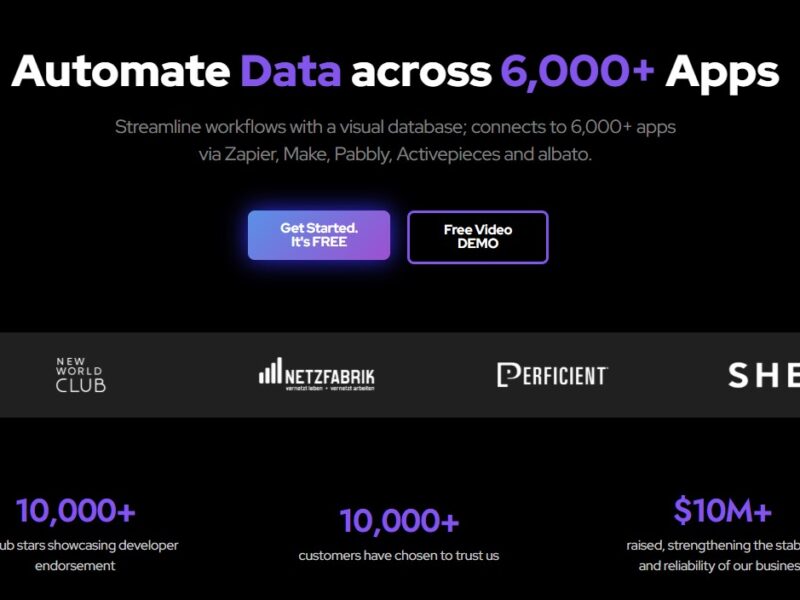
Aitable supports automations to streamline workflows. It can integrate with popular tools like Slack, Google Sheets, and Zapier, helping users connect Aitable with other services and automate repetitive tasks. -
Customizable Templates
Aitable provides a library of pre-built templates for various use cases, such as project management, content planning, and CRM systems, allowing users to get started quickly. -
Powerful API
Aitable offers a robust API for developers who want to integrate the platform into custom applications or manage data programmatically.
Pros and Cons
Pros
-
No-Code Platform: Ideal for non-technical users, Aitable enables anyone to build and manage databases or apps without coding expertise.
-
Highly Customizable: Offers multiple views, flexible templates, and integrations, making it adaptable to different industries and use cases.
-
Collaborative: Real-time collaboration features ensure teams can work together efficiently, whether managing projects or tracking tasks.
-
Scalable: Whether you’re managing a small personal project or a large enterprise database, Aitable can scale to meet your needs.
-
Automations: With automation rules, Aitable can help streamline repetitive tasks, saving time and effort.
Cons
-
Learning Curve: While Aitable is no-code, it may take some time for new users to fully understand all of its features and capabilities.
-
Pricing: Aitable’s pricing can become expensive for larger teams, especially when considering premium features like additional automations or integrations.
-
Limited by Internet Connectivity: As a cloud-based platform, Aitable’s performance can depend on the user’s internet connection, which might affect the user experience in low connectivity areas.
Use Cases for Aitable:
Aitable’s flexibility and user-friendly interface make it suitable for a wide range of use cases, including:
-
Project Management: Teams can create project dashboards, track tasks, and collaborate seamlessly across different stages of a project.
-
CRM Systems: Aitable can be used as a lightweight customer relationship management tool, where sales teams can track leads, manage contacts, and monitor sales pipelines.
-
Content Planning: Marketers and content creators can organize editorial calendars, track content progress, and collaborate on content creation.
-
Inventory Management: Businesses can use Aitable to track product inventories, monitor stock levels, and automate ordering processes.
-
Event Planning: Organize and manage event logistics, track guest lists, and ensure everything is in place for a successful event.
Aitable vs. Other Tools
Aitable vs. Airtable
While both Aitable and Airtable offer similar functionalities in terms of no-code database creation, Aitable tends to offer more advanced customization options, making it a better choice for users who need additional flexibility. Airtable is widely recognized for its simplicity and ease of use, whereas Aitable provides more in-depth features like real-time collaboration and advanced integrations.
Aitable vs. Google Sheets
Google Sheets is a popular alternative for managing data, but Aitable surpasses it in terms of customization and automation. Aitable’s relational database functionality, combined with its powerful integrations and no-code nature, makes it more suited for complex workflows than Google Sheets, which is more basic and limited when it comes to database management.
Aitable vs. Notion
While both tools are used for collaboration and project management, Aitable’s focus is more on database creation and management, while Notion is a more generalized workspace tool that integrates notes, tasks, databases, and wikis in one platform. Aitable’s ability to manage large datasets and create complex relationships between tables gives it an edge over Notion for users requiring robust database management.
Aitable is a powerful no-code platform that empowers users to create custom applications and databases quickly and efficiently. Its flexibility, ease of use, and integration capabilities make it an attractive choice for businesses and individuals alike. Whether you are looking to manage a simple project, track inventory, or create a CRM system, Aitable offers an adaptable solution for a wide range of use cases. However, its pricing structure and learning curve may be barriers for some users, especially those with minimal experience in database management.
For users who need an intuitive yet scalable platform for data organization and automation, Aitable proves to be a reliable and efficient choice.
FAQs
1. Is Aitable free to use?
Aitable offers a free tier with basic features, but users may need to upgrade to a paid plan for advanced features such as automations, additional collaborators, or enhanced storage.
2. Can Aitable integrate with other apps?
Yes, Aitable integrates with various tools such as Slack, Google Sheets, Zapier, and more, allowing users to connect their databases with other services and automate workflows.
3. Does Aitable support team collaboration?
Absolutely! Aitable is designed to enable real-time collaboration, allowing teams to work together efficiently on projects, track progress, and communicate directly within the platform.
4. How secure is my data on Aitable?
Aitable takes data security seriously and offers various security features, including encrypted data storage and access control mechanisms to protect sensitive information.
5. Is Aitable suitable for non-technical users?
Yes, Aitable is specifically designed as a no-code platform, making it ideal for non-technical users who need to create and manage databases or applications without any coding knowledge.