
Ludus
What Is Ludus?
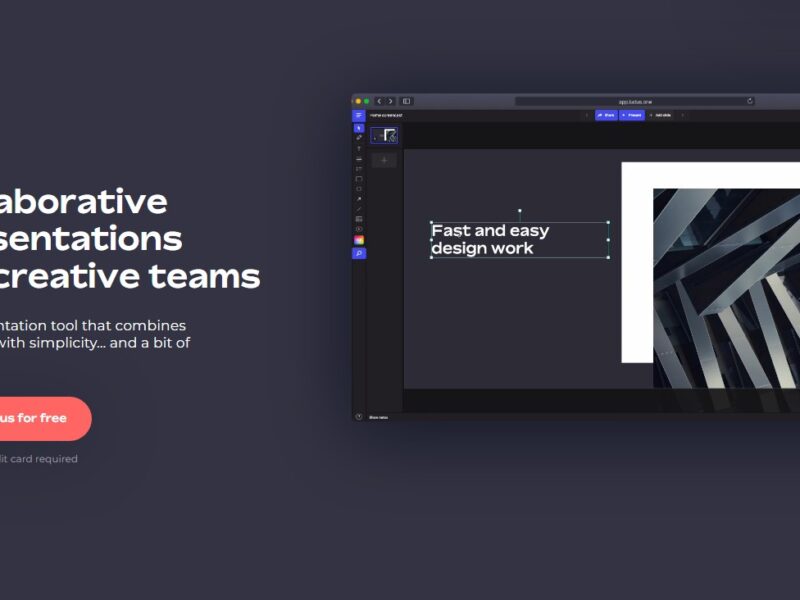
Ludus is a web-based presentation design platform that enables users to create visually striking, multimedia-rich slides and presentations with advanced customization options and collaborative features. Positioned between traditional slide tools like PowerPoint and graphic-centric platforms like Figma, Ludus provides creatives, professionals, educators, and teams with a flexible environment to craft, share, and present interactive content directly in the browser.
Features
Design & Creative Tools
-
Smart Blocks system – Independent editable blocks allow flexible design of layout elements.
-
Advanced typography controls – Upload custom fonts, fine-tune spacing, and fully control text properties.
-
Blend modes, filters, effects – Professional-grade visual tools rarely available in typical slide software.
-
Vector & SVG support – Import scalable graphics for crisp visual elements.
Media & Integrations
-
Embed third-party content – Easily pull content from YouTube, Vimeo, GIPHY, Unsplash, and more.
-
Dropbox, Google Drive & design tool integrations – Enhance presentations with assets from your workflow.
Collaboration & Sharing
-
Real-time team editing – Collaborate with teammates on the same presentation simultaneously.
-
Cloud-based saving – Automatic storage and access from any modern browser.
-
Easy sharing – Publish via custom URLs without compatibility hassles.
Professional Output
-
Responsive presentations – Slides adapt to mobile and desktop display sizes.
-
Security & analytics (advanced plans) – Password protection and view metrics for shared content.
Pros & Cons
Pros:
-
Creative flexibility – Offers more design control than traditional presentation programs.
-
Rich media support – Integrate external content easily to enhance engagement.
-
Real-time collaboration – Teams can edit together and streamline workflow.
-
Web-based accessibility – Access and edit presentations from any modern browser.
-
Cloud saving & sharing – Simple URL sharing improves distribution and visibility.
Cons:
-
Online dependency – Works primarily online, meaning poor connectivity can disrupt access.
-
Learning curve – Advanced features and design-centric interface can take time to master.
-
Subscription costs – Premium features are part of paid plans which may be a barrier for some users.
Use Cases:
-
Marketing & Sales Presentations – Create engaging pitch decks that combine video, custom graphics, and integrated web content.
-
Design Team Collaboration – Work with creative teams on branding proposals or UX presentations.
-
Educational Content – Teachers can build rich, interactive lecture slides with embedded media.
-
Product Demos & Portfolios – Showcase products, concepts, and design portfolios with custom visuals and animations.
-
Proposal & Strategy Documents – Replace static PDFs with dynamic, engaging narrative slides.
Compared to Other Tools
Vs. Google Slides:
Google Slides focuses on simplicity and basic collaboration, but has limited media embedding and design flexibility. Ludus, by comparison, offers more creative control and richer integrations with external content sources.
Vs. Microsoft PowerPoint:
PowerPoint is powerful for traditional slide creation but lacks seamless third-party embeds and real-time cloud collaboration by default. Ludus’s web-centered approach simplifies sharing and integrates web content more fluidly.
Vs. Figma:
Figma excels at collaborative design, but it is not tailored specifically to presentation sharing. Ludus combines presentation-specific features with design flexibility, making it a more specialized choice for slides.
Overall, Ludus sits between traditional slide makers and professional design tools, appealing to users who need both visual creativity and presentation functionality.
Ludus is a versatile, web-based presentation design platform that empowers users to move beyond static slides and embrace richly interactive, media-enhanced presentations. With advanced creative tools, real-time collaboration, and extensive integrations, it stands out for professionals who value visual storytelling and flexibility. While there is a learning curve and premium features require a subscription, Ludus’s ability to blend design freedom with presentation efficiency makes it a competitive choice for teams, educators, and creators looking to elevate the way they communicate ideas.
FAQs
1. What types of presentations can I create with Ludus?
You can build interactive, multimedia-rich presentations that include embedded web content, custom fonts, and advanced design elements — useful for marketing, education, and storytelling.
2. Is Ludus suitable for team collaboration?
Yes. Ludus supports real-time editing and workspace collaboration, enabling multiple users to edit a presentation simultaneously.
3. Can I embed video and external content in Ludus slides?
Absolutely — you can integrate content from platforms like YouTube, Vimeo, and GIPHY directly into your presentation.
4. Do I need design experience to use Ludus effectively?
Basic use is accessible, but advanced features may require design familiarity since the tool offers deeper visual controls than typical slide software.
5. Is Ludus free to use?
Ludus offers free basic plans, but unlocking professional features like analytics, password protection, and advanced sharing options usually requires a paid subscription.