
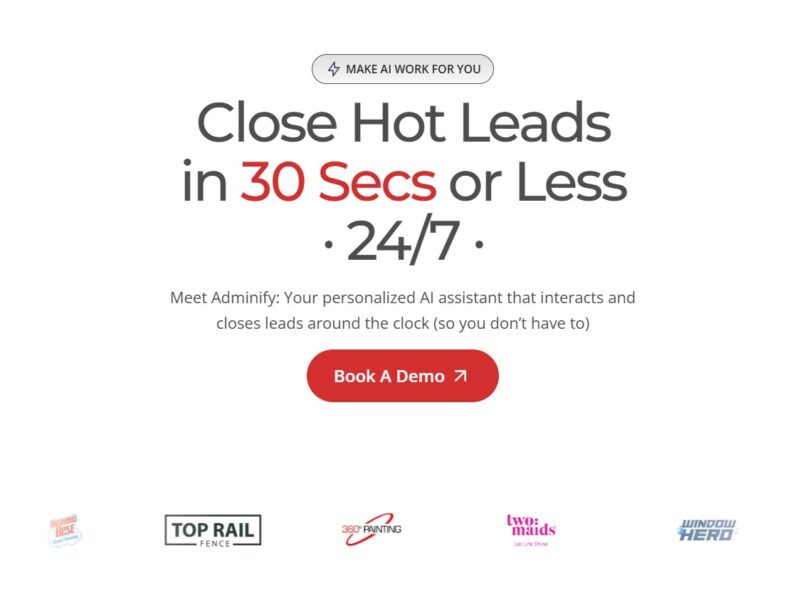
Adminify
What is Adminify?
Adminify is an advanced AI-powered platform designed to streamline administrative tasks and enhance productivity. By automating routine processes, Adminify allows businesses and individuals to manage their operations more efficiently. It integrates a variety of administrative tools such as project management, task tracking, data organization, and customer relationship management (CRM), all within one centralized platform. This enables users to optimize workflows, reduce human error, and improve decision-making processes, making it an essential tool for modern businesses.
Features
-
AI-Powered Automation
Adminify leverages artificial intelligence to automate repetitive tasks such as scheduling, invoicing, and follow-up communications. This feature saves time and reduces the workload for administrators and managers. -
Task Management and Collaboration
The platform offers comprehensive task management tools that allow users to organize, prioritize, and track progress on multiple projects. It also supports team collaboration by enabling real-time updates and communication. -
Customer Relationship Management (CRM)
Adminify includes a built-in CRM system to manage customer interactions, track leads, and improve customer service. It centralizes client data and streamlines communication, providing a 360-degree view of client relationships. -
Data Analytics and Reporting
The platform provides data analytics tools that help businesses gain insights into their operations, monitor key performance indicators (KPIs), and generate detailed reports. This feature is crucial for informed decision-making and optimizing business strategies. -
Integration with Third-Party Tools
Adminify integrates with a wide range of third-party applications, such as Google Workspace, Slack, and Microsoft Office, to ensure seamless connectivity and data flow across various platforms. -
Cloud-Based Accessibility
Being cloud-based, Adminify allows users to access the platform from any device, anywhere in the world. This ensures flexibility and mobility for teams, particularly in remote work environments.
Pros & Cons
Pros:
-
Increased Efficiency: Automation of routine administrative tasks allows users to focus on more strategic activities, improving overall business productivity.
-
Centralized Platform: Adminify’s ability to integrate various tools (CRM, task management, reporting) into one platform helps users streamline their operations.
-
Cost-Effective: By automating tasks that would typically require multiple staff members, Adminify reduces operational costs.
-
Scalability: The platform is designed to scale with the business, making it suitable for both small startups and large enterprises.
-
User-Friendly Interface: The platform’s interface is intuitive and easy to navigate, even for those with limited technical expertise.
Cons:
-
Learning Curve: While Adminify is user-friendly, new users might experience a slight learning curve due to the breadth of features and customization options available.
-
Dependence on Internet: As a cloud-based platform, Adminify requires a stable internet connection to function. This might be a limitation in areas with unreliable connectivity.
-
Customization Limits: While Adminify offers some customization options, advanced customization may be limited compared to other platforms or tools that are fully tailored to a business’s unique needs.
-
Pricing: Although Adminify offers a range of plans, the cost might be prohibitive for very small businesses or individuals who are just starting out.
Use Cases of Adminify:
-
Small and Medium Enterprises (SMEs): Adminify can be especially beneficial for SMEs looking to automate administrative processes and reduce overhead costs without sacrificing quality. From managing tasks to tracking customer interactions, the platform helps streamline operations.
-
Project Management Teams: Teams working on complex projects with multiple stakeholders can use Adminify to keep track of timelines, responsibilities, and deliverables. The collaborative tools ensure that everyone stays on the same page.
-
Sales and Marketing Teams: Adminify’s CRM and data analytics features help sales and marketing teams track customer interactions, analyze leads, and fine-tune campaigns to boost conversion rates.
-
Remote Work Environments: With its cloud-based infrastructure, Adminify is ideal for remote teams. It allows for seamless collaboration and task tracking, ensuring teams remain productive regardless of their physical location.
-
Customer Support: Adminify’s CRM system helps customer support teams maintain a centralized database of customer queries, feedback, and resolutions. This enables teams to provide better, faster customer service.
Adminify Compared to Other Tools
-
Adminify vs. Asana
Asana is a popular project management tool that helps teams organize and track their work. While both platforms offer task management features, Adminify goes a step further by integrating CRM functionalities and AI-powered automation, making it a more comprehensive solution for administrative needs. Asana, on the other hand, is more focused on project tracking and collaboration. -
Adminify vs. Trello
Trello is a visual collaboration tool that allows users to organize tasks using boards, lists, and cards. While Trello excels in visual task management, Adminify offers more advanced automation and CRM features. Adminify’s AI-powered capabilities give it an edge in streamlining administrative tasks, while Trello is simpler and better suited for basic task management. -
Adminify vs. Monday.com
Monday.com is another popular platform for project management and collaboration. It provides similar features to Adminify but lacks the deep CRM and AI-powered automation that Adminify offers. Adminify’s broader focus on administrative tasks, including invoicing and client management, makes it a better choice for businesses looking for an all-in-one administrative solution. -
Adminify vs. Zoho CRM
Zoho CRM is a customer relationship management platform that offers robust features for managing client interactions. While Zoho CRM is highly specialized in customer relationship management, Adminify provides a more holistic approach by combining CRM, task management, and automation in a single platform. Businesses looking for a comprehensive solution will benefit more from Adminify.
Adminify is a powerful AI-powered platform that can revolutionize the way businesses handle administrative tasks. Its automation capabilities, CRM integration, and cloud-based accessibility make it a valuable tool for companies of all sizes. Whether you’re a small business looking to improve efficiency or a large enterprise in need of scalable solutions, Adminify offers a range of features designed to streamline operations and boost productivity. While there are some limitations in terms of advanced customization and pricing, its comprehensive nature makes it an appealing option for businesses seeking a unified platform for administrative management.
FAQs
-
Is Adminify free to use?
Adminify offers various pricing plans, including a free version with limited features. However, the full range of tools and integrations is available only with the paid plans. -
Can Adminify be used for remote work?
Yes, Adminify is a cloud-based platform, which means it can be accessed from anywhere, making it ideal for remote teams. -
Does Adminify offer customer support?
Yes, Adminify provides customer support through multiple channels, including live chat, email, and an extensive knowledge base. -
Can I integrate Adminify with other software?
Yes, Adminify integrates with a variety of third-party tools such as Google Workspace, Slack, and Microsoft Office, enhancing its functionality and compatibility with your existing software. -
Is Adminify suitable for large enterprises?
Yes, Adminify is scalable and can cater to businesses of all sizes, from startups to large enterprises. Its automation and customization features make it adaptable to different organizational needs.