
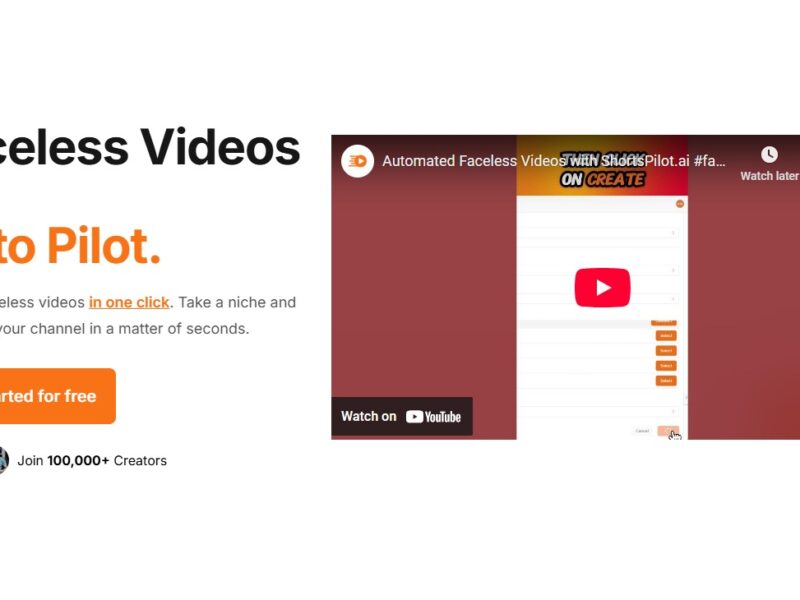
Shortspilot
What is ShortsPilot?
ShortsPilot is an innovative AI-powered platform designed to help content creators, marketers, and businesses generate, optimize, and manage short-form videos efficiently. With the increasing demand for engaging video content across social media platforms like TikTok, Instagram Reels, and YouTube Shorts, ShortsPilot offers a smart, automated solution to streamline video creation. The platform leverages artificial intelligence to create high-quality video content from a wide variety of inputs, including raw footage, scripts, and even images. Whether you’re a small business owner looking to expand your online presence or a professional creator aiming to boost engagement, ShortsPilot provides the tools you need to produce short-form videos with minimal effort.
ShortsPilot helps users harness the power of AI to automate the video editing process, optimize video quality, and enhance engagement—all while saving time and resources. The tool is user-friendly, making it an ideal solution for both seasoned video editors and beginners alike.
Features
-
AI-Powered Video Editing: ShortsPilot’s AI technology automates the video editing process, helping users turn raw footage or images into polished short-form videos in a matter of minutes. This is ideal for creators who need to produce content quickly and consistently.
-
Customizable Templates: The platform offers a range of templates that can be customized to fit different themes, styles, and brand aesthetics. Users can choose from a library of dynamic templates designed to maximize engagement on social media platforms.
-
Automatic Captioning and Subtitles: ShortsPilot’s AI-driven system automatically generates captions and subtitles for videos, making it easier to make content more accessible and improve user engagement, especially on mute videos.
-
Video Optimization for Social Media: The platform is specifically designed to optimize videos for different social media platforms, ensuring that videos are the right length, format, and resolution for maximum reach and engagement.
-
Analytics and Performance Tracking: ShortsPilot provides built-in analytics tools that help users track the performance of their videos. Users can measure engagement rates, viewer demographics, and more, allowing them to optimize future content.
-
Multilingual Support: To reach a global audience, ShortsPilot supports multiple languages for automatic translations and subtitle generation, making it easy to expand content outreach across regions.
-
Cloud Storage and Collaboration: ShortsPilot offers cloud-based storage, so users can store their video projects securely and access them from anywhere. It also supports collaboration, allowing teams to work together on video projects remotely.
Pros & Cons
Pros:
-
Efficiency: The AI-powered tools drastically reduce the time and effort required to edit and produce professional-quality short-form videos.
-
User-Friendly: ShortsPilot is designed to be easy to use, even for those without extensive video editing experience.
-
Social Media Optimization: With features tailored specifically for platforms like TikTok and Instagram Reels, ShortsPilot ensures that videos are ready for immediate publication.
-
Automation: Features like automatic captioning, subtitle generation, and template customization save time and effort, making video production more efficient.
-
Cross-Platform Compatibility: ShortsPilot integrates with multiple social media platforms, streamlining the publishing process and ensuring content is optimized for each platform’s requirements.
Cons:
-
Limited Advanced Editing Features: For users who require in-depth, manual editing, ShortsPilot might feel limiting compared to traditional video editing software.
-
Subscription-Based Pricing: While the platform offers a lot of features, it operates on a subscription model, which may not be cost-effective for individual users or small businesses with limited budgets.
-
Dependence on Internet Connectivity: Being a cloud-based platform, users need a stable internet connection to access and use ShortsPilot, which could be a limitation in certain regions.
-
Not Ideal for Long-Form Content: ShortsPilot is optimized for short-form videos and may not be suitable for users creating long-form content like YouTube videos or documentaries.
Use Cases for ShortsPilot
-
Social Media Influencers and Content Creators: Content creators who focus on short-form video platforms can benefit greatly from ShortsPilot’s AI-powered editing tools, helping them produce high-quality videos more efficiently to grow their audience and engagement.
-
Digital Marketers: Digital marketers who need to quickly produce engaging, shareable videos for campaigns on social media can leverage ShortsPilot’s features to create optimized content that resonates with target audiences.
-
Small Businesses and Startups: Businesses looking to boost their online presence through short-form videos can use ShortsPilot to create professional marketing content without the need for expensive video production services.
-
E-commerce: E-commerce brands can use ShortsPilot to generate promotional videos for products, sales, or customer testimonials, enhancing their marketing strategy and driving traffic to their online stores.
-
Educators and Trainers: Educational content creators can use ShortsPilot to generate short tutorial videos, making learning more engaging and accessible for their audiences.
Compared to Other Tools
When compared to other video editing platforms like InVideo, Adobe Premiere Rush, and Kapwing, ShortsPilot offers some key differences:
-
InVideo: InVideo provides a broad range of video editing tools, including templates, effects, and transitions. While InVideo is great for both long-form and short-form content, ShortsPilot specifically targets short-form video production with AI-driven automation, making it a more efficient choice for quick video creation. ShortsPilot also focuses more on social media optimization.
-
Adobe Premiere Rush: Adobe Premiere Rush is a popular tool for those who need more advanced video editing features, like multi-track editing and audio mixing. However, it lacks the AI-driven automation and social media-focused optimizations that ShortsPilot offers. For users who prefer a more hands-on approach to editing, Premiere Rush may be the better choice, but ShortsPilot offers faster results for quick social media videos.
-
Kapwing: Kapwing is a versatile video editing platform, offering similar features to ShortsPilot, like templates and collaboration tools. However, ShortsPilot excels in AI-powered features like automatic captioning and video optimization, which can save users significant time and effort. Kapwing, on the other hand, offers a wider range of editing tools for more customized video creation.
ShortsPilot is a powerful tool for anyone looking to create, optimize, and manage short-form videos quickly and efficiently. With its AI-powered editing capabilities, customizable templates, and social media optimization, the platform is a game-changer for content creators, marketers, and businesses looking to produce high-quality video content for social media. While it may not be suitable for long-form video production or advanced editing needs, ShortsPilot shines as a solution for fast, engaging video creation tailored to today’s social media landscape.
For those looking to streamline their video creation process and increase engagement across platforms like TikTok, Instagram Reels, and YouTube Shorts, ShortsPilot is a must-have tool.
FAQs
1. How easy is it to use ShortsPilot?
ShortsPilot is designed to be intuitive and user-friendly. Even beginners with no video editing experience can quickly start creating and optimizing videos with the platform’s AI-driven tools and customizable templates.
2. Can I use ShortsPilot for platforms like YouTube and Instagram?
Yes, ShortsPilot is optimized for multiple social media platforms, including TikTok, Instagram Reels, and YouTube Shorts, ensuring that your videos are perfectly formatted and ready for publishing.
3. Does ShortsPilot offer free trials?
ShortsPilot offers various subscription plans, but they may provide limited-time free trials or demo access to allow users to explore the platform’s features before committing to a subscription.
4. Can I collaborate with my team on ShortsPilot?
Yes, ShortsPilot supports collaboration, allowing teams to work together on video projects. This is particularly useful for businesses or content creators who work with a team of editors or marketers.
5. Does ShortsPilot generate automatic captions for videos?
Yes, ShortsPilot’s AI-powered system automatically generates captions and subtitles for videos, making your content more accessible and engaging for viewers who watch videos on mute.