
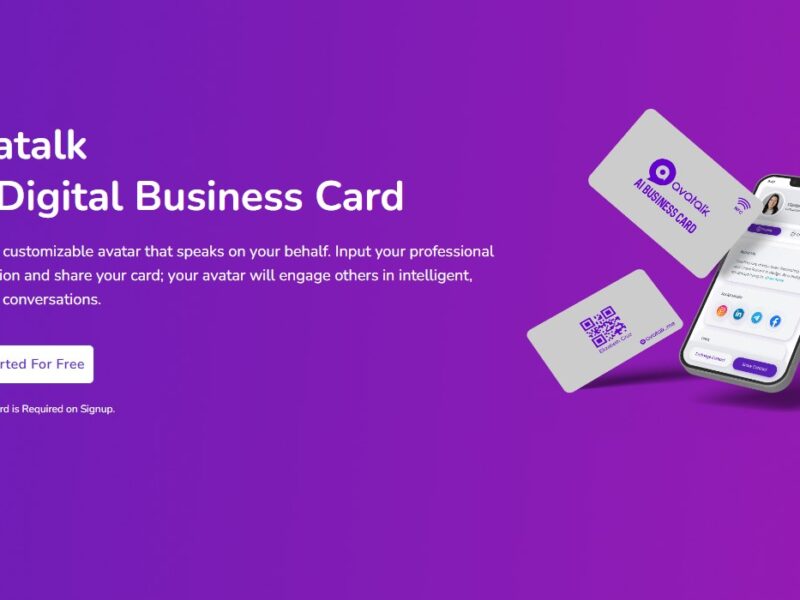
Avatalk
What is AvaTalk?
AvaTalk is an innovative online communication platform designed to bridge the gap between voice and text communication for users who are deaf, hard of hearing, or have speech impairments. Through the use of real-time captioning and transcription, AvaTalk enables seamless conversations for individuals who may otherwise struggle with verbal interactions. This service provides captions for both in-person and virtual communications, allowing users to participate more fully in conversations, meetings, and social interactions without relying on sign language or written notes. AvaTalk is designed to improve accessibility, making it easier for people with hearing or speech challenges to communicate in a variety of settings.
Features
-
Real-Time Captioning and Transcription
AvaTalk provides real-time captions for spoken conversations, making it easier for users to follow along in discussions. The platform transcribes speech into accurate text that is displayed on a screen, helping users understand what is being said in real time. -
Multi-Language Support
AvaTalk supports multiple languages, allowing users from different regions to engage in conversations across language barriers. This feature is particularly beneficial for international communication and making connections with people from diverse backgrounds. -
AI-Powered Speech Recognition
The platform uses advanced AI speech recognition technology to ensure highly accurate transcriptions. The more the system is used, the better it gets at recognizing speech patterns and nuances, improving its efficiency over time. -
Cross-Platform Accessibility
AvaTalk can be accessed on a wide range of devices, including smartphones, tablets, and desktops. This cross-platform support ensures users can communicate easily, whether they’re at home, in the office, or on the go. -
Integration with Video Calls
AvaTalk seamlessly integrates with popular video conferencing platforms like Zoom, Google Meet, and Microsoft Teams, allowing users to benefit from real-time transcription during virtual meetings, presentations, or webinars. -
Customizable Settings
Users can personalize the captions according to their preferences, adjusting the text size, font, and color to make the captions easier to read. This feature enhances the overall user experience, ensuring accessibility for a wide range of individuals. -
Interactive Chat and Collaboration Tools
AvaTalk includes interactive chat features that allow participants to send messages while the transcription is occurring. This can be useful for clarifying points, asking questions, or adding additional context to the conversation. -
Confidentiality and Privacy
AvaTalk takes user privacy seriously and ensures that all conversations are kept confidential. The platform complies with relevant data protection laws, ensuring that sensitive information is not shared without consent.
Pros & Cons
Pros:
-
Accessibility: AvaTalk provides vital accessibility for individuals who are deaf, hard of hearing, or have speech impairments, enabling them to participate fully in both virtual and in-person conversations.
-
Real-Time Transcription: The real-time captioning feature ensures that users can follow conversations easily without waiting for captions to be typed out manually.
-
Ease of Use: The platform’s user-friendly interface and customizable features make it easy for users to navigate and personalize the service according to their needs.
-
Cross-Platform Compatibility: AvaTalk works on multiple devices, which means users can access the platform wherever they are, enhancing convenience and flexibility.
-
Seamless Integration with Video Calls: AvaTalk’s integration with popular video conferencing tools ensures that users can benefit from transcription during both business meetings and casual virtual hangouts.
Cons:
-
Accuracy May Vary: While AvaTalk’s AI-powered speech recognition is generally accurate, it may struggle with highly technical language, accents, or noisy environments, potentially leading to errors in transcription.
-
Requires Internet Connection: The platform relies on internet connectivity for real-time captioning and transcription, so users in areas with poor or unstable internet may experience delays or issues.
-
Subscription Costs: AvaTalk may not be affordable for everyone, especially for those on a tight budget. Some advanced features, such as multi-language support and unlimited transcription, may be available only on premium plans.
-
Learning Curve: For new users, the platform may require a short learning period to familiarize themselves with its features and settings, especially if they are new to using captioning tools.
Use Cases of AvaTalk:
-
Business Meetings and Conferences
AvaTalk is ideal for professionals who need real-time captioning during meetings, webinars, and conferences. It ensures that all participants can follow along, regardless of hearing impairments, improving inclusivity and communication in the workplace. -
Education and Lectures
In educational settings, AvaTalk can help students who are deaf or hard of hearing by providing captions for lectures, discussions, and classroom activities. This ensures that all students have equal access to information and can participate in class without barriers. -
Healthcare Communication
AvaTalk can be used in healthcare settings to facilitate communication between patients with hearing impairments and healthcare professionals. It enables doctors, nurses, and staff to communicate effectively with patients who may struggle with verbal communication. -
Social Interactions and Networking
For social situations, AvaTalk helps individuals with hearing impairments interact more easily in group conversations, at social events, or during casual networking. Real-time transcription allows users to engage fully in social settings without feeling left out. -
Customer Service
AvaTalk is a great tool for customer service agents who need to communicate with customers with hearing impairments. Real-time captions ensure that the customer can understand and respond to the service representative quickly and effectively.
Compared to Other Tools:
When compared to other transcription and captioning tools like Otter.ai, Rev, or Trint, AvaTalk stands out with its specific focus on providing real-time captions for users with hearing or speech impairments. While tools like Otter.ai offer transcription services for meetings and lectures, AvaTalk is tailored to provide immediate captions during conversations, both online and offline, making it more suitable for real-time communication.
Rev and Trint also offer transcription services, but they are not as focused on accessibility for individuals with hearing impairments. AvaTalk’s unique combination of real-time captions, video call integration, and customizable settings sets it apart as a specialized tool designed to meet the needs of a particular audience.
In comparison to Google Meet and Zoom, both of which offer automatic captions, AvaTalk excels by offering more precise transcription and customization options, along with the ability to work across different video conferencing platforms.
AvaTalk is a highly valuable tool for individuals who are deaf, hard of hearing, or have speech impairments, offering them the ability to engage in conversations and virtual meetings with ease. With features like real-time captioning, cross-platform accessibility, and customizable settings, AvaTalk enhances communication and inclusion in both professional and personal settings. While there are some challenges, such as occasional transcription inaccuracies and subscription costs, the platform’s benefits far outweigh these drawbacks, particularly for users seeking accessible communication solutions.
FAQs
-
What is AvaTalk used for?
AvaTalk is used for providing real-time captioning and transcription during conversations, meetings, and video calls, helping individuals with hearing impairments engage in communication without relying on sign language or written notes. -
Is AvaTalk available in multiple languages?
Yes, AvaTalk supports multiple languages, allowing users from different regions and language backgrounds to communicate effectively across language barriers. -
Can I use AvaTalk on my mobile device?
Yes, AvaTalk is compatible with smartphones, tablets, and desktops, enabling users to access the platform from any device with an internet connection. -
Does AvaTalk integrate with video conferencing platforms?
Yes, AvaTalk integrates with popular video conferencing tools like Zoom, Google Meet, and Microsoft Teams, offering real-time transcription during virtual meetings and webinars. -
How accurate is AvaTalk’s transcription?
AvaTalk uses advanced AI-powered speech recognition, which generally offers accurate transcriptions. However, accuracy may vary depending on factors like accents, technical jargon, or noisy environments.