
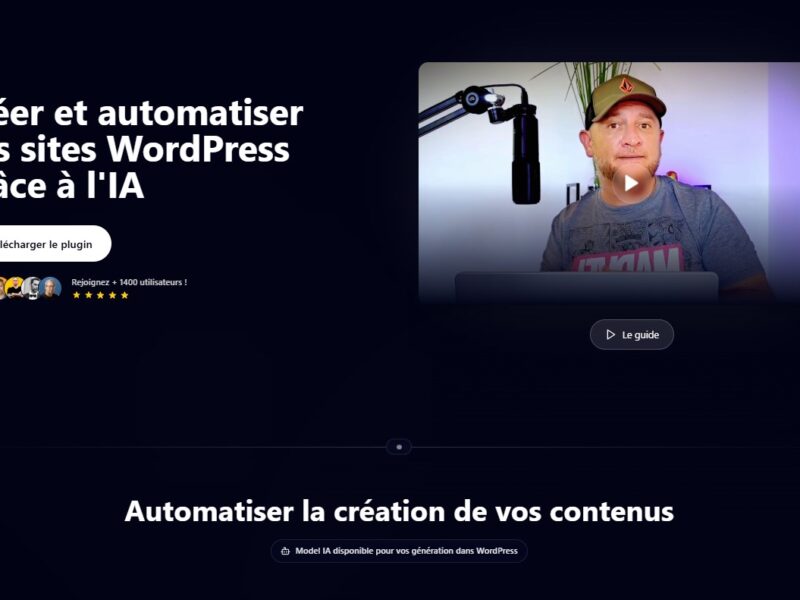
Otomatic
What is Otomatic?
Otomatic is an AI-driven workflow automation tool designed to help businesses automate repetitive tasks, streamline processes, and optimize productivity. Its advanced algorithms can handle everything from data entry to complex decision-making processes, enabling companies to save time, reduce human error, and focus on higher-value activities. With Otomatic, businesses can easily integrate automation into their existing systems without the need for extensive technical expertise.
Features
Otomatic stands out because of its robust feature set that allows businesses to customize workflows according to their unique needs. Some of the key features include:
-
AI-Powered Task Automation: Otomatic uses artificial intelligence to automate a variety of tasks, reducing the need for manual intervention. The platform can learn from your workflow patterns and continuously improve automation strategies.
-
Workflow Builder: The intuitive drag-and-drop interface allows users to build custom workflows without any coding experience. Users can set triggers, conditions, and actions to design their ideal workflow.
-
Integration with Third-Party Apps: Otomatic integrates seamlessly with popular business tools and platforms, including CRM systems, email marketing tools, project management software, and more. This makes it easy to automate processes across various departments.
-
Analytics and Reporting: Otomatic provides powerful analytics and reporting tools to track the performance of automated workflows. Businesses can measure the effectiveness of their processes and make data-driven improvements.
-
Cloud-Based: As a cloud-based solution, Otomatic ensures scalability, flexibility, and remote accessibility. Businesses can manage their workflows from anywhere, at any time.
Pros & Cons
As with any software, Otomatic comes with its strengths and weaknesses. Here are the key pros and cons:
Pros:
-
Ease of Use: The drag-and-drop interface and AI-powered automation make Otomatic easy for users of all technical levels to implement and use.
-
Cost-Effective: By automating repetitive tasks, Otomatic helps businesses reduce operational costs and increase efficiency.
-
Customizable: The platform offers a high degree of customization, allowing users to tailor workflows to their specific needs.
-
Time-Saving: Automating tasks significantly reduces manual work, freeing up employees to focus on more strategic activities.
-
Scalable: The cloud-based nature of Otomatic ensures that it can scale with your business, whether you’re a small startup or a large enterprise.
Cons:
-
Learning Curve for Advanced Features: While the basic functionality is easy to use, advanced features may require some time to master, especially for users without a technical background.
-
Integration Challenges: Although Otomatic supports integrations with many popular tools, there can be occasional compatibility issues with more niche software platforms.
-
Cost: While Otomatic offers a great ROI, it may not be the most cost-effective option for small businesses with limited budgets.
Use Cases for Otomatic:
Otomatic is versatile and can be applied to a wide range of business processes. Here are some of the most common use cases:
-
Customer Relationship Management (CRM): Otomatic can automate CRM tasks such as lead nurturing, follow-ups, and data entry, allowing sales teams to focus on closing deals instead of repetitive administrative work.
-
Email Marketing: By automating email campaigns, customer segmentation, and follow-up sequences, businesses can improve their email marketing efficiency and increase conversion rates.
-
Human Resources (HR): HR departments can automate employee onboarding, payroll processing, and employee record management, saving time and reducing errors.
-
E-Commerce: E-commerce businesses can use Otomatic to handle order processing, inventory management, and customer support, providing a seamless shopping experience for customers.
-
Finance and Accounting: Automate invoicing, expense tracking, and financial reporting, reducing manual effort and improving accuracy.
Otomatic Compared to Other Automation Tools
When it comes to workflow automation, Otomatic competes with other well-known tools like Zapier, Integromat (Make), and Trello. Here’s how Otomatic compares:
-
Ease of Use: Otomatic’s drag-and-drop interface is similar to other tools like Zapier, but it stands out with its AI-powered automation, which adds a layer of intelligence to the workflows.
-
Integration: Otomatic offers extensive integrations with third-party applications, just like Zapier and Integromat, but its AI capabilities give it a unique edge in terms of creating more dynamic workflows.
-
Pricing: Otomatic’s pricing may be higher than some basic automation tools like Zapier, especially for small businesses. However, its AI-driven approach justifies the cost for larger businesses that need more sophisticated automation.
-
Customization: Otomatic provides highly customizable workflows, similar to Integromat, but it excels with its AI-driven task optimization, which reduces manual effort over time.
Otomatic is a powerful tool for businesses looking to streamline their processes through automation. With its AI-driven approach, customizable workflows, and integrations with popular software, it offers a comprehensive solution for companies aiming to boost productivity and reduce operational costs. While there is a learning curve for advanced features and the pricing may not suit every business, the benefits of automating tasks with Otomatic are undeniable.
If you’re looking for a versatile, scalable solution to automate your business processes, Otomatic is definitely worth considering.
FAQs
1. How does Otomatic use AI in its automation?
Otomatic leverages artificial intelligence to optimize workflows by learning from data patterns, improving task automation, and predicting the best actions based on historical data.
2. Can I use Otomatic without coding skills?
Yes, Otomatic’s drag-and-drop workflow builder makes it easy for users with no coding experience to automate tasks and processes.
3. What integrations are available with Otomatic?
Otomatic supports integrations with a wide variety of tools, including CRMs, email marketing platforms, project management software, and more. It works with popular apps like Slack, Google Sheets, and Salesforce.
4. Is Otomatic suitable for small businesses?
Otomatic is ideal for businesses of all sizes, but smaller businesses should consider their budget and specific needs. The platform’s scalability makes it a great choice as the business grows.
5. Does Otomatic offer customer support?
Yes, Otomatic provides customer support via email, chat, and an extensive knowledge base to help users troubleshoot issues and make the most of the platform’s features.