
Vidia
What is Vidia?
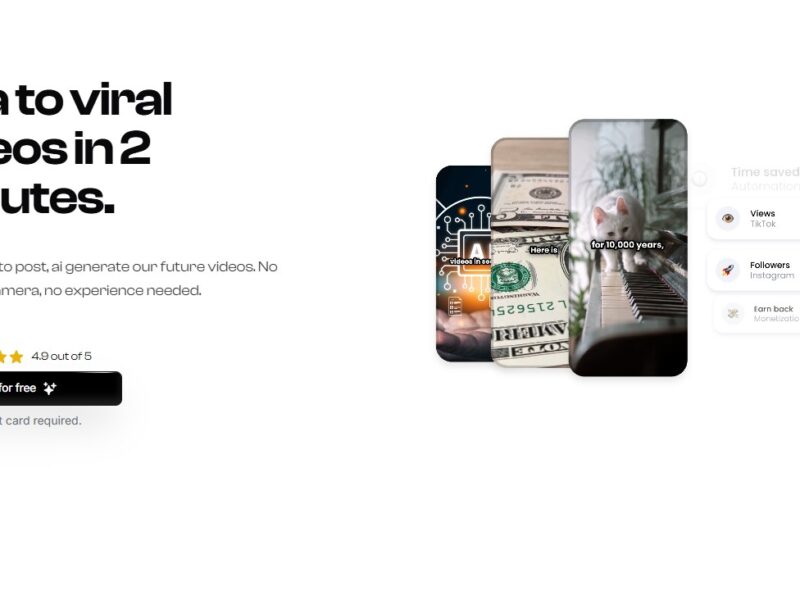
Vidia is a cloud-based video creation and editing tool that allows users to easily create, edit, and enhance videos. Designed for professionals, marketers, content creators, and businesses, Vidia provides a suite of powerful video editing tools that simplify the video production process. With its user-friendly interface and robust features, Vidia is perfect for anyone looking to create high-quality video content quickly and efficiently.
Features
-
Intuitive Video Editor: Vidia offers an easy-to-use video editor that enables users to trim, cut, merge, and split clips with precision. The platform supports drag-and-drop functionality, making it accessible for users with no prior video editing experience.
-
Templates and Pre-sets: Vidia provides a variety of professionally designed templates and pre-set effects to help users quickly create polished videos. Whether you’re working on a promotional video, tutorial, or social media content, these templates save time and effort.
-
Advanced Editing Tools: Vidia includes advanced editing features like color grading, audio adjustment, transitions, animations, and text overlays. These tools enable users to enhance the visual and audio quality of their videos to create a more professional finish.
-
Text and Titles Customization: Users can easily add custom text, titles, and captions to their videos. Vidia offers a range of fonts, styles, and animation options to make text and titles stand out in the final video.
-
Cloud Storage: Vidia’s cloud storage feature allows users to save and access their video projects from anywhere. This also makes collaboration easier, as multiple users can work on the same project simultaneously.
-
Multilingual Support: Vidia supports multiple languages, enabling users from different parts of the world to create and edit videos in their preferred language. This feature is especially beneficial for businesses with global audiences.
-
Audio Editing and Effects: Vidia comes with a built-in audio editor, allowing users to adjust audio levels, add background music, sound effects, and voiceovers. The platform also provides access to a library of royalty-free music and sound effects.
-
Social Media Integration: Vidia includes one-click export options optimized for social media platforms like Instagram, YouTube, Facebook, and TikTok. Users can easily create videos that meet the specific requirements for each platform.
-
Collaboration and Sharing: Vidia makes it simple to collaborate with teammates or clients. You can share drafts, gather feedback, and make changes in real-time. This makes Vidia ideal for teams working on video projects together.
Pros & Cons
Pros:
-
User-Friendly Interface: Vidia’s intuitive design and drag-and-drop features make it easy for anyone to use, even without prior video editing experience.
-
Rich Library of Templates: Vidia offers a vast collection of pre-designed templates for different types of videos, which can significantly speed up the creation process.
-
Cloud-Based: Vidia’s cloud storage allows users to access their projects from any device, promoting flexibility and collaboration across teams and locations.
-
Advanced Features for Professionals: Vidia’s color grading, audio adjustment, and animation tools provide a level of customization suitable for professional-quality video production.
-
Social Media Optimization: The platform’s easy integration with social media platforms makes it ideal for businesses and influencers looking to create video content for multiple channels.
Cons:
-
Pricing: Vidia’s subscription model may be expensive for individual users or small businesses on a tight budget. While there’s a free version, the full suite of features requires a paid plan.
-
Limited Offline Editing: As a cloud-based tool, Vidia requires an internet connection for most functions, which could be a limitation for users in areas with unreliable internet access.
-
Learning Curve for Advanced Features: While the platform is beginner-friendly, mastering some of the more advanced features like color grading and audio mixing may require additional learning and practice.
-
Rendering Time: Video rendering times can be slow, especially for high-resolution videos, which may frustrate users who need to finish projects quickly.
Vidia Use Cases:
-
Marketing Campaigns: Marketers can use Vidia to create high-quality promotional videos, advertisements, and product demos. With its templates, text overlays, and audio editing tools, Vidia helps marketers produce polished videos in a fraction of the time it would take using traditional video editing software.
-
Social Media Content: Influencers, content creators, and social media managers can leverage Vidia’s social media optimization features to create videos specifically tailored for platforms like Instagram, Facebook, YouTube, and TikTok. The pre-set templates and aspect ratio adjustments ensure that videos are perfectly formatted for each platform.
-
Corporate Training: Companies can use Vidia to create training videos, tutorials, and onboarding content. The platform’s easy-to-use interface and collaboration features make it an excellent choice for teams looking to produce internal video content.
-
Educational Content: Educators and online course creators can use Vidia to create professional-looking videos for lectures, tutorials, and course materials. The ability to add annotations, captions, and text allows educators to explain concepts clearly.
-
Event Promotions: Businesses and event organizers can use Vidia to create promotional videos for upcoming events, webinars, or conferences. The platform’s templates make it easy to create engaging and visually appealing event videos.
How Vidia Compares to Other Tools?
Vs. Adobe Premiere Pro
Adobe Premiere Pro is a professional video editing software known for its advanced editing features, but it requires a steep learning curve and is expensive for casual users. Vidia, on the other hand, offers a more user-friendly experience with templates and pre-set effects that make video creation quicker and easier for beginners and professionals alike. While Vidia might not match Premiere Pro in terms of depth and complexity, it provides a solid solution for users who need high-quality videos without the complexity of professional software.
Vs. Final Cut Pro
Final Cut Pro is another industry-standard video editing tool, but it’s only available for Mac users and is also relatively complex. Vidia is cloud-based and platform-independent, meaning users can access their projects from any device, which makes it more versatile and accessible for collaborative projects.
Vs. iMovie
While iMovie is a great tool for basic video editing, Vidia offers more professional-grade features like color grading, advanced audio editing, and customizable templates. iMovie is limited in terms of the effects and customization it provides, whereas Vidia offers a more robust set of features for users who need more control over their video content.
Vs. Canva Video Editor
Canva’s video editor is an easy-to-use tool with templates for quick video creation. However, Vidia offers more advanced editing tools, such as real-time collaboration, audio editing, and cloud storage. Vidia is a better option for users who need more flexibility and professional features, while Canva is ideal for those who need simple videos for marketing or social media.
Vidia is a powerful video creation and editing platform designed to make video production accessible and efficient for professionals and creators alike. With its user-friendly interface, cloud-based features, and a wide range of templates and advanced editing tools, Vidia offers a comprehensive solution for creating high-quality videos in a fraction of the time. Whether you’re a marketer, content creator, or business professional, Vidia simplifies the video creation process, allowing you to produce engaging content that stands out.
While its pricing and occasional rendering time might be drawbacks for some users, Vidia’s blend of accessibility and professional-grade features makes it a top choice for anyone looking to create videos that drive engagement, inform, and entertain.
FAQs
1. Is Vidia suitable for beginners?
Yes, Vidia is beginner-friendly, with an intuitive interface and drag-and-drop functionality. It also offers templates and pre-set effects to help users get started quickly.
2. Can I collaborate with others on Vidia?
Yes, Vidia offers real-time collaboration features, making it easy for teams to work together on video projects from different locations.
3. Does Vidia offer a free version?
Vidia offers a free version with limited features. To access the full suite of tools, users will need to subscribe to a paid plan.
4. Is Vidia available on mobile devices?
Vidia is a cloud-based platform that is accessible from any device with an internet connection, but there is currently no dedicated mobile app for video editing. It is best used on a desktop or laptop.
5. Can I export videos in different formats?
Yes, Vidia allows users to export videos in various formats optimized for different platforms, including YouTube, Instagram, Facebook, and TikTok, ensuring compatibility with social media requirements.