
Browser Copilot
What is BrowserCopilot?
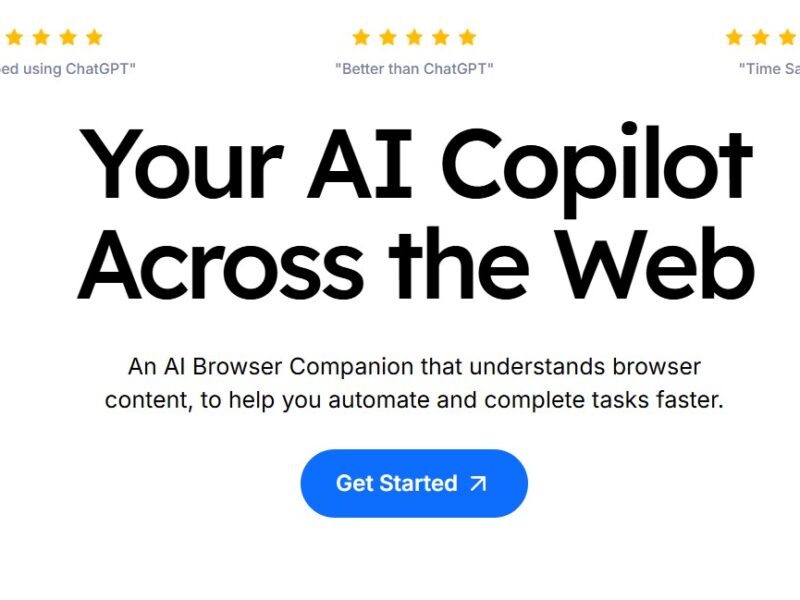
BrowserCopilot is a smart web assistant that uses artificial intelligence to provide a personalized browsing experience. It is designed to streamline internet navigation by offering contextual insights, automating routine tasks, and providing real-time assistance as users browse the web. With advanced machine learning algorithms, BrowserCopilot adapts to user preferences, helping them achieve more in less time while browsing.
Features
-
AI-Driven Assistance: BrowserCopilot leverages AI to understand your browsing habits and provide intelligent suggestions based on your preferences.
-
Contextual Insights: The tool provides contextual information, such as definitions, quick summaries, or additional research on the pages you visit, enhancing the browsing experience.
-
Task Automation: Automates repetitive tasks such as filling out forms, checking for updates, or bookmarking relevant content, saving users valuable time.
-
Personalized Dashboard: Users can access a personalized dashboard that tracks browsing activity, highlights important tasks, and offers suggestions to improve productivity.
-
Cross-Platform Compatibility: BrowserCopilot works seamlessly across multiple devices and platforms, allowing users to sync their settings and preferences effortlessly.
-
Real-Time Alerts: It provides real-time alerts on updates, news, or changes to the content you’re following, keeping you informed and up-to-date.
Pros & Cons
Pros:
-
Enhanced Productivity: By automating repetitive tasks and offering personalized recommendations, BrowserCopilot can significantly boost efficiency and reduce manual work.
-
User-Friendly Interface: The tool is intuitive and easy to use, even for those who aren’t particularly tech-savvy.
-
Customization: Users can tailor the assistant to their specific needs, creating a more personalized browsing experience.
-
Cross-Device Syncing: With support across multiple devices, users can maintain a consistent experience whether they are on desktop or mobile.
-
Time-Saving: By streamlining many of the browsing activities you regularly perform, BrowserCopilot saves users time and effort.
Cons:
-
Learning Curve: While the tool is easy to use, it may take some time to fully understand all of its features and optimize its functionality.
-
Dependence on AI: As the system is AI-driven, it may occasionally make incorrect suggestions or misunderstand user preferences.
-
Privacy Concerns: As with any AI-powered tool, there may be concerns regarding data privacy and the collection of browsing information.
-
Limited Integrations: BrowserCopilot currently supports only certain browser environments, which may limit its utility for some users.
-
Subscription Costs: While the basic version is free, advanced features require a premium subscription, which could be a drawback for budget-conscious users.
Use Cases for BrowserCopilot:
-
Research and Learning: BrowserCopilot is ideal for students, researchers, and professionals who need to quickly gather information from multiple sources while minimizing distractions.
-
Content Creators: Writers, bloggers, and content marketers can use BrowserCopilot to automate repetitive tasks such as checking for content updates, tracking keyword rankings, or organizing resources.
-
Business Professionals: With features like task automation and time-saving integrations, business professionals can increase productivity and focus on high-priority tasks.
-
Online Shoppers: BrowserCopilot’s alert system can help online shoppers stay informed about price drops, sales, and new product releases on their favorite websites.
-
Web Developers: Web developers can use the tool to streamline repetitive tasks, like checking for site updates or automating content scraping.
BrowserCopilot Compared to Other Tools
BrowserCopilot vs. Grammarly
-
BrowserCopilot focuses on automating browsing tasks and providing personalized AI-driven suggestions. It is best suited for users who want to enhance their overall browsing experience.
-
Grammarly, on the other hand, is primarily a writing assistant that helps users improve their grammar, spelling, and writing style.
BrowserCopilot vs. Evernote
-
BrowserCopilot streamlines web browsing by providing real-time contextual insights and task automation, whereas Evernote is primarily a note-taking tool that helps with organizing and storing information.
-
BrowserCopilot integrates AI for smarter browsing, while Evernote is more focused on organizing personal data and notes.
BrowserCopilot vs. Google Assistant
-
Google Assistant is a voice-controlled assistant designed to help with everyday tasks such as setting reminders, answering questions, and controlling smart devices.
-
BrowserCopilot, however, is a browser-specific assistant aimed at improving web browsing, automating tasks, and providing contextual insights for users working within the browser.
BrowserCopilot stands out as a powerful, AI-driven tool designed to enhance productivity, streamline web browsing, and save time. It offers a variety of features such as task automation, real-time alerts, and contextual insights, making it a useful tool for a wide range of users—from students to professionals. While it has some drawbacks, such as a learning curve and privacy concerns, its benefits for productivity and efficiency make it a valuable asset for anyone looking to optimize their online experience.
FAQs
-
What browsers are compatible with BrowserCopilot?
BrowserCopilot is currently compatible with popular browsers like Chrome, Firefox, and Edge, with ongoing updates for additional browser support. -
Is BrowserCopilot free to use?
Yes, BrowserCopilot offers a free version with basic features. However, more advanced functionality requires a paid subscription. -
Can BrowserCopilot be used on mobile devices?
Yes, BrowserCopilot supports both desktop and mobile devices, allowing you to sync your preferences across platforms. -
How does BrowserCopilot protect my privacy?
BrowserCopilot uses encryption and other security measures to protect your personal data. However, as with any AI-powered tool, users should review its privacy policy to understand data usage fully. -
Can I customize the recommendations made by BrowserCopilot?
Yes, BrowserCopilot allows users to customize the AI’s suggestions and preferences, ensuring that the tool provides the most relevant insights for your needs.