
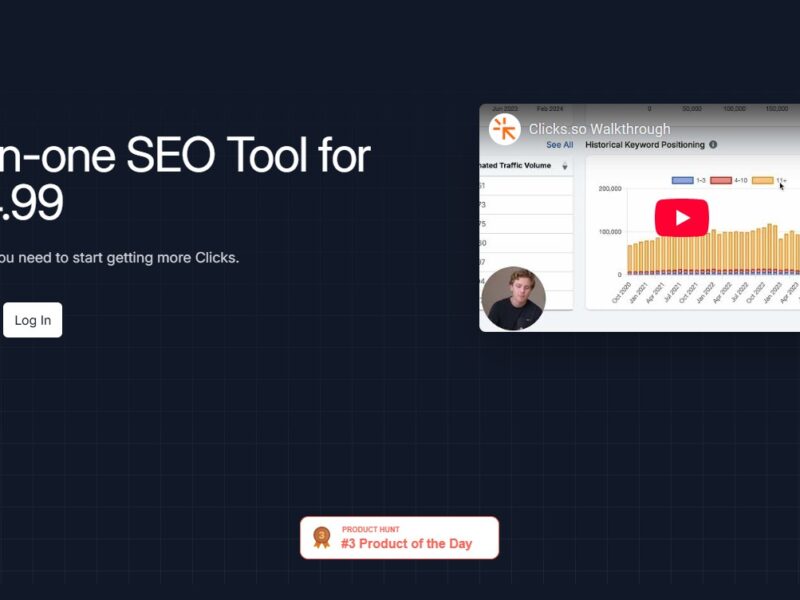
Clicks
What is Clicks?
Clicks is an advanced link management and tracking platform designed to help marketers, businesses, and content creators manage, optimize, and track their URLs effectively. With an intuitive interface and a robust set of features, Clicks allows users to shorten, brand, and analyze links to gain insights into their audience’s behavior, improve conversion rates, and drive better results from marketing campaigns.
Whether you’re looking to track the performance of a specific link, monitor user engagement, or protect your brand with customized URLs, Clicks offers an all-in-one solution that simplifies link management while providing actionable data for optimization.
Features
Clicks comes with a variety of features that streamline link management and provide valuable insights into user engagement. Key features include:
-
Custom URL Shortening: Clicks allows users to shorten long URLs into more manageable and branded links, helping to improve the aesthetics of the link and boost user trust.
-
Link Tracking and Analytics: The platform offers in-depth analytics, enabling users to track clicks, geographic locations, devices used, and referral sources. This helps businesses understand how their links perform in real-time.
-
Link Retargeting: Clicks offers retargeting capabilities, allowing businesses to retarget audiences who clicked on their links but didn’t take the desired action, improving conversion rates.
-
Link Customization: Users can create custom short links with branded domains, which enhances brand recognition and credibility.
-
QR Code Generator: The platform includes a QR code generator, enabling users to create scannable codes that link to specific URLs—ideal for offline marketing and print campaigns.
-
Real-Time Reporting: Clicks provides real-time reports with visual analytics and easy-to-understand dashboards, helping users quickly assess the effectiveness of their campaigns.
-
A/B Testing: Users can run A/B tests on different versions of their links to see which performs better, allowing for data-driven decisions on future marketing strategies.
-
Link Management: Clicks offers an intuitive dashboard where users can manage, edit, and organize their links in an easy-to-use interface, making it convenient to keep track of campaigns.
-
Team Collaboration: The platform supports team collaboration, allowing multiple users to work together, manage links, and share analytics.
-
Secure Links: Clicks offers features like link expiration and password protection, ensuring that your links are secure and only accessible to the intended audience.
Pros & Cons
Pros:
-
Comprehensive Analytics: Clicks provides in-depth tracking capabilities, giving users access to detailed insights about the performance of their links and audience behavior.
-
Custom Branded Links: The ability to customize short links with branded domains helps improve brand recognition and boosts trust among users.
-
Easy-to-Use Interface: The platform is user-friendly, with an intuitive dashboard and simple link creation tools that allow users to get started quickly without technical knowledge.
-
Real-Time Reporting: With real-time data and instant feedback, businesses can quickly optimize their campaigns and adjust strategies for better results.
-
Link Retargeting: This feature helps businesses increase conversions by retargeting users who interacted with their links but did not complete the desired action.
-
QR Code Generation: The ability to generate QR codes for links is particularly useful for offline campaigns, such as print ads, flyers, or event promotions.
Cons:
-
Limited Free Features: The free version of Clicks has limited functionality, and to unlock more advanced features, users must upgrade to a paid plan.
-
Learning Curve for Advanced Features: While basic features are easy to use, some of the more advanced tools (like A/B testing or retargeting) may require a bit of learning for users unfamiliar with link management platforms.
-
Dependence on Internet Connectivity: As an online platform, Clicks relies on stable internet connectivity for optimal performance. Any downtime could impact link management or tracking capabilities.
-
Pricing for Large Teams: The pricing structure may be expensive for businesses with large teams, especially for enterprises that need extensive access to the platform’s features.
-
Link Management Complexity for Large Campaigns: For businesses running large-scale campaigns with hundreds or thousands of links, managing and organizing them within Clicks can become challenging.
Use Cases of Clicks:
Clicks is designed to serve a wide range of users, from small businesses to large enterprises, and across various industries. Here are some of the most common use cases:
-
Marketing Campaigns: Marketers can use Clicks to shorten URLs, track link performance, and gain valuable insights into user behavior. A/B testing can help optimize campaigns and improve conversion rates.
-
E-Commerce: E-commerce businesses can use Clicks to track the performance of product links, monitor where users are coming from, and target users with retargeting ads to boost sales.
-
Affiliate Marketing: Affiliates can use Clicks to track the performance of affiliate links, manage commissions, and optimize link engagement to maximize earnings.
-
Social Media Management: Social media managers can use Clicks to shorten URLs for posts, track click-through rates (CTR), and optimize engagement with their audience across platforms.
-
Event Promotion: Event organizers can use Clicks to generate QR codes for tickets or promotions, and track the performance of event-related links.
-
Email Campaigns: Email marketers can use Clicks to track the effectiveness of links within email campaigns, monitoring click rates and user engagement.
Clicks Compared to Other Tools
When comparing Clicks to other link management and tracking tools, it stands out in terms of its user-friendly interface and comprehensive feature set. Here’s how it stacks up against some popular alternatives:
1. Clicks vs. Bitly:
-
Bitly is one of the most popular URL shortening and tracking platforms. Both Clicks and Bitly offer link shortening and analytics, but Clicks provides more advanced features, such as A/B testing, retargeting, and QR code generation. Bitly is often seen as simpler and more straightforward but lacks some of the robust marketing features offered by Clicks.
2. Clicks vs. TinyURL:
-
TinyURL is another URL shortening tool that is often used for quick, simple link shortening. However, Clicks provides much more advanced analytics, custom branding options, and integration capabilities, making it better suited for businesses and marketers who need deeper insights and customization.
3. Clicks vs. Rebrandly:
-
Rebrandly is similar to Clicks in that it offers custom-branded links. However, Clicks excels in providing a more complete link management experience, with features such as A/B testing, retargeting, and real-time reporting. Rebrandly is more focused on link branding and shortening, while Clicks is a more comprehensive tool for tracking and optimizing marketing efforts.
Clicks is a powerful and versatile link management platform that provides a full suite of tools for shortening, branding, tracking, and analyzing URLs. Whether you’re a marketer, content creator, or business owner, Clicks helps you optimize your links, improve conversions, and gain valuable insights into user engagement.
While the platform may have a few limitations, such as a learning curve for advanced features and the need for a paid plan to access premium tools, it remains an excellent choice for anyone looking to streamline their link management and marketing efforts. Its comprehensive analytics, retargeting capabilities, and branded URL options make it a top contender for businesses and marketers of all sizes.
FAQs
-
What is Clicks used for?
-
Clicks is a link management and tracking platform that allows users to shorten, brand, and analyze URLs. It helps businesses and marketers track link performance, improve engagement, and optimize marketing campaigns.
-
-
How do I create custom branded links with Clicks?
-
Clicks allows users to create custom short links by using their own branded domains. You can easily customize the URL to match your brand name or campaign.
-
-
Can Clicks help me track the performance of my links?
-
Yes, Clicks provides detailed analytics, allowing users to track clicks, user behavior, geographic locations, and devices used. You can monitor the effectiveness of your links in real-time.
-
-
Does Clicks offer retargeting features?
-
Yes, Clicks provides link retargeting capabilities. This allows businesses to retarget users who clicked on a link but didn’t take the desired action, improving conversion rates.
-
-
Is there a free version of Clicks?
-
Clicks offers a free version with limited features. To access more advanced tools, such as A/B testing, retargeting, and advanced analytics, users must upgrade to a paid plan.
-