
Boolvideo
What is Boolv?
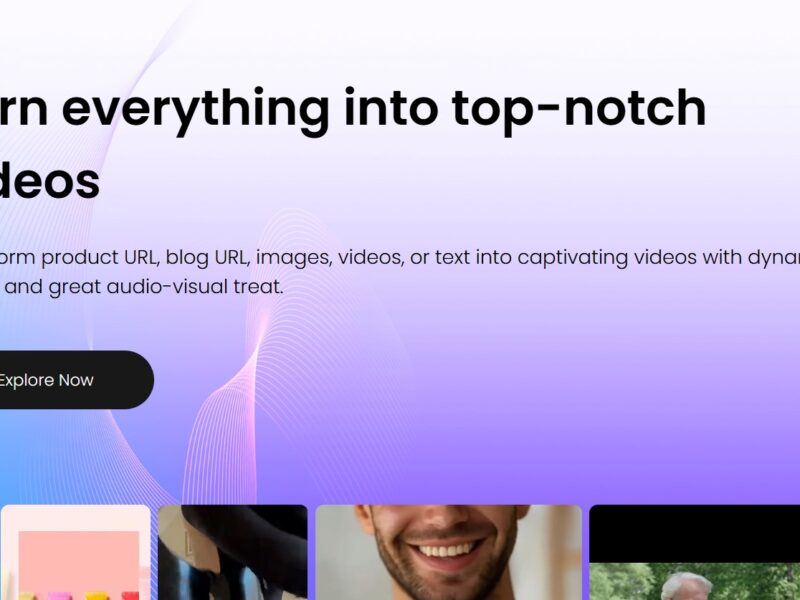
Boolv is a powerful online platform designed to enhance and manage video content seamlessly. Whether you’re a content creator, marketer, or business owner, Boolv offers a range of advanced features that help improve video presentation, accessibility, and engagement. With its intuitive interface and AI-driven technology, Boolv allows users to optimize videos for various platforms, ensuring maximum reach and viewer retention.
Features
Boolv stands out in the market due to its comprehensive set of features tailored to enhance video content. Here are some of its most notable features:
-
Video Enhancement Tools: Boolv offers advanced video editing options, allowing users to enhance video quality, adjust colors, lighting, and even add special effects with minimal effort.
-
AI-Driven Transcription and Subtitles: The platform utilizes AI to generate accurate transcriptions and subtitles automatically, making videos more accessible to a global audience.
-
Multi-Platform Support: Boolv supports videos on a wide range of platforms, from social media networks like Facebook, Instagram, and YouTube, to business tools like email campaigns and marketing landing pages.
-
Video Analytics: The tool provides detailed analytics on video performance, including viewer retention, engagement rates, and other key performance indicators (KPIs).
-
Video Compression: Boolv allows you to compress large video files without compromising quality, ensuring faster upload times and smoother streaming.
-
Customizable Branding: Users can personalize their videos with custom watermarks, logos, and call-to-action buttons to enhance brand visibility.
-
Cloud Integration: Boolv enables seamless cloud integration for video storage and management, making it easy to access and organize large video libraries.
Pros and Cons
Like any tool, Boolv has its advantages and limitations. Here’s a breakdown of the key pros and cons:
Pros:
-
User-Friendly Interface: Boolv is designed with simplicity in mind, making it accessible for both beginners and experienced video editors.
-
AI-Powered Features: Automatic transcription, subtitle generation, and other AI-driven tools save users significant time and effort.
-
Cost-Effective: Given its broad set of features, Boolv offers a good return on investment, especially for businesses and content creators on a budget.
-
Customizable Features: The platform offers plenty of customization options, allowing users to add branding elements to their videos.
-
Cross-Platform Compatibility: Boolv works seamlessly across multiple platforms, including social media, video hosting sites, and email marketing platforms.
Cons:
-
Learning Curve for Advanced Features: While the basic features are easy to use, advanced tools might require a bit of time to master.
-
Occasional Export Limitations: Some users have reported occasional issues with exporting videos at the highest quality settings.
-
Limited Integrations: Although Boolv works well with many popular platforms, there are still a few integrations (like certain email marketing platforms) that are missing.
Use Cases for Boolv:
Boolv is versatile and can be used in a variety of scenarios. Some common use cases include:
-
Content Creation: Creators can enhance their YouTube, Instagram, or TikTok videos with automatic subtitles, special effects, and branded watermarks.
-
Marketing Campaigns: Businesses can use Boolv to optimize videos for email marketing, landing pages, and social media ads.
-
Educational Content: Educators and trainers can use the transcription and subtitling features to make their lessons more accessible to a global audience.
-
Corporate Videos: Enterprises can enhance corporate training videos, product demos, or promotional content with Boolv’s editing and analytics tools.
-
Social Media Management: Social media managers can schedule and optimize video content for multiple platforms directly from Boolv.
Boolv Compared to Other Tools
When comparing Boolv to other video enhancement platforms like Adobe Premiere Pro, Final Cut Pro, or Wistia, Boolv offers a more accessible, cost-effective solution. Here’s a quick comparison:
-
Ease of Use: Boolv’s interface is much simpler compared to the complex user interfaces of professional video editing software like Premiere Pro or Final Cut Pro.
-
AI Features: While tools like Premiere Pro and Final Cut Pro are feature-rich, Boolv’s AI-driven features (like automatic transcription) set it apart in terms of automation and time savings.
-
Cost: Professional tools like Adobe Premiere Pro require a subscription or one-time payment, while Boolv offers a more affordable subscription model, making it accessible for smaller businesses and creators.
-
Video Hosting and Analytics: Platforms like Wistia focus more on video hosting and marketing analytics, whereas Boolv offers a comprehensive suite of editing, enhancement, and optimization tools alongside video analytics.
Boolv is a standout platform for anyone looking to enhance their video content quickly and efficiently. Whether you’re an individual content creator or part of a larger marketing team, Boolv offers the right combination of tools to elevate your video marketing strategy. From AI-powered subtitles to advanced editing features, Boolv ensures that videos are of the highest quality and optimized for engagement. Although there are a few minor limitations, the pros far outweigh the cons, making Boolv a must-try tool for video enthusiasts.
FAQs
-
What is the pricing for Boolv?
Boolv offers a range of pricing plans depending on your needs, starting with a free trial to explore its basic features. For more advanced functionality, subscription plans are available, and prices are competitive compared to other tools in the market. -
Is Boolv suitable for beginners?
Yes, Boolv has a user-friendly interface, making it ideal for beginners. Advanced features may require some learning, but overall, it’s designed to be intuitive for users at all skill levels. -
Does Boolv support 4K video editing?
Yes, Boolv supports 4K video resolution and allows users to edit and export high-quality videos without any issues. -
Can I add custom branding to my videos on Boolv?
Yes, Boolv provides options to add custom logos, watermarks, and call-to-action buttons, allowing you to personalize your videos with your brand identity. -
Does Boolv offer a mobile app?
Currently, Boolv does not offer a dedicated mobile app, but the platform is fully responsive and can be accessed via any modern web browser on mobile devices.