
Asana
What Is Asana?
Asana is a cloud-based project management and collaboration tool that helps teams organize their work, track progress, and communicate in one unified platform. It was founded in 2008 by Facebook co-founder Dustin Moskovitz and engineer Justin Rosenstein. Asana allows users to create tasks, assign them to team members, set deadlines, track progress, and communicate in real time.
Asana is suitable for a wide range of teams, from small startups to large enterprises, and is used by various industries including marketing, technology, operations, and human resources.
Features
Asana offers a rich suite of features that facilitate efficient project management and team collaboration:
1. Task Management
Asana allows users to create and organize tasks. Tasks can include detailed descriptions, attachments, and comments, making it easy to manage complex projects. Tasks can also be broken down into sub-tasks, ensuring every detail is captured.
2. Project Views
Asana provides several project views to suit different working styles:
-
List View: A traditional task list format, ideal for teams who prefer working with checklists.
-
Board View: A visual board format similar to Trello, perfect for teams that prefer kanban-style project tracking.
-
Calendar View: Ideal for teams who need to track project timelines and deadlines.
-
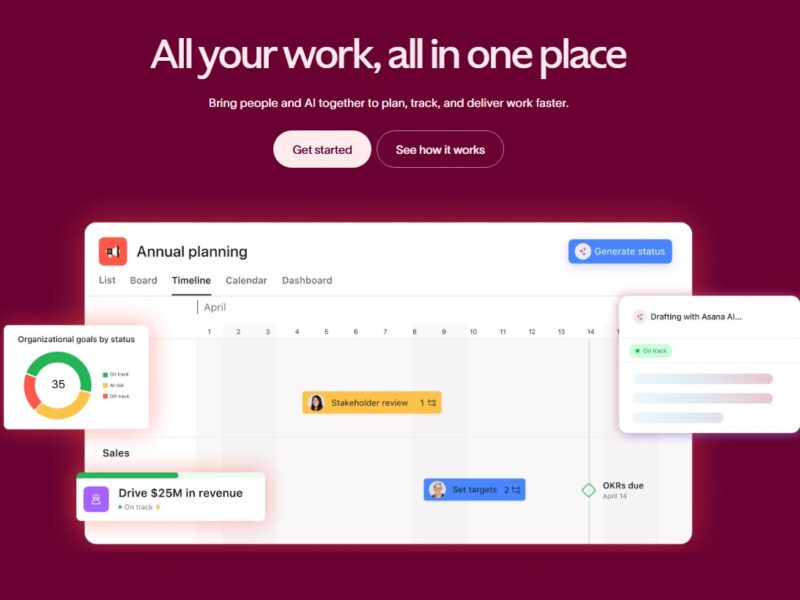
Timeline View: A Gantt chart-style timeline that offers a more visual representation of project schedules and dependencies.
3. Collaboration Tools
-
Comments & Conversations: Team members can communicate directly on tasks, ensuring that all project-related conversations are in one place.
-
Task Assignment & Due Dates: Tasks can be assigned to specific team members with clearly defined deadlines, reducing the risk of missed or forgotten tasks.
4. Integration with Other Tools
Asana integrates seamlessly with a variety of tools including Google Drive, Slack, Microsoft Teams, Salesforce, and more. This allows for streamlined workflows and improved productivity.
5. Reporting and Analytics
Asana includes built-in reporting tools that let teams track progress in real-time. The platform’s custom reporting options enable teams to track key performance indicators (KPIs), project status, and team performance metrics.
Pros and Cons
Pros:
1. User-Friendly Interface
Asana offers an intuitive, easy-to-navigate interface. The design is clean, and the platform is easy to use, even for people with minimal project management experience.
2. Customizable Workflows
Asana’s flexibility allows teams to set up workflows that fit their specific needs. Whether you need detailed project tracking or simple task management, Asana can be adapted accordingly.
3. Real-Time Collaboration
Asana makes it easy for teams to communicate directly within the platform. Real-time updates ensure that everyone stays on the same page, reducing communication gaps and boosting team efficiency.
4. Integration with Popular Tools
With integrations to over 100 apps, including Slack, Google Drive, and Zapier, Asana allows users to streamline their workflows and ensure smooth collaboration across various platforms.
5. Mobile Access
Asana has a mobile app that makes it easy to manage projects and tasks on the go. Whether you’re traveling or away from your desk, the mobile app ensures you can keep up with work remotely.
Cons:
1. Steep Learning Curve for Advanced Features
While the basic features of Asana are easy to use, some of the advanced functionalities—like automation or custom reporting—can be overwhelming for beginners.
2. Limited Reporting Features in Free Plan
The free version of Asana is quite limited when it comes to reporting. Teams that need advanced reporting features may need to upgrade to the premium version.
3. Can Become Cluttered
For large projects with many tasks and teams involved, Asana can become cluttered. Managing multiple tasks, teams, and deadlines can sometimes lead to confusion, especially without proper organization.
4. Pricing
While Asana offers a free tier, its paid plans can get expensive, especially for larger teams. The pricing model is based on users, and teams may find it costly as they scale up.
Use Cases of Asana:
Asana is versatile and can be used in a variety of industries and teams:
1. Marketing Teams
Marketing teams can use Asana to plan and execute campaigns, manage editorial calendars, and track deliverables. The ability to break down large marketing projects into manageable tasks is a key feature.
2. Product Development
Product teams use Asana to manage the entire product lifecycle, from ideation and design to development and release. Asana’s timeline and task dependencies make it easier to track the progress of product milestones.
3. Event Planning
Event planners can use Asana to coordinate all the moving parts of an event, including tasks related to vendors, venue booking, guest lists, and timelines.
4. HR Teams
HR professionals use Asana to manage employee onboarding, performance reviews, and recruitment processes. The platform’s ability to assign tasks and track progress makes it ideal for HR teams.
Compared to Other Tools
Asana vs. Trello
Trello is another popular project management tool that uses a board-based layout. While Trello is simple and visually appealing, it lacks the robust reporting, task dependencies, and timeline views that Asana offers. Asana’s flexibility and ability to scale make it a better option for teams needing advanced features.
Asana vs. Monday.com
Monday.com offers a similar project management experience with features like customizable dashboards, but Asana tends to be more user-friendly and offers a wider array of views for different project types. Monday.com’s pricing structure can also be higher than Asana’s.
Asana vs. ClickUp
ClickUp is an all-in-one project management platform, but Asana’s interface is cleaner and simpler. ClickUp offers more complex features, like goal tracking and time tracking, but Asana is often seen as easier for non-technical users.
Asana is a powerful and versatile project management tool that can cater to teams of all sizes. Its user-friendly interface, variety of views, and extensive integrations make it a go-to option for many businesses. While it may have some limitations, particularly with its free plan and advanced features, Asana remains one of the best solutions for teams looking to stay organized and improve collaboration.
Whether you’re managing marketing campaigns, product development, or team operations, Asana provides the tools necessary to streamline workflows and achieve business goals. If you’re looking for a project management tool that combines ease of use with powerful functionality, Asana is worth considering.
FAQs
1. Is Asana free?
Yes, Asana offers a free version with basic features. However, to access advanced features like timeline view, custom reporting, and integrations, you’ll need to upgrade to a paid plan.
2. Can Asana be used for personal task management?
While Asana is primarily designed for team project management, it can also be used to manage personal tasks and to-do lists. You can create private projects and tasks for your personal use.
3. Does Asana have mobile apps?
Yes, Asana has mobile apps for both iOS and Android, allowing users to manage projects and collaborate on the go.
4. Can I integrate Asana with other apps?
Yes, Asana integrates with a wide range of third-party apps, including Slack, Google Drive, Dropbox, and Microsoft Teams.
5. What is the difference between Asana Premium and Asana Business?
Asana Premium offers advanced features like timeline view, reporting, and custom fields, while Asana Business includes everything in Premium plus additional features like portfolios, workspaces, and advanced integrations.