
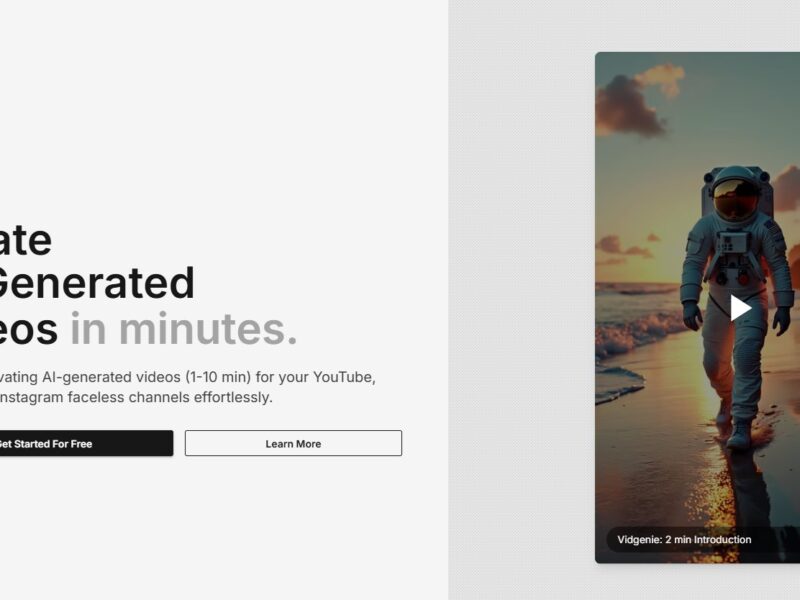
VidGenie
What is VidGenie?
VidGenie is a cutting-edge video creation platform that leverages artificial intelligence (AI) to help marketers, businesses, and content creators quickly produce high-quality videos. By automating the video creation process, VidGenie allows users to generate engaging videos from text-based content, such as blogs, articles, or social media posts, with minimal effort. Whether you’re looking to create promotional videos, educational content, or social media clips, VidGenie provides an intuitive and powerful solution to transform written content into visually captivating videos that drive engagement and conversions.
VidGenie’s goal is to streamline the video production process, making it accessible to people without any prior video editing experience. The platform’s AI-powered tools simplify video creation, enabling users to produce professional-looking videos in just a few clicks.
Features
-
AI-Powered Video Creation
VidGenie’s core feature is its AI-powered video generator, which can convert written content (such as blog posts, product descriptions, or social media updates) into dynamic videos. The AI analyzes the text, extracts key information, and automatically pairs it with relevant visuals and background music to create an engaging video. -
Customizable Templates
VidGenie offers a wide range of customizable video templates suitable for different industries and purposes. Whether you need a promo video, explainer video, or social media clip, the platform provides pre-designed templates that you can modify to suit your brand’s style and tone. -
Text-to-Speech (TTS) Integration
VidGenie integrates a robust text-to-speech feature, allowing users to add voiceovers to their videos without the need for recording. The AI-powered TTS feature supports multiple languages and accents, making it easy to add professional narration to any video. -
Visual Elements Library
The platform boasts an extensive library of stock footage, animations, and images, which users can incorporate into their videos. This helps to enhance the visual appeal of videos, adding elements like graphics, logos, and transitions with just a few clicks. -
Automatic Scene Transitions
VidGenie automatically applies smooth scene transitions between different segments of the video, ensuring a polished, professional result without requiring any manual editing. -
Multilingual Support
VidGenie’s multilingual capabilities allow users to create videos in multiple languages. This is especially beneficial for businesses targeting global audiences or managing campaigns in different regions. -
Video Editing Tools
For users who want to refine their videos further, VidGenie includes a set of video editing tools. You can adjust the video’s pace, cut scenes, add text overlays, adjust audio levels, and apply special effects to make your video even more compelling. -
Easy Sharing and Exporting
Once your video is ready, VidGenie makes it simple to export and share it across various platforms, including YouTube, social media channels, and email campaigns. You can download videos in high-quality formats suitable for any distribution platform.
Pros & Cons
Pros:
-
Ease of Use: VidGenie’s user-friendly interface is ideal for both beginners and professionals. You don’t need any prior video editing experience to create high-quality videos.
-
Time-Saving: VidGenie automates much of the video creation process, saving you time compared to traditional video editing.
-
Cost-Effective: Compared to hiring professional video editors or agencies, VidGenie offers a more affordable solution for businesses and content creators.
-
AI-Powered Features: The AI-driven features, like automatic video creation and text-to-speech, help streamline the process and improve video production quality.
-
Customizable: The platform offers enough flexibility to customize videos, from templates to text and voiceovers, allowing users to align videos with their brand.
Cons:
-
Limited Advanced Editing: While VidGenie offers basic editing tools, advanced users may find the platform lacks some of the more sophisticated features available in traditional video editing software like Adobe Premiere or Final Cut Pro.
-
Dependence on Templates: The platform is heavily reliant on templates, which can make videos appear less unique if used without customization.
-
Limited Free Features: The free version of VidGenie offers limited features, and users may need to subscribe to unlock all the advanced tools and video templates.
Use Cases for VidGenie:
-
Social Media Content Creation
VidGenie is perfect for marketers and influencers who need to create eye-catching videos for social media platforms like Instagram, TikTok, and Facebook. Its quick video creation capabilities help you churn out videos that can boost engagement and grow your audience. -
Product Demos and Tutorials
If you’re in e-commerce or a tech company, VidGenie’s AI-powered tools allow you to create product demos and tutorial videos that clearly explain your offerings. This helps you improve customer education and increase conversions. -
Corporate Communication
VidGenie can be used by businesses for internal communications, such as training videos, employee updates, or corporate presentations. It’s a quick and efficient way to deliver information in a visually engaging format. -
Content Repurposing
Content marketers can repurpose blog posts, articles, or even podcast transcripts into videos. VidGenie makes it easy to turn written content into videos that can be shared on YouTube, social media, or embedded into email campaigns. -
Advertising and Promotions
With its diverse templates and stock media library, VidGenie allows marketers to create promotional videos for sales campaigns, special offers, or event promotions. These videos can help businesses drive traffic and increase sales.
VidGenie Compared to Other Video Creation Tools
VidGenie competes with other video creation platforms such as InVideo, Animoto, and Pictory, each offering its own set of features:
-
InVideo: Like VidGenie, InVideo offers templates and an easy-to-use interface. However, InVideo provides more customization options for advanced video editing, making it a better choice for users who need more flexibility in terms of design.
-
Animoto: Animoto focuses on simplicity and ease of use, making it comparable to VidGenie in terms of automating video creation. However, Animoto’s templates and features are more limited than VidGenie’s, particularly when it comes to AI-driven video creation.
-
Pictory: Pictory also uses AI to create videos from text, but it is more focused on turning long-form content (like blogs) into short, engaging videos. VidGenie offers more diverse features, including text-to-speech and a wider variety of templates.
Compared to these tools, VidGenie offers a balanced approach to both simplicity and advanced functionality, making it ideal for users who want to create high-quality videos quickly, without sacrificing customization.
VidGenie is a game-changer for anyone looking to create high-quality videos without the need for advanced video editing skills or expensive software. Its AI-powered features, customizable templates, and ease of use make it an excellent choice for marketers, businesses, and content creators who need to produce engaging videos at scale. While it may not have all the advanced editing options of professional software, VidGenie provides a perfect balance of efficiency and creativity, making it a valuable tool for a wide range of video creation needs.
Whether you’re looking to produce social media videos, tutorials, or promotional content, VidGenie offers a quick and cost-effective solution to help you achieve your video marketing goals.
FAQs
1. Is VidGenie suitable for beginners?
Yes, VidGenie is designed to be user-friendly, with an intuitive interface and pre-made templates, making it easy for beginners to create professional videos without any prior experience.
2. How does VidGenie create videos from text?
VidGenie’s AI analyzes the text provided (e.g., a blog post or article) and automatically generates a video by pairing the content with relevant visuals, animations, and voiceovers. The AI can also suggest scene transitions and apply smooth video flows.
3. Can I use VidGenie for social media videos?
Absolutely. VidGenie offers templates optimized for social media platforms, allowing you to create content tailored for Facebook, Instagram, YouTube, and TikTok.
4. Is there a free version of VidGenie?
Yes, VidGenie offers a free version, but it comes with limited features. To unlock more templates, advanced editing tools, and premium video outputs, users will need to subscribe to a paid plan.
5. Can I add my own voiceover or use my own media in VidGenie videos?
Yes, you can upload your own images, videos, and audio files. While VidGenie has an AI-generated text-to-speech feature, you can also record and upload your custom voiceover if you prefer a more personalized touch.