
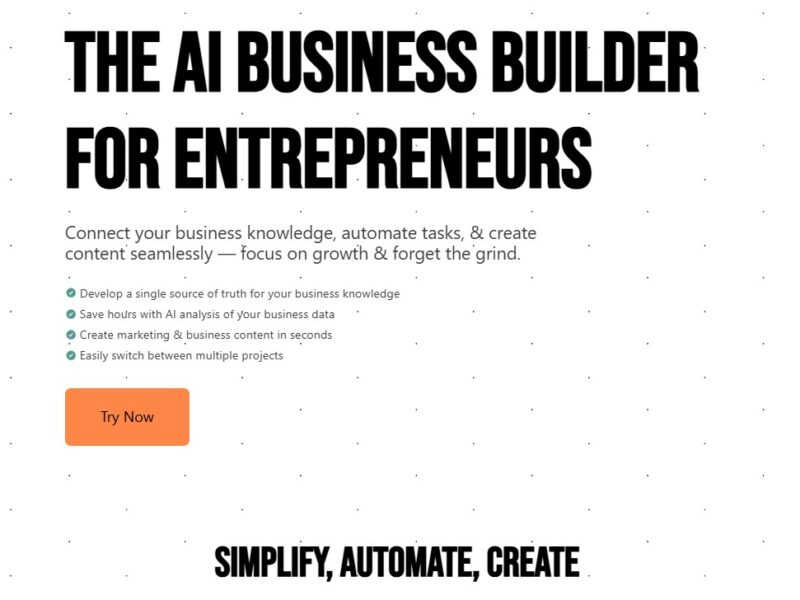
NOAN
What is Noan?
Noan is a versatile project management software designed to help teams of all sizes manage their projects and tasks more effectively. It integrates key elements of project planning, collaboration, task management, and communication into a single platform. By offering intuitive features like real-time updates, task tracking, and team collaboration, Noan empowers businesses to optimize their operations, reduce inefficiencies, and keep projects on track from start to finish.
With a user-friendly interface and robust functionality, Noan is suitable for teams in various industries, including tech, marketing, and manufacturing, looking to enhance their project workflows and team coordination.
Features
Noan comes equipped with a variety of features designed to simplify project management. Below are some of the key functionalities of the platform:
1. Task Management and Assignment
Noan allows users to create tasks, assign them to team members, and set deadlines. This ensures that each team member knows exactly what they are responsible for, helping avoid confusion and missed deadlines.
2. Real-Time Collaboration
The platform supports real-time collaboration, enabling teams to work together efficiently, whether they are in the same office or working remotely. Team members can comment on tasks, share files, and track progress, ensuring that everyone is aligned and up to date.
3. Project Dashboards
Noan’s customizable dashboards provide an overview of all ongoing projects, displaying key metrics such as task completion, upcoming deadlines, and project status. This feature allows project managers to keep an eye on progress and quickly identify any bottlenecks or delays.
4. Time Tracking
With built-in time tracking, Noan allows teams to log the hours they spend on each task. This is especially useful for billing clients, tracking productivity, and monitoring resource utilization.
5. File Sharing and Storage
Noan makes it easy to upload, store, and share documents within the platform. This feature ensures that all project-related files are accessible in one place, reducing the need for external file-sharing tools.
6. Integrations
Noan integrates seamlessly with popular tools like Google Drive, Slack, and Trello, making it easy to incorporate it into existing workflows. This flexibility helps teams continue using their preferred tools while benefiting from Noan’s project management features.
Pros & Cons
Pros:
-
User-Friendly Interface: Noan’s intuitive design makes it easy for teams to get started without a steep learning curve.
-
Comprehensive Task and Project Management: With features like task assignment, real-time collaboration, and project dashboards, Noan offers a complete solution for managing complex projects.
-
Time Tracking: The built-in time tracking feature helps businesses monitor the time spent on tasks, providing valuable insights into productivity.
-
Customization: The ability to customize dashboards and workflows means that teams can tailor the platform to their specific needs.
-
Seamless Integrations: Noan integrates with a variety of popular tools, making it easy to incorporate it into your existing workflow.
Cons:
-
Limited Advanced Features: While Noan is great for teams looking for an all-in-one solution, it may lack some of the more advanced features offered by larger platforms, such as detailed resource management or enterprise-level analytics.
-
Pricing: Some users may find Noan’s pricing to be slightly higher compared to other project management tools with similar basic features.
-
Mobile App Limitations: While Noan offers a mobile app, it may not have the full functionality of the desktop version, potentially limiting the experience for users on-the-go.
Use Cases for Noan:
Noan is a versatile tool that can be used by various types of businesses and industries. Here are some common use cases:
1. Small to Medium-Sized Businesses (SMBs)
SMBs can leverage Noan to streamline project management without needing to invest in complex enterprise software. With its intuitive interface and all-in-one capabilities, Noan is perfect for small teams that need a simple, affordable solution for managing projects.
2. Marketing Agencies
Marketing agencies often manage multiple client projects simultaneously. Noan’s task management and collaboration features allow agency teams to track deadlines, collaborate in real time, and share files and feedback efficiently, helping them stay organized and productive.
3. Freelancers and Consultants
Freelancers and consultants can benefit from Noan’s time tracking and task assignment features. It helps them manage client projects, track billable hours, and ensure they meet deadlines without the need for multiple tools.
4. Remote Teams
Noan is an excellent choice for remote teams because it provides real-time collaboration and communication tools. Its cloud-based platform allows teams to work together from different locations while staying connected and productive.
5. Product Development Teams
Product teams can use Noan to manage the development lifecycle, from ideation to execution. With features like customizable dashboards and task tracking, teams can ensure that each phase of the product development process stays on schedule.
Noan Compared to Other Project Management Tools
While Noan offers an impressive set of features, it is important to compare it with other popular project management tools to determine which one best fits your team’s needs.
1. Noan vs. Asana
Asana is one of the most popular project management tools known for its task management, timelines, and reporting features. However, Asana lacks advanced time tracking and native integrations for file sharing that Noan provides. On the other hand, Noan offers a simpler interface and easier onboarding for smaller teams, whereas Asana may feel more complex for those looking for a more streamlined solution.
2. Noan vs. Trello
Trello uses boards and cards to manage projects and tasks, offering an intuitive and visual approach to project management. While Trello is great for smaller teams and simple projects, Noan provides more robust features such as time tracking, task assignments, and real-time collaboration, which makes it a more comprehensive option for larger teams or more complex projects.
3. Noan vs. Monday.com
Monday.com is known for its highly customizable workflow features and visual project tracking tools. However, Noan offers a more budget-friendly solution for small to medium-sized teams that don’t need the high-level customization options Monday.com provides. Additionally, Noan’s focus on task management and time tracking makes it a solid alternative for teams that want a more practical, all-in-one project management solution.
Noan is an efficient and user-friendly project management tool that is well-suited for small and medium-sized businesses, marketing agencies, freelancers, and remote teams. With its powerful task management features, real-time collaboration capabilities, and seamless integrations with other tools, Noan provides a comprehensive solution for improving productivity and streamlining workflows.
While it may not offer the depth of features available in more complex platforms, Noan’s simplicity and affordability make it an excellent choice for teams looking for an easy-to-use project management tool that enhances collaboration and keeps projects on track.
FAQs
1. What industries can benefit most from using Noan?
Noan is ideal for industries such as marketing, software development, consulting, and any organization with project-based workflows. It’s especially beneficial for small to medium-sized businesses and remote teams.
2. Can I track time on my projects in Noan?
Yes, Noan includes a time tracking feature that allows team members to log their hours for specific tasks, making it easier to manage productivity and calculate billable hours.
3. Is Noan suitable for large enterprises?
Noan is more geared toward small and medium-sized teams. While it can scale to a certain extent, larger enterprises may find more specialized tools with advanced reporting and resource management features better suited to their needs.
4. Does Noan offer integrations with other tools?
Yes, Noan integrates with popular tools like Google Drive, Slack, and Trello, allowing teams to continue using their preferred applications alongside Noan’s project management features.
5. Is there a mobile app for Noan?
Yes, Noan offers a mobile app, though it may have slightly fewer features compared to the desktop version. This makes it easier to stay connected and manage tasks while on the go.