
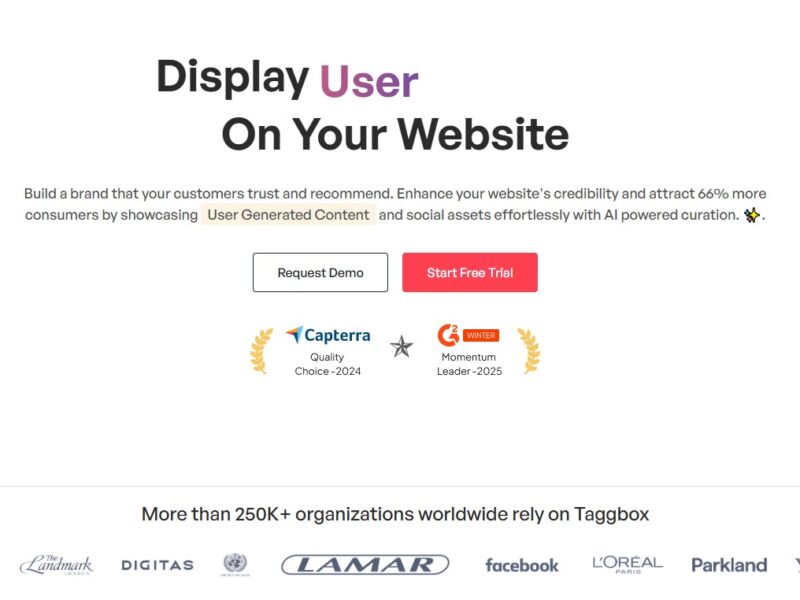
Taggbox
What is Taggbox?
Taggbox is a social media aggregation and display platform that helps businesses and organizations gather, curate, and showcase content from social media platforms like Instagram, Twitter, Facebook, and more. Through its powerful, easy-to-use interface, Taggbox lets users display social media posts, reviews, hashtags, and user-generated content (UGC) on websites, digital signage, and at live events.
Taggbox makes it possible to seamlessly integrate real-time social content into marketing campaigns, creating dynamic and interactive experiences for your audience. This helps businesses build trust, improve social proof, and enhance brand engagement by highlighting authentic content from users.
Features
1. Social Media Aggregation
Taggbox enables businesses to pull in social media content from multiple platforms, including Instagram, Facebook, Twitter, YouTube, and more. Users can aggregate posts, hashtags, mentions, and UGC into a single display, saving time and effort in content management.
2. Customizable Widgets
With Taggbox, you can customize how aggregated content is displayed on your website or digital signage. The platform offers a variety of templates, layouts, and styles to ensure that the display fits seamlessly with your branding and design preferences.
3. Real-Time Updates
Taggbox offers real-time updates, meaning any new social media content related to your brand, product, or event will automatically appear on your display without requiring manual intervention. This keeps your content fresh and up-to-date.
4. Moderation & Filtering
Taggbox allows users to moderate the content being displayed. You can approve or remove specific posts to ensure that only high-quality, relevant content is showcased. This is particularly important for maintaining brand integrity and ensuring a positive user experience.
5. Analytics & Insights
Taggbox provides in-depth analytics that helps you measure the performance of your social media displays. It tracks engagement metrics such as likes, shares, views, and interactions, helping businesses understand how their social content is impacting their audience.
6. Hashtag Campaigns
For marketing campaigns, Taggbox allows businesses to create hashtag-driven campaigns where content tagged with specific hashtags is automatically pulled into the display. This is a great way to encourage audience participation and increase campaign visibility.
7. Digital Signage
Taggbox extends its functionality beyond websites by offering digital signage solutions. This allows you to display real-time social media feeds on digital screens in physical locations such as retail stores, trade shows, events, and more.
8. Integrations with Platforms
Taggbox supports integration with a wide range of website builders (such as WordPress, Wix, Shopify) and digital signage software. This makes it easy to implement social media displays across various platforms and environments.
9. Custom Branding
Businesses can fully customize the look and feel of the social media display. With the ability to add logos, custom colors, fonts, and more, Taggbox ensures that the display matches your company’s brand identity.
10. Embeddable Displays
With Taggbox, you can easily embed your social media displays into websites, blogs, and landing pages. This feature helps increase engagement by bringing social content directly to the user’s browsing experience.
Pros & Cons
Pros
-
Easy to Use: Taggbox’s interface is simple to navigate, even for users with limited technical knowledge. It allows businesses to quickly curate and display social media content without needing a developer.
-
Customizability: The platform offers extensive customization options, ensuring your social media display matches your website’s design and branding.
-
Real-Time Content Updates: Taggbox automatically updates the displayed content, keeping it relevant and fresh.
-
Moderation Features: Content moderation ensures that only the best and most relevant social media content appears on your display, protecting your brand image.
-
Analytics Tools: Taggbox provides useful insights into how your social media content is performing, helping you make data-driven decisions for future campaigns.
Cons
-
Price: While Taggbox offers powerful features, its pricing may be higher than some simpler alternatives, which could be a concern for smaller businesses with limited budgets.
-
Learning Curve for Advanced Features: Some of the more advanced features, like customizing widgets and embedding them into websites, may require a bit of a learning curve.
-
Limited Social Platforms for Free Plan: The free plan offers limited social media integrations, which might not be sufficient for businesses that need to pull content from a wide range of platforms.
Use Cases for Taggbox:
1. E-Commerce Websites
Online retailers can use Taggbox to showcase user-generated content such as product reviews, photos, and testimonials from social media. This helps increase credibility and build trust with potential customers.
2. Event Marketing
For events and conferences, Taggbox is ideal for displaying social media posts, photos, and hashtags on digital signage or live feeds. It creates an interactive experience for attendees and enhances event engagement.
3. Social Media Campaigns
Businesses running hashtag campaigns or promotions can use Taggbox to aggregate social media content created by users under a specific hashtag. This drives more participation and creates a sense of community around the campaign.
4. Brand Awareness and Engagement
Brands can use Taggbox to enhance their websites with real-time social media content that reinforces their brand message and boosts engagement. By displaying customer photos or social media mentions, businesses can create a more dynamic and engaging user experience.
5. In-Store Digital Displays
Retail businesses can use Taggbox for digital signage, displaying social media content on in-store screens to encourage customer interaction and promote brand awareness in physical locations.
Taggbox Compared to Other Tools
When compared to other social media aggregation and display tools like Juicer, Flockler, or TINT, Taggbox stands out in terms of customization and its focus on user-generated content.
-
Juicer: Juicer is a simpler and more affordable option, but it lacks the advanced customization and real-time moderation features offered by Taggbox. Taggbox provides more flexibility in terms of design and content control, making it ideal for businesses looking for a more tailored solution.
-
Flockler: While Flockler also offers social media aggregation, Taggbox provides more extensive integrations and features, including digital signage solutions and deeper analytics. Flockler is better suited for smaller businesses or those with less complex needs.
-
TINT: TINT is a direct competitor to Taggbox and is known for its advanced social media aggregation features. However, Taggbox offers more affordable pricing plans, especially for small to medium-sized businesses, and is known for its ease of use.
Taggbox is a powerful and versatile tool for businesses looking to leverage social media content in creative ways. From real-time social media aggregation to customizable displays and in-depth analytics, Taggbox helps businesses enhance engagement, build trust, and drive brand awareness across digital platforms. Whether you’re showcasing user-generated content on your website, running a hashtag campaign, or displaying social media posts at events, Taggbox offers a comprehensive solution for businesses of all sizes.
FAQs
1. How does Taggbox help with social media marketing?
Taggbox helps businesses collect, curate, and display social media content such as posts, hashtags, and user reviews. This enhances engagement, provides social proof, and strengthens marketing campaigns by showcasing real-time user-generated content.
2. Can I moderate the content displayed on Taggbox?
Yes, Taggbox provides content moderation tools that allow you to approve or remove posts before they appear on your display, ensuring that only relevant and high-quality content is showcased.
3. Is Taggbox easy to integrate with my website?
Yes, Taggbox provides easy-to-use widgets that can be embedded into websites, blogs, and landing pages. It also integrates with website builders like WordPress, Wix, and Shopify.
4. Does Taggbox support real-time updates?
Yes, Taggbox automatically updates the content being displayed in real-time, ensuring that your audience always sees the most current social media posts and content.
5. What social media platforms does Taggbox support?
Taggbox supports a wide range of social media platforms, including Instagram, Twitter, Facebook, YouTube, and more. It allows businesses to pull in content from these platforms to create dynamic displays.