
Gamma
What is Gamma?
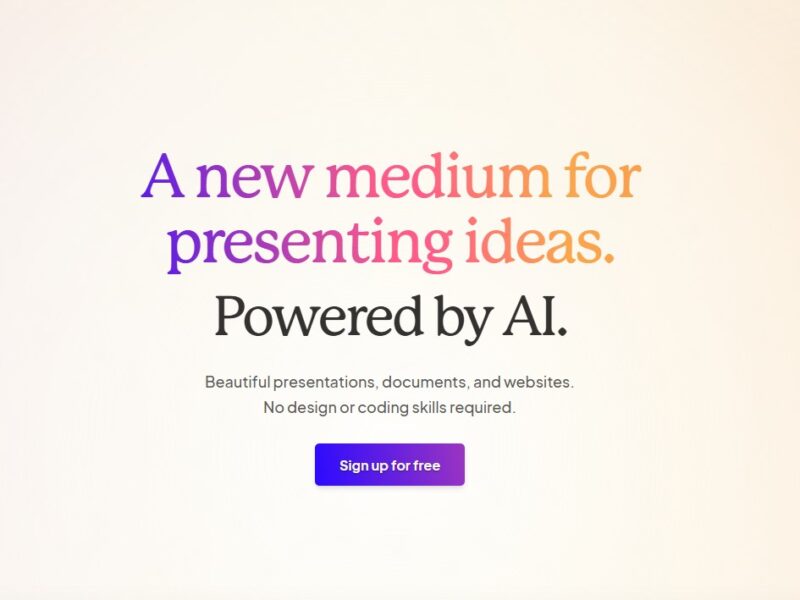
Gamma is an innovative content creation platform designed to simplify the process of making visually engaging presentations, documents, and reports. Built for users who want to create professional-level designs without needing advanced graphic design skills, Gamma combines AI-driven layouts with intuitive drag-and-drop functionality. The platform focuses on enabling teams and individuals to create content that is both visually appealing and easy to share.
With Gamma, users can build interactive presentations that include multimedia elements like images, videos, and live links. The tool also provides the flexibility to create shareable, online reports that can be embedded or downloaded for offline use. Whether for marketing presentations, investor reports, or internal business updates, Gamma simplifies the creative process while ensuring that the output looks polished and professional.
Features
Gamma provides a robust set of features that cater to users looking to produce high-quality visual content with minimal effort. Key features include:
-
AI-Powered Design Suggestions: Gamma’s AI analyzes your content and automatically suggests design layouts that complement your material, ensuring a clean, aesthetically pleasing presentation. It simplifies the design process by recommending the best ways to present text, images, and data.
-
Drag-and-Drop Interface: The platform’s drag-and-drop functionality makes it easy to add text, images, videos, and other elements. This intuitive interface eliminates the need for graphic design expertise.
-
Interactive Elements: Gamma allows users to add interactive elements like clickable buttons, live links, embedded videos, and interactive infographics. This helps make presentations more engaging and dynamic.
-
Collaborative Workflows: Teams can collaborate on documents and presentations in real time, making it easier for remote teams to work together. You can comment on slides, assign tasks, and track changes, ensuring a streamlined workflow.
-
Cloud-Based Platform: As a cloud-based tool, Gamma enables users to access their projects from any device, anywhere. The platform also ensures that content is always up-to-date and secure.
-
Template Library: Gamma provides a variety of customizable templates for presentations, reports, and documents, so users don’t have to start from scratch. Templates cater to different industries and use cases, from business to creative projects.
-
Cross-Platform Compatibility: Content created on Gamma can be shared and accessed across multiple platforms, ensuring that your presentations, reports, and documents are easily viewed and interacted with on desktops, tablets, and mobile devices.
-
Export and Embed Options: You can export your projects to various file formats (including PDF, PowerPoint, and HTML) or embed them directly into websites and emails for easy sharing.
-
Analytics and Tracking: Gamma provides analytics tools to track engagement with shared content. You can see who viewed your content, how long they engaged with it, and which sections they interacted with most, giving you valuable feedback for improvement.
Pros & Cons
Pros:
-
Ease of Use: Gamma’s drag-and-drop interface makes it incredibly easy for anyone to start creating high-quality content, even without any design experience.
-
AI-Powered Design: The platform’s AI design suggestions help users produce visually appealing content without having to think too much about layout or formatting.
-
Collaborative Features: Gamma’s real-time collaboration features allow teams to work together on projects, streamlining the content creation process for organizations.
-
Interactive and Engaging: The ability to add interactive elements, such as videos and clickable links, ensures that presentations and reports are engaging and dynamic.
-
Cloud Accessibility: Being cloud-based means that users can access their projects from anywhere, making it convenient for remote teams and individuals on the go.
Cons:
-
Limited Advanced Customization: While Gamma offers customizable templates, users looking for deep, advanced design customization might find the tool somewhat restrictive compared to more complex design platforms like Adobe InDesign.
-
Learning Curve for New Users: While the interface is simple, new users might need some time to explore all of Gamma’s features, especially the advanced AI design capabilities.
-
Pricing: While Gamma offers a free version, access to premium features (such as more templates and advanced analytics) comes with a subscription, which may be a consideration for budget-conscious individuals or businesses.
-
Reliance on Internet Connection: As a cloud-based platform, Gamma requires an internet connection to function. This could be limiting in situations where offline access is essential.
Use Cases for Gamma:
Gamma’s versatile features make it suitable for a wide range of applications. Here are some common use cases:
-
Business Presentations: Gamma is ideal for creating polished business presentations that are visually engaging and easy to share. Users can quickly create professional-level decks with interactive elements and AI-driven design recommendations.
-
Marketing Campaigns: Marketers can use Gamma to create interactive reports and pitch decks for clients, including embedded videos, live links, and clickable content. This is particularly helpful for showcasing marketing results or presenting new campaign strategies.
-
Investor Reports: With its ability to present data in a visually appealing way, Gamma is great for creating investor reports that combine text, charts, and images to communicate financial performance and strategic goals.
-
Internal Team Communications: Teams can use Gamma to share updates, progress reports, and project timelines. The platform’s collaborative features make it easy for team members to work on the same document and track changes in real time.
-
Educational Content: Educators and trainers can use Gamma to create engaging, interactive lesson materials, presentations, and learning resources that are more dynamic than traditional slideshows or documents.
Gamma Compared to Other Tools
When compared to other content creation tools like Canva, Google Slides, and Microsoft PowerPoint, Gamma stands out in several ways:
-
AI-Driven Design: Unlike Canva, which offers templates and design elements, Gamma takes it a step further by using AI to suggest layouts based on the content you input, which can save time and reduce decision fatigue.
-
Interactivity: Gamma’s focus on interactive features (such as clickable links, embedded videos, and live content) sets it apart from tools like Google Slides and PowerPoint, which tend to focus more on static content.
-
Collaboration: Gamma’s real-time collaboration tools are more advanced than PowerPoint or Google Slides, especially for teams working on large projects or documents where feedback is critical.
-
Cloud-Based & Cross-Platform: Like Google Slides, Gamma is cloud-based, allowing for easy access across devices. However, its design capabilities and interactive features put it ahead in terms of content creation compared to simpler tools like Google Slides.
Gamma is a powerful, AI-driven platform that makes content creation accessible to anyone—whether you’re a marketer, business professional, educator, or creative. Its combination of AI-powered design suggestions, interactive elements, and cloud-based collaboration tools make it an excellent choice for businesses and individuals looking to create professional-level presentations, reports, and documents with ease. Although it may not offer the deep customization of advanced design software, Gamma’s user-friendly interface, AI assistance, and versatile features make it an ideal choice for those seeking to streamline the content creation process and deliver visually compelling results.
FAQs
1. Do I need to be a designer to use Gamma?
No, Gamma is designed for users of all skill levels. Its AI-powered design suggestions and drag-and-drop functionality make it easy for non-designers to create professional-looking content.
2. Can I collaborate with my team on Gamma?
Yes, Gamma offers real-time collaboration features, allowing team members to work together on documents, presentations, and reports. You can track changes, leave comments, and assign tasks.
3. Is Gamma cloud-based?
Yes, Gamma is a cloud-based platform, meaning you can access your projects from any device with an internet connection. This makes it ideal for remote teams and individuals on the go.
4. How customizable are the templates on Gamma?
While Gamma offers a wide range of customizable templates, the platform focuses on ease of use and AI-driven design suggestions, so advanced design customization might be limited compared to more complex tools like Adobe InDesign.
5. Is Gamma free to use?
Gamma offers a free version with basic features. However, to access premium features such as advanced templates, analytics, and additional collaboration tools, you’ll need to upgrade to a paid subscription.