
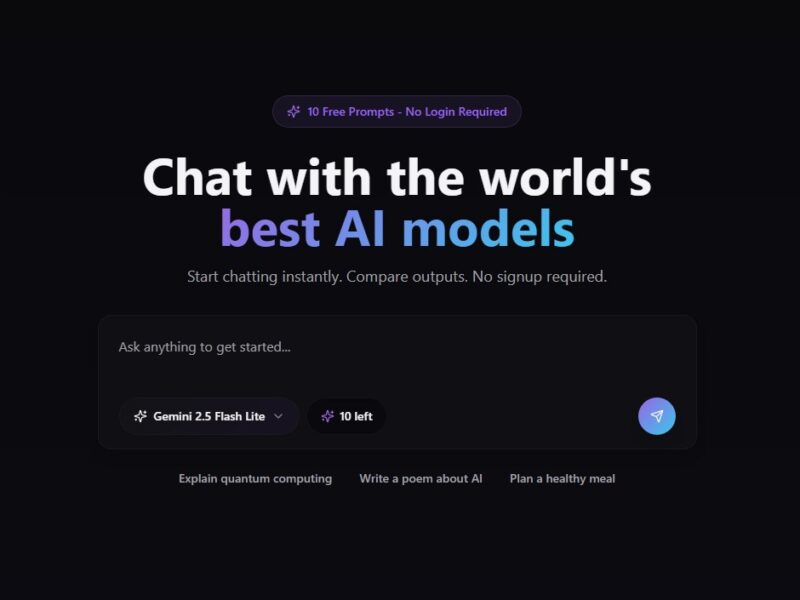
Free AI Assistant
What is FreeAssist.ai?
FreeAssist.ai is a comprehensive freemium AI-assistant platform designed to help users automate a wide range of content-creation, communication and productivity tasks. According to listings and tool directories, it provides access to more than 70 different AI-powered sub-tools — including text generation (via models like GPT-3.5/4), image generation (via DALL-E / Stable Diffusion) and multilingual translation/export functions.
In practical terms, you can use FreeAssist.ai to draft/rewite blog posts or marketing copy, generate product descriptions for e-commerce, create images from textual prompts, translate between languages, export content in formats like PDF/Word/MP3, and perform other “assistant”-style workflow enhancements.
The idea is to act as a “one-stop” AI productivity suite rather than a single-feature tool. It supports over 25 languages and works across text, image, voice and translation modalities.
Features
Here are some of the main features of FreeAssist.ai, based on available information:
-
Text generation & editing: Create blog posts, emails, product descriptions, marketing copy, rewrites, smart edits.
-
Image generation from text prompts: Using engines like DALL-E or Stable Diffusion to produce visuals from textual descriptions.
-
Multilingual support: Generation and translation of content in more than 25 languages, enabling global-reach workflows.
-
Export formats: Results can often be exported to PDF, Word, MP3/WAV etc depending on the type of content (text, audio).
-
Tool variety: “70+ AI powered tools” (per one listing) spanning tasks like summarization, translation, image generation, voice-overs.
-
Freemium pricing & upgrade tiers: Free tier with basic usage; paid tiers for higher word/image/voice-limits.
-
E-commerce & business-oriented utilities: Beyond generic content creation, some descriptions mention features for updating product listings, generating business ideas, optimizing e-commerce descriptions.
Pros & Cons
Pros:
-
Versatility: The breadth of tools (text, image, translation, voice) means one platform supports many content-creation tasks.
-
Multilingual reach: Support for more than 25 languages is a strong advantage for global use.
-
Freemium upfront access: Users can start with a free tier and evaluate the platform before committing.
-
Export flexibility: Being able to export in different formats (PDF, Word, audio) helps in sharing and repurposing content.
-
Business use-cases built in: The fact it targets product descriptions, business idea generation, e-commerce workflows makes it more than a “just writing” tool.
Cons:
-
Quality variation: As with many general-purpose AI tools, the output quality may vary depending on prompt specificity and moderation. For example one directory noted that “accuracy of AI-generated results may vary.”
-
Learning curve: Because it’s broad and feature-rich, there’s more to learn than a single-purpose tool. Some users may find the initial setup or exploring the many tools takes time.
-
Free tier limitations: The free plan will likely have stringent limits on usage (word counts, image counts, voice minutes) which may restrict heavier use until you upgrade.
-
Potential alignment/context issues: For some tasks requiring deep domain knowledge or nuance, the AI may misinterpret context or produce less refined output (as some reviews suggest).
-
Competition: The market for AI assistant and content-creation tools is crowded; users will want to check whether this tool offers unique value versus very strong competitors.
Use Cases:
Here are some specific scenarios where FreeAssist.ai can be applied:
-
Content marketing & blogging: Writing long-form blog posts, articles, email newsletters, marketing copy. E.g., a content creator uses the text-generation tool to draft a first version and then refines it.
-
E-commerce product description optimisation: An online store can use the image generator to create visuals and the text tool to craft SEO-friendly product descriptions.
-
Multilingual content production: A business targeting international markets can generate content in several languages, translate, and export into shareable formats.
-
Social media & visual marketing: Combining text prompts with image generation enables social posts, marketing visuals, infographics etc.
-
Voiceovers and audio content: If the voice/ audio export tools are used, one might generate podcast scripts + convert to audio, or produce voiceover for video content.
-
Brainstorming & idea generation: Generating business ideas, blog topics, marketing hook ideas—i.e., using AI to spark creativity and then refining manually.
-
Documentation & export workflows: For instance a consultant creates a report or white-paper, exports it to PDF/Word, shares it with clients via FreeAssist.
-
Small business/entrepreneur productivity: Automating repetitive writing or creative tasks so that founders can focus on higher-value work rather than drafting every piece of content manually.
Compared to Other Tools
When comparing FreeAssist.ai to other AI-assistant or content-creation platforms, here are a few points of differentiation and considerations:
-
Breadth of features vs niche tools: Some tools specialise strictly in e.g., long-form writing (like Jasper AI or Writesonic), or image generation only (like DALL·E or Midjourney). FreeAssist aims to cover multiple modalities (text + image + voice + translation) in one place.
-
Pricing & accessibility: Some premium tools may charge more aggressively or have steeper entry-costs. FreeAssist’s freemium model is an advantage for trials, though heavy users may need to upgrade.
-
Multilingual capability: The claim of 25 + languages gives it an edge for global users compared to tools that are primarily English-only.
-
User interface & learning: Because it bundles many tools, FreeAssist might require more navigation / setup compared with a tool that only focuses on one task. So for a user who only wants blog-post writing, a more specialised writing assistant might offer faster onboarding.
-
Output quality and model backing: The quality of results will depend on how well the platform integrates top models (GPT-4, etc.) and how well it contextualises user prompts. Some competing tools emphasise “advanced model access” or “enterprise-grade” output. One directory listing noted FreeAssist’s “accuracy … may vary.”
-
E-commerce and business-specific workflows: FreeAssist mentions e-commerce product update features, business idea generation etc. Some competitors may focus exclusively on writing or chatbots and not emphasise business workflows as strongly.
-
Export/format flexibility: The ability to export to PDF/Word/MP3 is useful. Some tools may require additional steps or integrations to get content into those formats.
In short: If you’re looking for a unified platform that handles a range of creative/content tasks (text + image + voice + translation), FreeAssist.ai is compelling. But if your need is very specialised (e.g., the absolute top-quality long-form writing in English only, or enterprise grade code generation) a dedicated tool might outperform it in that niche.
In summary, FreeAssist.ai offers a strong value proposition as a multi-functional AI assistant platform. For users and businesses who deal with diverse content tasks — writing, translation, image generation, voice-overs, social-media imagery, e-commerce descriptions — having a single platform reduces fragmentation and may improve workflow efficiency. The freemium model allows exploration before committing to paid tiers.
However, it’s important to approach with realistic expectations: as with many AI tools, output still requires human review and refinement for quality, context and nuance. The free tier will have usage limits, and for heavy use or enterprise demands you’ll want to evaluate pricing, support and model access. Finally, in the highly competitive AI tools landscape, you’ll want to compare FreeAssist.ai’s output quality, ease of use, and pricing against alternatives to ensure it meets your specific needs.
If your workflow involves multilingual content, mixed-media generation (text+image+voice), and you want one central platform to handle it, FreeAssist.ai is definitely worth a try.
FAQs
Here are five frequently asked questions about FreeAssist.ai:
1. Is FreeAssist.ai really free to use?
Yes — the platform offers a free (freemium) tier that allows users to access basic functionality without paying. Usage is limited by word-counts, image counts or other quotas however.
2. What kinds of AI models or technologies does FreeAssist.ai use?
According to tool-listings, FreeAssist.ai harnesses models like GPT-3.5 and GPT-4 for text generation, DALL-E and Stable Diffusion for images, and possibly voice-synthesis platforms for audio/voice-over generation.
3. Which languages does FreeAssist.ai support?
It supports more than 25 languages for content generation/translation, enabling multilingual workflows. The exact list of languages may vary and you should check the current platform for full language support.
4. What are the main limitations of the free plan?
On the free tier you’ll likely face limits such as the number of words you can generate, number of images you can create, number of voice minutes (if applicable), and perhaps fewer template/customisation options. Upgrading gives higher quotas/usage.
5. How does FreeAssist.ai compare with dedicated tools like Jasper or Writesonic?
FreeAssist.ai offers broader modalities (text, image, voice, translation) in one platform, which is a strength if you have diverse content needs. However, dedicated tools like Jasper or Writesonic may offer more refinement or domain-specific workflows in just writing or marketing copy. If your needs are narrowly focused (e.g., long-form English blog writing only), a specialised tool might deliver slightly better results or user experience.